Oracle Instance Monitoring - RDS

Hello All,

Version: Checkmk Raw Edition 2.2.0p7
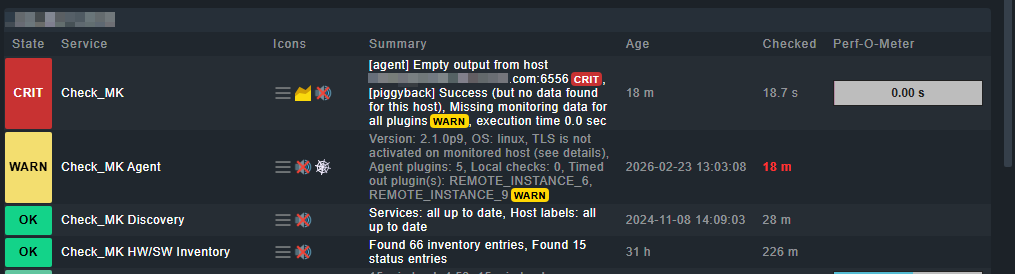
I’m monitoring Oracle instances across multiple RDSs. I’m using the plugin and the .cfg file. It works fine, but when one or more RDSs disconnect (4), the configuration file becomes corrupted, throwing a timeout error. The entire configured universe stops reporting, sending no notifications, and if I run a discovery, the monitoring alerts are deleted.

The objects are displayed on fake servers, use the endpoint name, and were configured without an IP address.

If I run the script manually, it works fine, only flagging timeout errors. The other configured RDSs do show information, but as I mentioned, the Check_MK web interface is empty.

The CheckMK agent on the server where it is configured disconnects and throws a timeout message.
This event lasts quite a while, then everything connects and everything is OK again.
During the issue, if I remove the lines in the .cfg file of the RDS that throw an error when running the manual script, everything resets. The next day when I run the manual script and see that they work, I add them back and everything works without a problem.

image

Those instances that are displayed in the check called check_mk agent are working; when the manual script is executed, they show data.

Regards,

Vix

Hi Victor,

Possible solutions:

  1. Increase agent timeout – short-term solution, but not the real answer
  2. Move plugin to the async/spool directory – run the Oracle plugin asynchronously so that timeouts do not block the main agent
  3. Distribute RDS instances across separate hosts – each RDS as its own host/special agent so that a failure does not block all of them
  4. Upgrade to CMK 2.4 – newer versions have better error handling for the Oracle plugin

2 or 4 are recomment

Monitoring Oracle databases

Yellow note…

# Plugin remove from syncron folder and move to asyncrone
mkdir -p  /usr/lib/check_mk_agent/plugins/60/mk_oracle

mv /usr/lib/check_mk_agent/plugins/mk_oracle \
   /usr/lib/check_mk_agent/plugins/60/mk_oracle

chmod +x /usr/lib/check_mk_agent/plugins/60/mk_oracle
/usr/lib/check_mk_agent/plugins/mk_oracle        ← synchron, block  the Agent

create a subfolder with a number (number=executon intervall in seconds):

/usr/lib/check_mk_agent/plugins/60/mk_oracle     ← asynchron, all 60 seconds

The following applies to synchronous execution (without a number subdirectory):

  • The plugin is executed directly each time the agent is called.
  • If the plugin hangs (e.g., due to an RDS timeout), it blocks the entire agent.
  • Checkmk does not receive any data → UI empty, no notifications.

The following applies to asynchronous runs (with number subdirectory):

  • The plugin runs in the background independently of the main agent.
  • Results are temporarily stored in the spool directory.
  • The agent delivers the most recently cached data the next time it is called.
  • A hanging RDS Connect no longer blocks the rest.

Greetz Bernd

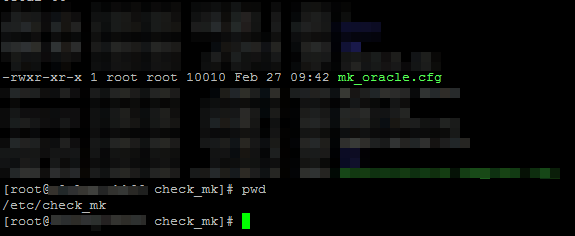
This is typical of the Oracle agent when being used in a remote config and one or more instances in the config are offline. I’m assuming you have the following config as an example in the /etc/check_mk/mk_oracle.cfg:

INST1
INST2
INST3
INST4

etc

INST3 goes offline - the agent will wait for the SQLNET timeout to fail - which is governed by the TCP timeout and is usually longer than the agent timeout.

You might be able to get a solution by using SQLNET.OUTBOUND_CONNECT_TIMEOUT in the sqlnet.ora to limit the connection duration attempt to Oracle. Take a look at the following:

Unfortunately the only reliable work around I have found to keep the other instances monitored is to comment out the failing instance(s) from the mk_oracle.cfg.