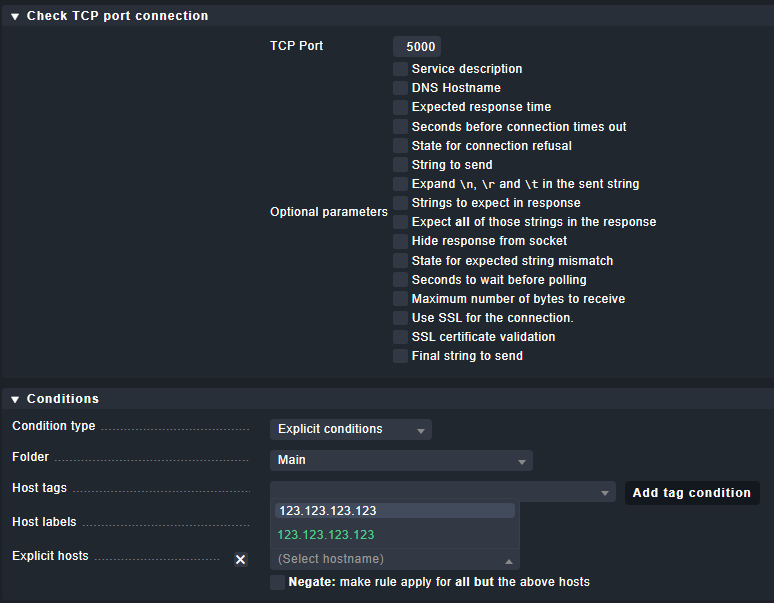
I am trying to monitor (PING ONLY) and IP address on a specific port. If I add the device to be monitored it says its invalid if I add the port at the end of the IP like 123.123.123.123:5000.
This main IP address is actually using NAT and port forwarding so 5000, 5001,5002 are actually private addresses being handed out by the IP address before the port number
Hi Brian,
PING is ICMP type 8 (echo request/reply), so no ports. What you want is a TCP check, just like Robert hinted.
After adding your host with the ip address 123.123.123.123 you can configure an active TCP check for port 5000 under: Setup ->Services ->HTTP, TCP, Email, … → Check TCP port connection
Later on you can use: Setup ->Hosts → Host monitoring rules → Host Check Command to change the default host check (ping) to the service you just configured beforehand.
Or you can just say: