Hi everyone, I need to monitor the scheduled tasks of a server.
-I have installed the following plugin Checkmk Exchange
-Enabled in CMK server
-Copied win_scheduled_task.ps1 to the plugin folder of the server to monitor
-Restarted the CMK service on the windows server
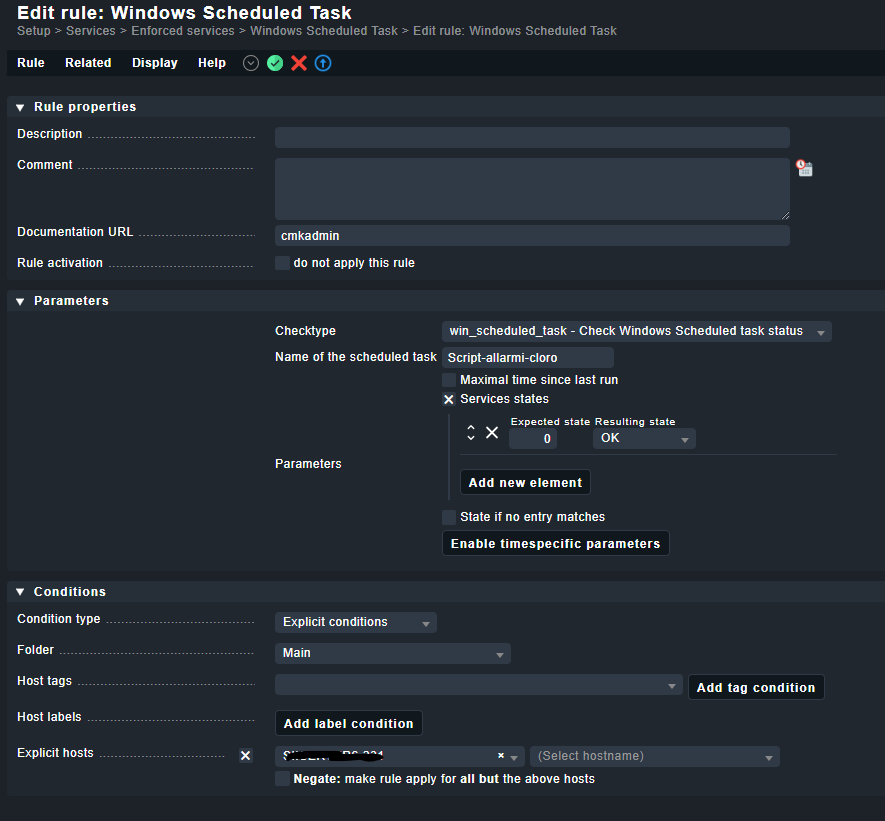
-Made the rule via WATO
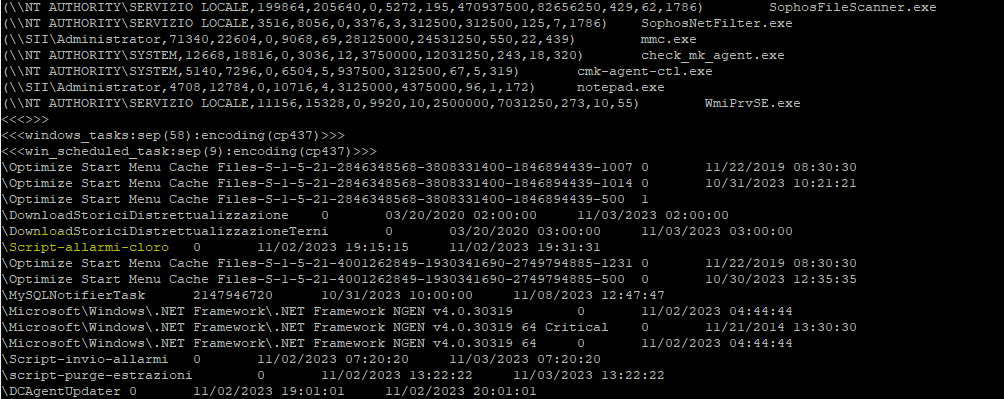
But the service always remains in a stale state, if I manually launch the powershell script on the server to be monitored it brings up all the scheduled tasks with their relative status.
Where am I doing wrong?
I attach some photos
Hi.
Why did you use the windows task monitor from checkmk exchange? There is a solution within checkmk. You will find the needed plugin at ~/share/check_mk/agents/windows/plugins called windows_tasks.ps1.
The included plugin is not working on many systems correctly as it uses the ancient tool “schtasks”.
The plugin from @Jiuka does the same as my version of the Windows task monitoring and this way better. → Language save and correct state returned
@xmatrix83 you don’t need to create a “Enforced services” rule.
If the plugin script is executed correctly on the target machine you should see automatically some scheduled task checks. Then you can use the rule button to define the state.
Unfortunately, neither the integrated plugin nor the additional one works for me. Could it be my check_mk.user.yml file’s fault? This is the first time I’ve had to enable plugins and I might have made a mistake.
I attach the file check_mk.user.yml.txt (17.2 KB)
If you copy the plugin scripts to the correct location inside “C:\ProgramData\checkmk\agent\plugins”, you don’t need to change anything inside the check_mk.user.yml.
I would recommend to use a check_mk.user.yml only with the settings you really use/need.
I don’t understand why I have this problem.
I reloaded the default yml file.
the plugins are in the correct position, if I query the host (cmk -d hostname) in the output there are the scheduled tasks but by doing the discovery it doesn’t add the service and by forcing it with the rule it doesn’t receive data.
That is strange. The original Windows tasks plugin gives no output on your system → only the header line is visible.
I would say the output from the new script looks like it is expected.
You can check on the monitoring server with “cmk --debug --detect-sections win_scheduled_task -vvI hostname” if you get some error messages or not.
It finds the section and gave no error, all looks fine.
Is there something in the output if you check with “cmk --debug --detect-sections win_scheduled_task -vvn hostname”. All other checks should show “PEND Check plugin received no monitoring data”.
Is it the same output if you do a “-vvII” instead of “-vvI” ?
This topic was automatically closed 365 days after the last reply. New replies are no longer allowed. Contact an admin if you think this should be re-opened.