CMK version: 2.3.0p19
OS version: Windows Server 2022
Error message: No detection of services
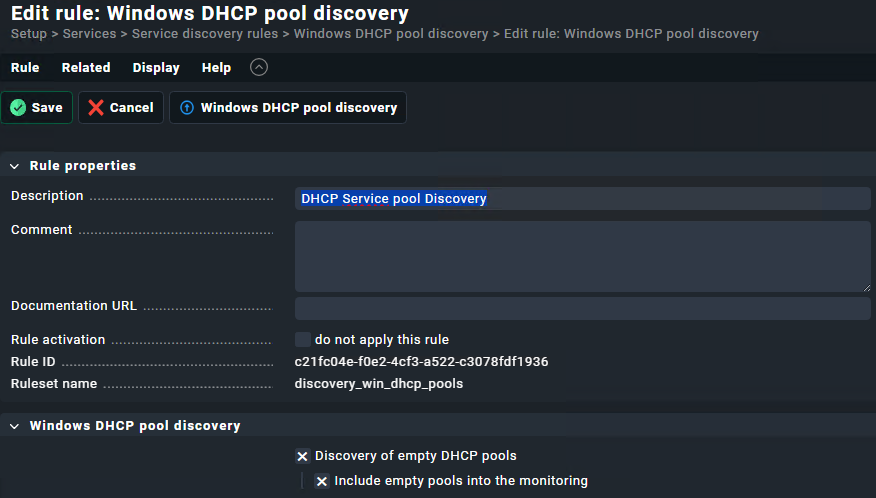
I have added the plugin ‘win_dhcp_pools’ in the path ‘C:\ProgramData\checkmk\agent\plugins’ on a Windows machine. I have configured the rule ‘Windows DHCP pool discovery’ with the values ‘Discovery of service DHCP pools’ and ‘Include empty pools into the monitoring’ activated,
usually this script works out of the Box.
You can try to download the agent output of that host and see, if the dhcp pool data is in there.
If not, I would test the plugin as the local system account on the windows server to see if there are any rights/permission problems and inspect the logs of the agent in the programdata logs folder.
If the data is in the output, you can check, if there are disabled service rules, that hide those services.
Thank you for your reply. I have checked that I get the data of all DHCP scopes by running the script ‘win_dhcp_pools.bat’.
If I see the data I get from the checkmk server with the command -d ‘cmk server_dhcp_name’ | grep Subnet’ I can see the data. But checkmk does not discover new services with these dhcp ranges.
I currently have the plugins mk_dhcp_enabled and win_dhcp_pools, but I can only see the DHCP Stats service.
Apparently you are using a Spanish edition Windows. Some time ago I had a similar issue and wrote this PowerShell to translate the Spanish output to English as checkmk expects:
# Script para usar en servidores instalados en español

$translate = @(
				("Descubre", "Discovers"),
				("Ofrece", "Offers"),
				("Solicita", "Requests"),
				("Declina", "Declines"),
				("Libera", "Releases"),
				("Subred", "Subnet"),
				("Ámbitos", "Scopes"),
				("Núm. de direcciones en uso", "No. of Addresses in use"),
				("Núm. de direcciones libres", "No. of free Addresses"),
				("Núm. de ofertas pendientes", "No. of pending offers")
			)

$dhcpinfo = netsh dhcp server show mibinfo

foreach($value in $translate)
{
	$dhcpinfo = $dhcpinfo -replace $value[0],$value[1]
}
echo `<`<`<win_dhcp_pools`>`>`>
echo $dhcpinfo
I think that alejandro has posted the right solution for you.
The problem is the spanish output that the check plugin does not understand.
If you take a look at the check Plugin ~/lib/python3/cmk/base/plugins/agent_based/win_dhcp_pools.py _WIN_DHCP_POOLS_STATS_TRANSLATE you can see that there are translations only for the german language.
This topic was automatically closed 365 days after the last reply. New replies are no longer allowed. Contact an admin if you think this should be re-opened.