Hello ,
I have an strange Problem on one W2016 Server with my baked Agent which should check the Windows License Status .
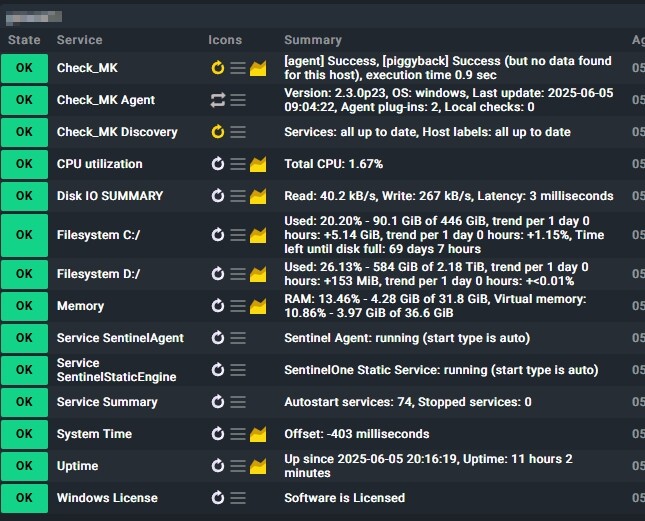
On all other 150 Servers the Check was integrated in the Services and works well .
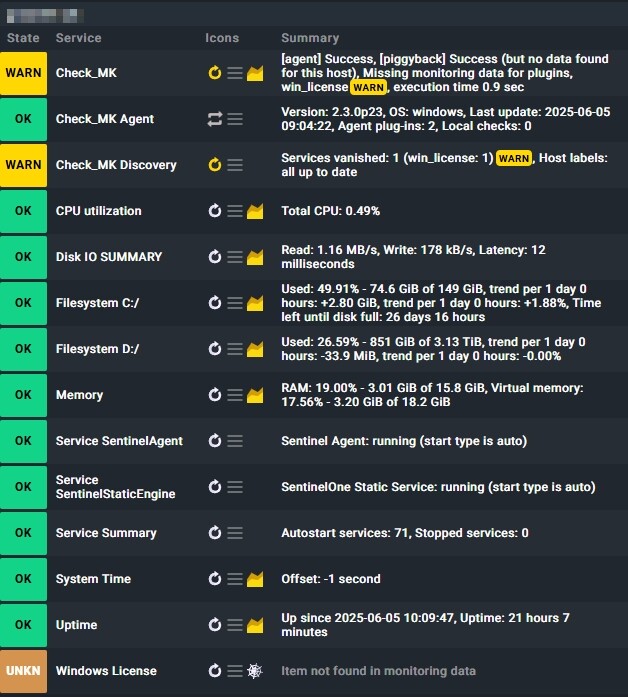
But on this Server , on an fresh Installation in Monitoring , the Services “Windows License” shows up correct and works well . But after some Time , maybe an Update of the Agent , The Host brings me an Vanished Service Warning and the Windows License Check shows
“Item not found in monitoring data” .
Here you see the difference from this special Server to the others .
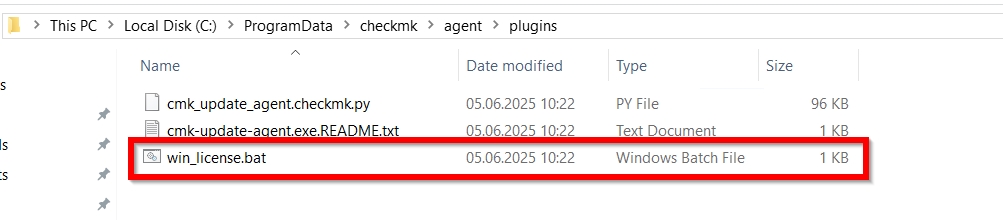
First step is to check if the license plugin script is existing on this machine.
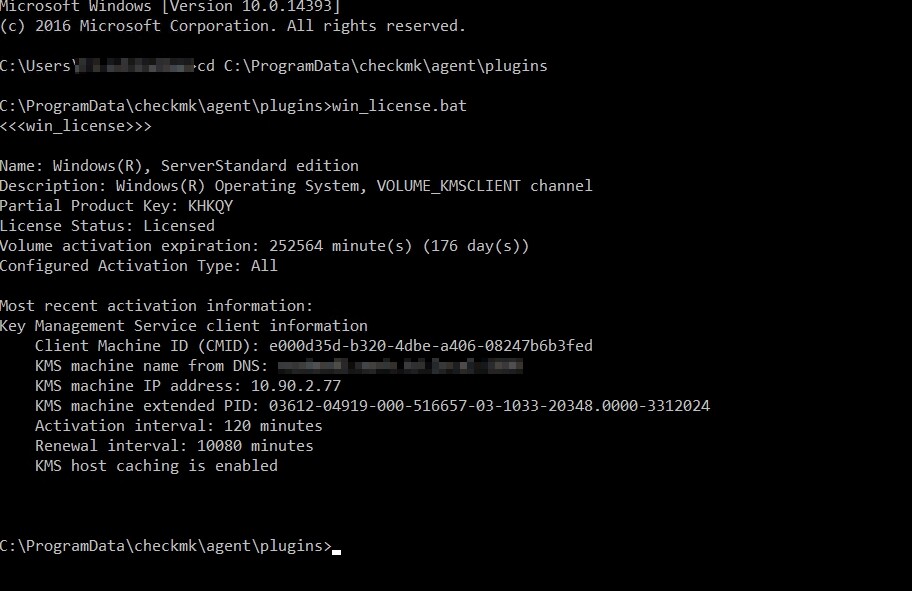
If it is there, i would check if it shows the correct data if executed.
Also you should take a look at the agent output and inspect it for the license check section.
Think i found the Problem . I see that the UAC on this both Servers shows a Warning Sign that means to press ok and the restart the Server to activate the settings of UAC .
After the Restart of the Servers the Warning Sign in UAC goes away .
Is it possible that a wrong configured or working UAC make Problems that the Agent Plugin dont work correct ?
Sorry , unfortunately the UAC behaviour dont solve the Problem .
It was very strange , when i restart the Server then the “Windows License” Check was succesfully , but on the next check the Agent shows “Item not found in Monitoring Data” .
2025-06-11 11:16:49.638 [srv 4212] perf: In [63] milliseconds process ‘“C:\ProgramData\checkmk\agent\plugins\win_license.bat”’ pid:[1904] SUCCEDED - generated [0] bytes of data in [0] blocks
2025-06-11 11:16:49.639 [srv 4212] [Trace] Key value cannot be processed ‘LS:SIP - Load Management’
2025-06-11 11:16:49.639 [srv 4212] [Warn ] Process ‘C:\ProgramData\checkmk\agent\plugins\win_license.bat’ has no data
The error message sounds more like a broken Windows server.
Or broken licencing on this machine.
With the following three lines of Powershell code you should get a similar output as with the VBS script.
write-host("<<<win_license_ps>>>")
$basicQuery = 'SELECT Name,Description,PartialProductKey,LicenseStatus FROM SoftwareLicensingProduct WHERE LicenseStatus <> 0 AND Name LIKE "Windows%"'
Get-CimInstance -query $basicQuery | select-object Name,Description,PartialProductKey,LicenseStatus | fl
I gave it a different header name to not confuse CMK. But you can test this script beside the original one and should see inside the agent output if this is producing any output.
For booth scripts i would recommend a cache time setting with a minimum of some hours. It makes no sense to run this every check interval.
Hello Andreas ,
Thanks for the answer .
How can i insert the ps Script instead of the win_license.bat File in the Plugins for this Server in the CheckMK Agent ?
Under which Option i can configure the cache Time Setting for this License Check ?
Not instead only as addition to test if your get some output.
Place it in the Plugins folder of the agent.
→ 8.2 Monitoring Windows - The new agent for Windows in detail
Then later you can download the agent output from the CheckMK gui. There you should look for the header line “win_license_ps”. But remember to configure a cache time for the plugin.
This topic was automatically closed 365 days after the last reply. New replies are no longer allowed. Contact an admin if you think this should be re-opened.