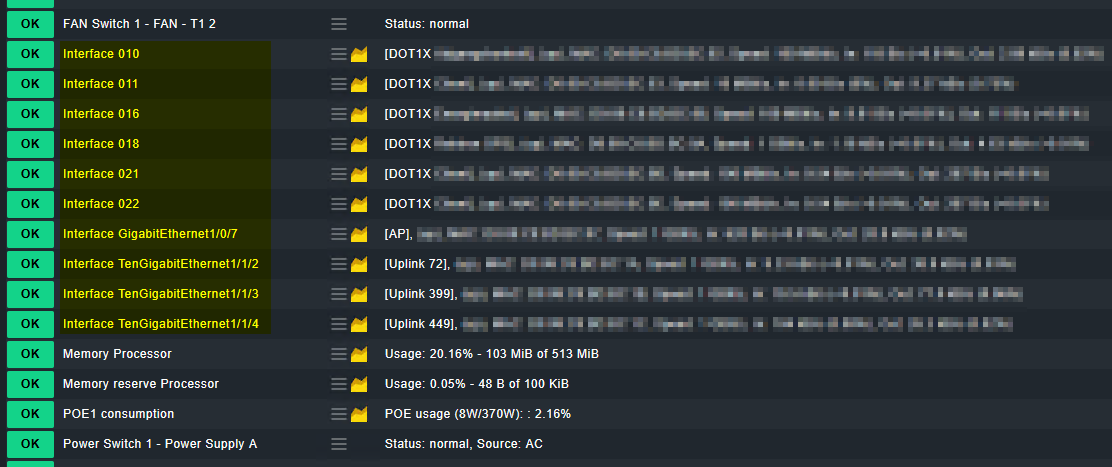
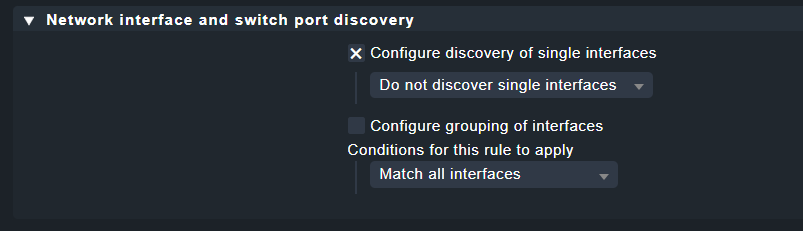
This is partially correct, I am interested in the interfaces with the following names ‘interface GigabitEthernet xx’ and ‘interface TenGigabitEthernet xx’, but NOT the ones called ‘interface 010, interface 011’ etc. I have checked on the switch and the services called ‘interface 010/etc’ are the other interfaces that have the state ‘connected’.
This is Cisco switch, which uses ‘Description’ (OID 1.3.6.1.2.1.2.2.1.2) for the interface names and Alias (OID 1.3.6.1.2.1.31.1.1.1.18) for the description entered on the port in the switch.
Based on what I read in the inline-help, etc this should work, but obviously it doesn’t.
There are no other rules that apply this host/service (checked with Effective parameters).
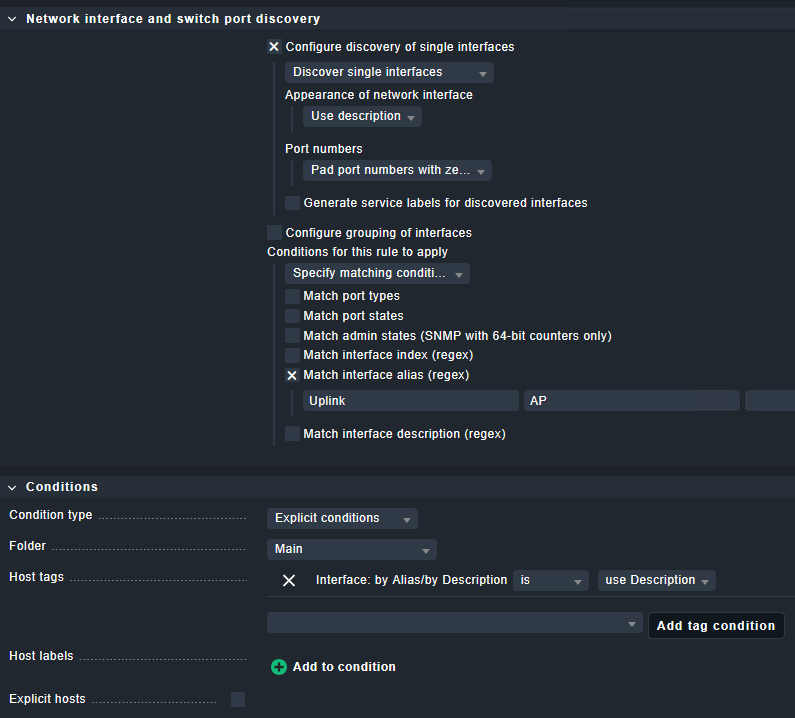
The 3 rules to rule them all is about renaming the interfaces based on description or alias, not about disabling the interface services. What you currently do with those conditions in your rule is to only rename the interfaces that match your conditions.
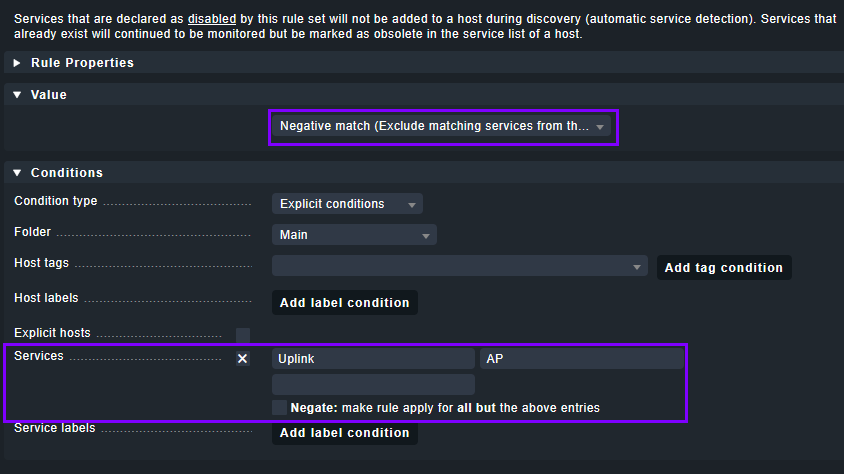
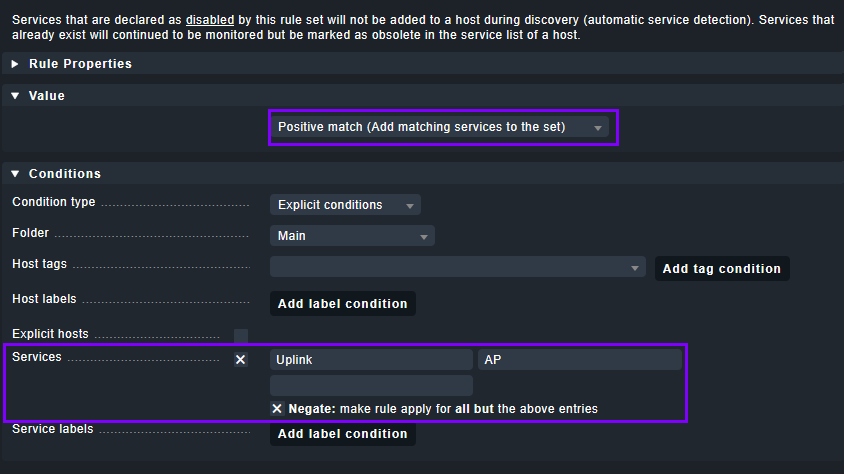
Maybe it can also be done differently, but personally I renamed all interfaces using the 3 rules. Then disabled the interfaces that I’m not interested in by defining rule(s) in Setup > Services > Service discovery rules > Disabled services based on the renamed interfaces.
But the rule is called ‘Network interface and switch port discovery’, so I would expect that the rule is not only for renaming/visualize the service(s) correctly, but also ‘filter’ for the ones that I am interested in.
I wasn’t able to get it done with this discovery rule, when I configured my 2.1.0p5.cre a few years ago and completely new with Checkmk. I went for disabled services rule instead, which did seem to work.
Perhaps it is something simple as the discovery results were cached before, and for the discovery rules to take effect it has to be, either new services, or a rescan of services is needed?
What you need is a second rule to drop the remaining interfaces which do not match your rule. Without this rule the default behavior is to discover everything which is not covered by the existing rules with default conditions.
So add one rule at the bottom of the list with following conditions: