We have a Proxmox/DRBD cluster with three nodes. Only the first two nodes have local storage that is synchronized with DRBD; the third node is used for the quorum but also has sufficient computing power and is therefore diskless. The DRBD volumes are therefore diskless on the third node. However, Check-MK reports all volumes as faulty because it interprets “diskless” as an error. In our case, though, being diskless with respect to the third node is not an error.
Question: Is there a solution for configuring Check-MK so that the diskless configuration for the third node is recognized as error-free?
For the shown CRIT states not the “Diskless” state is the reason. It is the change from “Secondary/Diskless” to “UpToDate/Diskless” that you get a CRIT.
At discovery time the DRBD on this node was a secondary and now it is active.
That’s strange as an update of the check parameters should solve it.
Can you have a look inside the discovery at the current check parameters and also do a “cmk -D hostname” to see the discovered parameters?
The relevant “Service discovery rules” for this Host:
Process discovery........................................................................................................................................................................................................

2 Rules


Process name: Proxmox %2

Process Matching: ^([0-9a-z\/_-]*)\/?(pve-firewall|pvestatd|pve-ha-crm|pve-ha-lrm|pvescheduler|pvefw-logger|proxmox-firewall|pve-lxc-syscalld).*$

Default parameters for detected services:

CPU rescale maximum load: 100% is all cores at full load
Levels for process count: 1 processes, 1 processes, 1 processes, 1 processes,

Process name: Proxmox %2

Process Matching: ^([0-9a-z\/_-]*)\/?(pvedaemon|pveproxy).*$
Default parameters for detected services:


CPU rescale maximum load: 100% is all cores at full load
Levels for process count: 1 processes, 1 processes, 50 processes, 100 processes
The “cmk -d hostname” returns this for the first DRBD devices:
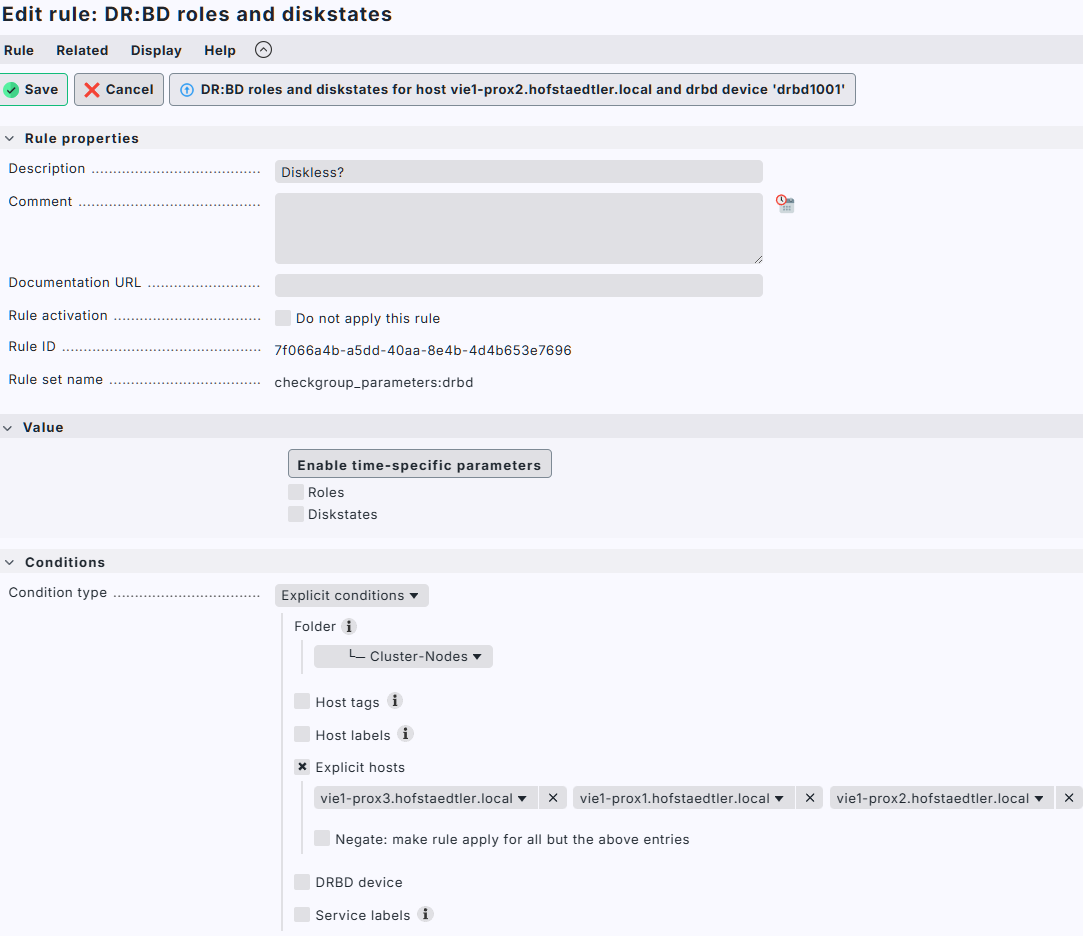
They are not relevant - the important ones are the rule “DR:BD roles and diskstates”, i think there is somewhere defined that this DRBD should be “Secondary/Diskless”.
You don’t need to configure this rule - you should check if there is a rule existing that defines some parameters.
Your “cmk -d hostname” output shows that you have the discovered roles and diskstates of
The check shows that it is expecting “Secondary/Diskless” as disk state. This must be somewhere defined (normally a rule). Or where the new discovered parameters not activated?
As an temporary solution, I moved all of these serveries “Connection State: Established, Roles: Secondary/Secondary, Diskstates: UpToDate/Diskless (Secondary/Diskless)” in to the “Disabled Services” for these hosts. I will investigate later this week.