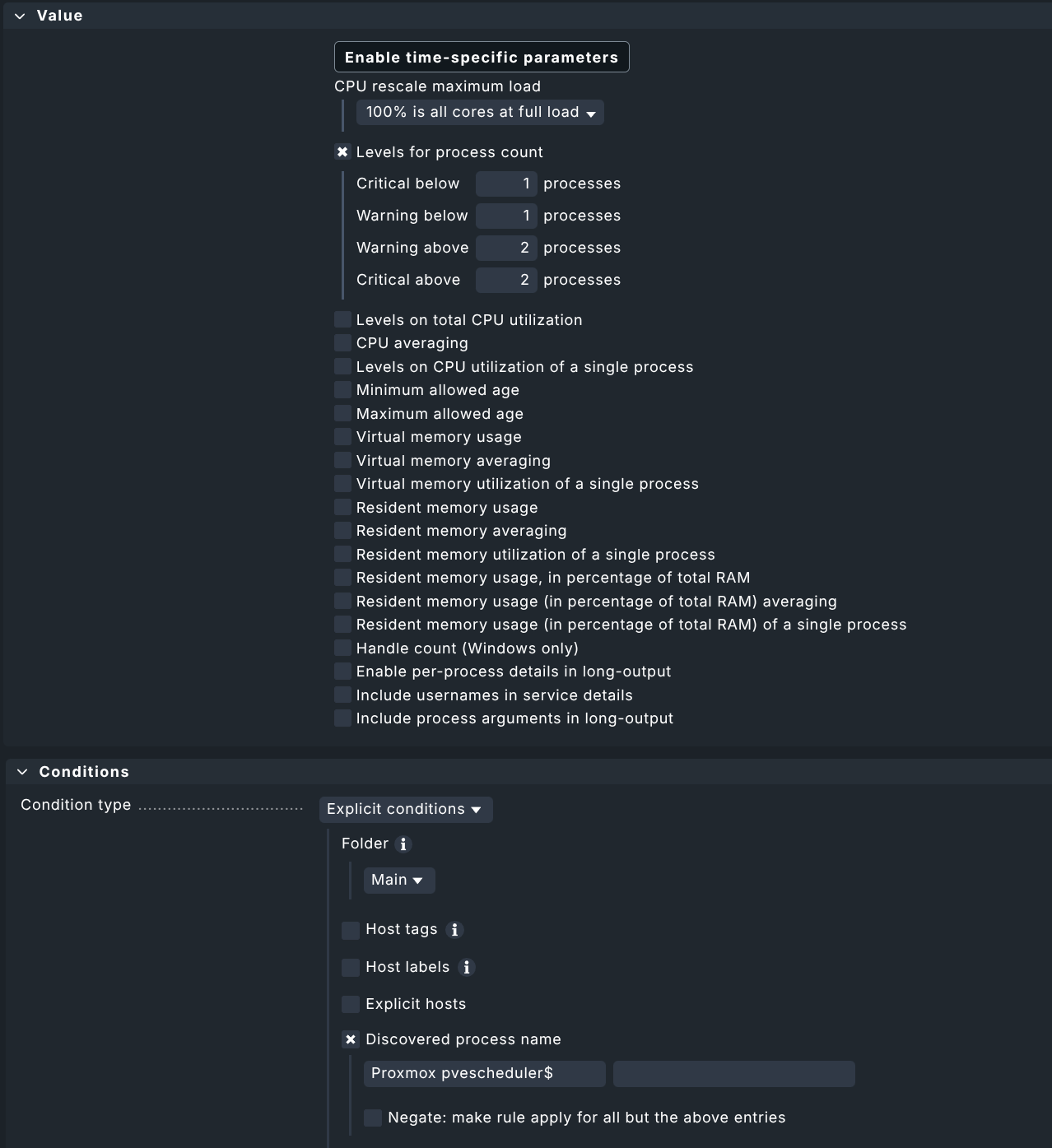
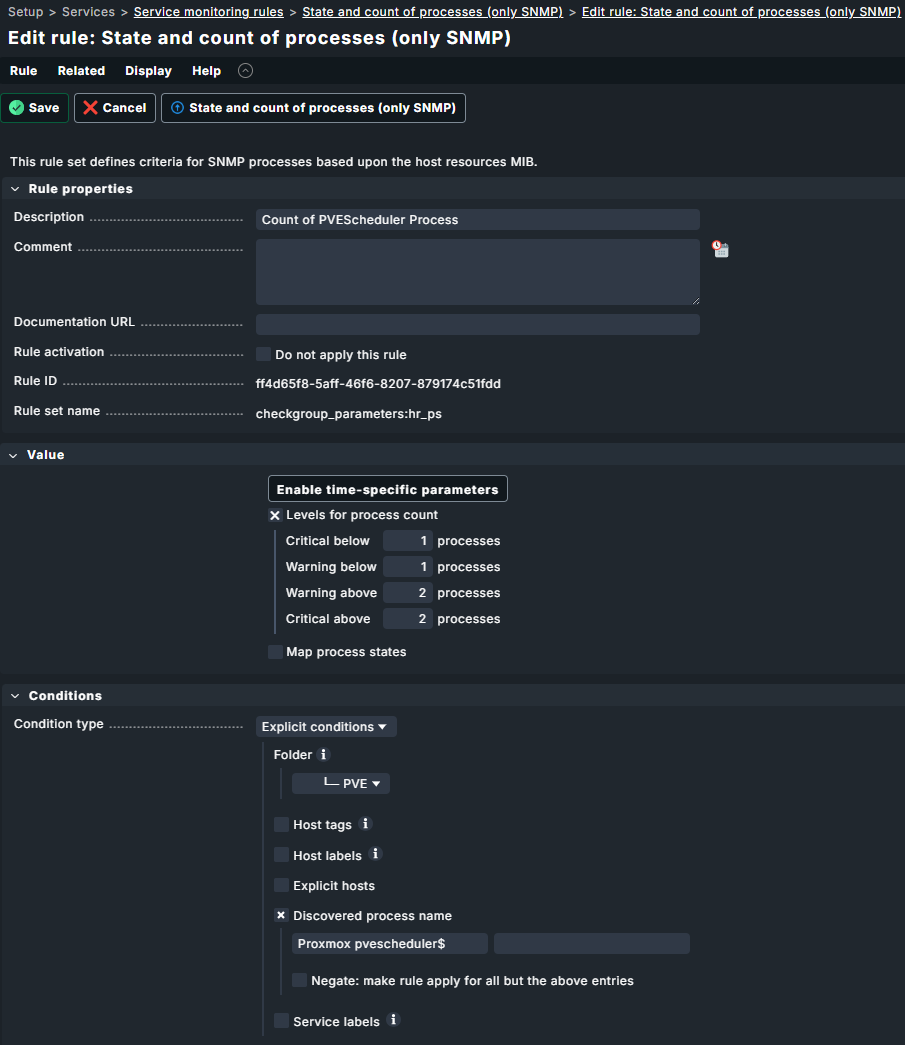
Normally there are only one pvescheduler running per host. That’s why you get the message that two is outside the expected number. Here i would inspect the Proxmox host if there are really two scheduler processes exists.
Here you have an interface speed change from 10GB to 1GB on a VLAN interface. If this is correct and expected you only need to update the service check parameter inside the discovery for this service. As CMK don’t know if this is correct you get it as warning.
Generally you are right, that there is only one pvescheduler process per host. But from time to time that one pvescheduler starts a child process. That second process runs directly under the main process:
ps -eo pid,ppid,stat,lstart,etimes,cmd | awk ‘/[p]vescheduler/ {print}’ 15341 1 Ss Wed Jun 24 14:26:04 2026 790521 pvescheduler 2210958 15341 S Fri Jul 3 17:59:59 2026 85 pvescheduler
If Checkmk runs at that time it counts the temporary worker and immediately triggers a CRIT alert at 2/2.
In my opinion, the Checkmk rule for this process is too restrictive. It would make more sense to check for at least one process and have no upper limit. Or at least allow two temporarily. Nearly 1.200 alarm and all-clear-e-mails in two weeks. Good, that those mails are just delivered locally.
Thank you. But wouldn’t it be much better if Checkmk did that?
When I upgraded from check-mk-community-2.4.x to check-mk-community-2.5.x some additional services prefixed “Process Proxmox” where discovered and I added them to my PVE nodes. One of them is “Process Proxmox pvescheduler” which is causing the trouble spooner described.
Obviously that check should expect at least one process but not go critical if two or three exist, when two and three are forks.
Otherwise, anyone monitoring Proxmox nodes will first have to investigate whether the pvescheduler count reported as critical was perhaps a previously overlooked issue; they will then realise that this is not the case and will still have to create a rule on top of that.
Wouldn’t it be better if Checkmk provided a rule set straight away that spared everyone exactly that hassle?
If one of the answers helped you solve your question, please mark it as the solution. This way, you thank the person who helped you and also indicate that the question has been resolved. This, in turn, helps others who come across the same question.
It depends how you define solution. Yes, the extra rule helps getting rid of false alarms. Nevertheless: the warnings are from a new extra check introduced by Checkmk 2.5.x and the solution has to be applied by every user of CheckMK. Wouldn’t it be better to include this into the software right away?
And please do not get me wrong: I do not simply want to complain about things. Adding that rule or disable that check would have been much easier for me but if you implement this setting as a default in your software it will help so many users migrating to 2.5.x.
For adding or changing functionality, please consider adding the idea to the Ideas Portal, where the product team can see it directly, and where other users could show their interest in the change by voting.
And of course marking a reply as a solution or not is your decision