Hello, is it possible to put nagvis map into main page of user? it should be done 1 by 1 per user or there is more bulky way of doing it?

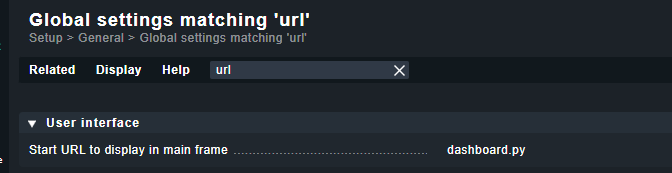
@mike1098 but this option allows to define what comes after site_name/check_mk/ , right? nagvis has different root path like site_name/nagvis/
You can use relative URLs → ../nagvis/ but it depends on your web server configuration if this works or not.
→ Content security policy is here the important point
1 Like
thank you for the hint but did not work, I get something like “check_mk/index.py?start_url=%2Fmain_site%2Fnagvis%2Ffrontend%2Fnagvis-js%2Findex.php%3Fmod%3DMap%26act%3Dview%26show%3DCameras”
If i set the start URL like this.

Then i get a link like this.
http://servername.net/sitename/nagvis
As you see i tested this without HTTPS. With HTTPS active it will not work as the content security policy inside the CheckMK Apache prohibits embedding URLs from outside the CheckMK context.
2 Likes
thank you worked now.