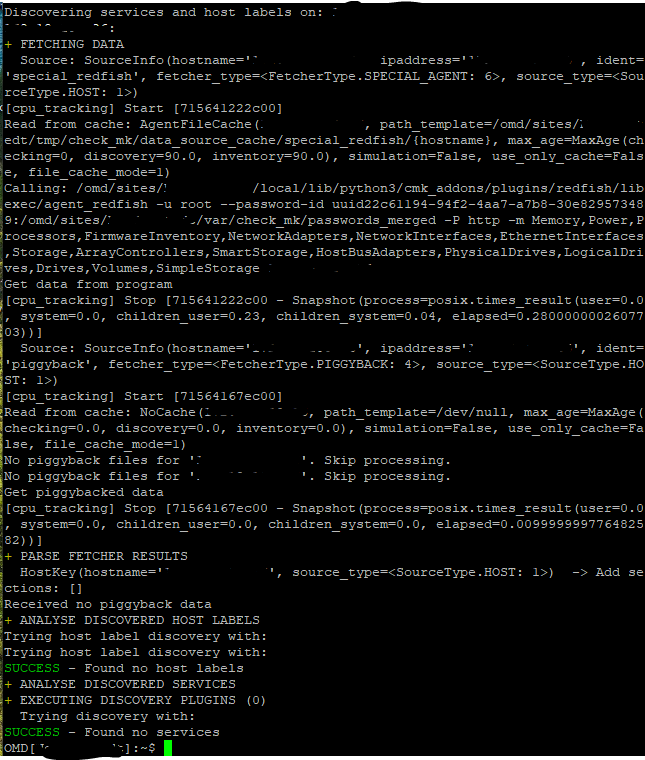
Ich weiß nicht was in deiner Instanz kaputt ist. Wenn ich den Agent Output von dir nehme und ein Discovery damit mache bekomme ich alle Services zurück welche man so erwartet.
OMD[cmk]:~$ cmk --debug -vvII TEST
Discovering services and host labels on: TEST
TEST:
+ FETCHING DATA
  Source: SourceInfo(hostname='TEST', ipaddress='127.0.0.1', ident='agent', fetcher_type=<FetcherType.PROGRAM: 5>, source_type=<SourceType.HOST: 1>)
[cpu_tracking] Start [7fb5b8583e90]
Read from cache: AgentFileCache(TEST, path_template=/omd/sites/cmk/tmp/check_mk/cache/{hostname}, max_age=MaxAge(checking=0, discovery=90.0, inventory=90.0), simulation=False, use_only_cache=False, file_cache_mode=1)
Calling: cat ~/local/tmp/rf_output_test
Get data from program
[cpu_tracking] Stop [7fb5b8583e90 - Snapshot(process=posix.times_result(user=0.010000000000000009, system=0.0, children_user=0.0, children_system=0.0, elapsed=0.0))]
  Source: SourceInfo(hostname='TEST', ipaddress='127.0.0.1', ident='piggyback', fetcher_type=<FetcherType.PIGGYBACK: 4>, source_type=<SourceType.HOST: 1>)
[cpu_tracking] Start [7fb5b9123440]
Read from cache: NoCache(TEST, path_template=/dev/null, max_age=MaxAge(checking=0.0, discovery=0.0, inventory=0.0), simulation=False, use_only_cache=False, file_cache_mode=1)
No piggyback files for 'TEST'. Skip processing.
No piggyback files for '127.0.0.1'. Skip processing.
Get piggybacked data
[cpu_tracking] Stop [7fb5b9123440 - Snapshot(process=posix.times_result(user=0.0, system=0.0, children_user=0.0, children_system=0.0, elapsed=0.0))]
+ PARSE FETCHER RESULTS
<<<check_mk:sep(32)>>> / Transition NOOPParser -> HostSectionParser
<<<redfish_manager:sep(0)>>> / Transition HostSectionParser -> HostSectionParser
<<<redfish_system:sep(0)>>> / Transition HostSectionParser -> HostSectionParser
<<<redfish_chassis:sep(0)>>> / Transition HostSectionParser -> HostSectionParser
<<<redfish_firmwareinventory:cached(1734350492,9600):sep(0)>>> / Transition HostSectionParser -> HostSectionParser
<<<redfish_networkinterfaces:sep(0)>>> / Transition HostSectionParser -> HostSectionParser
<<<redfish_processors:sep(0)>>> / Transition HostSectionParser -> HostSectionParser
<<<redfish_storage:sep(0)>>> / Transition HostSectionParser -> HostSectionParser
<<<redfish_ethernetinterfaces:sep(0)>>> / Transition HostSectionParser -> HostSectionParser
<<<redfish_memory:sep(0)>>> / Transition HostSectionParser -> HostSectionParser
<<<redfish_drives:sep(0)>>> / Transition HostSectionParser -> HostSectionParser
<<<redfish_volumes:sep(0)>>> / Transition HostSectionParser -> HostSectionParser
<<<redfish_thermal:sep(0)>>> / Transition HostSectionParser -> HostSectionParser
<<<redfish_power:sep(0)>>> / Transition HostSectionParser -> HostSectionParser
<<<redfish_networkadapters:sep(0)>>> / Transition HostSectionParser -> HostSectionParser
  HostKey(hostname='TEST', source_type=<SourceType.HOST: 1>)  -> Add sections: ['check_mk', 'redfish_chassis', 'redfish_drives', 'redfish_ethernetinterfaces', 'redfish_firmwareinventory', 'redfish_manager', 'redfish_memory', 'redfish_networkadapters', 'redfish_networkinterfaces', 'redfish_power', 'redfish_processors', 'redfish_storage', 'redfish_system', 'redfish_thermal', 'redfish_volumes']
  HostKey(hostname='TEST', source_type=<SourceType.HOST: 1>)  -> Add sections: []
Received no piggyback data
+ ANALYSE DISCOVERED HOST LABELS
Trying host label discovery with: check_mk, redfish_chassis, redfish_drives, redfish_ethernetinterfaces, redfish_firmwareinventory, redfish_manager, redfish_memory, redfish_networkadapters, redfish_networkinterfaces, redfish_power, redfish_processors, redfish_storage, redfish_system, redfish_thermal, redfish_volumes
  cmk/os_family: redfish (check_mk)
  cmk/os_type: redfish (check_mk)
  cmk/os_platform: Dell (check_mk)
  cmk/os_name: iDRAC (check_mk)
  cmk/os_version: 7.10.70.10 (check_mk)
Trying host label discovery with:
SUCCESS - Found 5 host labels
+ ANALYSE DISCOVERED SERVICES
+ EXECUTING DISCOVERY PLUGINS (15)
  Trying discovery with: redfish_drives, redfish_voltage, redfish_system, redfish_networkadapters, redfish_storage, redfish_firmware, redfish_memory_summary, redfish_psu, redfish_ethernetinterfaces, redfish_processors, redfish_temperatures, redfish_fans, redfish_memory, redfish_volumes, checkmk_agent
  1 checkmk_agent
  3 redfish_drives
  6 redfish_ethernetinterfaces
  6 redfish_fans
  1 redfish_firmware
 12 redfish_memory
  1 redfish_memory_summary
  3 redfish_networkadapters
  2 redfish_processors
  2 redfish_psu
  5 redfish_storage
  1 redfish_system
  4 redfish_temperatures
  8 redfish_voltage
  2 redfish_volumes
SUCCESS - Found 57 services
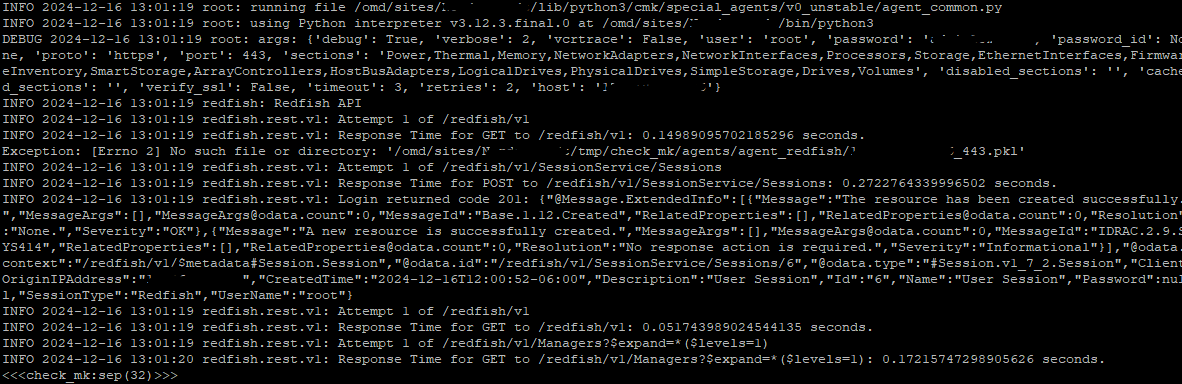
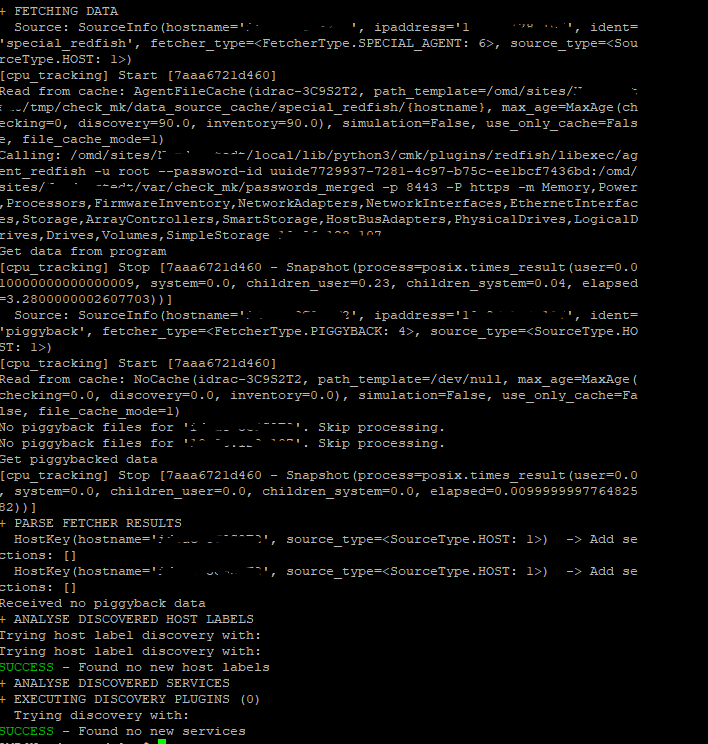
Wenn ich mir den Screenshot anschaue dann sehe ich hier ein entscheidendes Problem - die Ausführungszeiten passen nicht. Selbst wenn ich mit Simulator Abfragen machen braucht das ca. ne halbe Sekunde. Mit einem richtigen Redfish Interface wäre deine Abfrage mit 0.3 Sekunden mehr wie schnell.
Im Endeffekt muss irgendwas in deiner Installation “kaputt” sein - jedenfalls was die Konfiguration von Special Agents angeht.
Kleine Anmerkung:
Es müssen im Special Agent keine Sektionen aktiviert werden - nur das Disable Sektion nutzen falls Probleme auftreten mit einzelnen Sektionen.


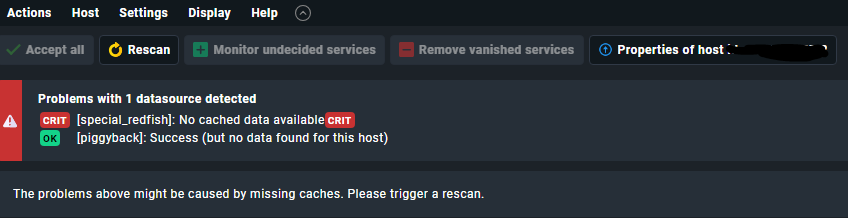
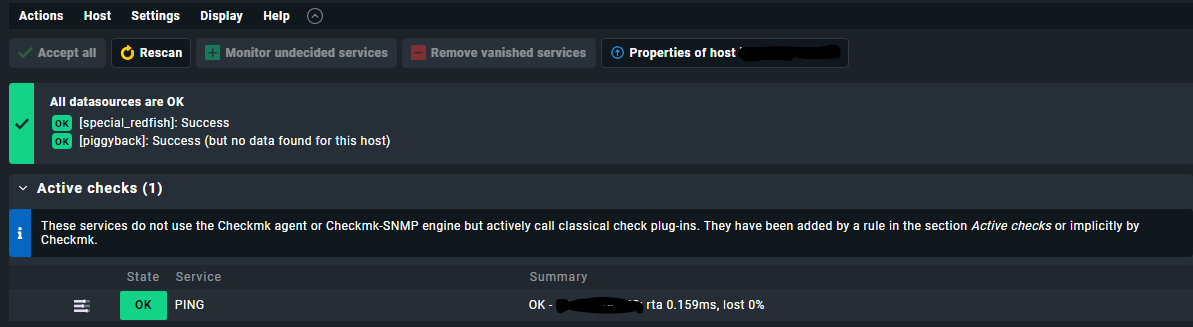
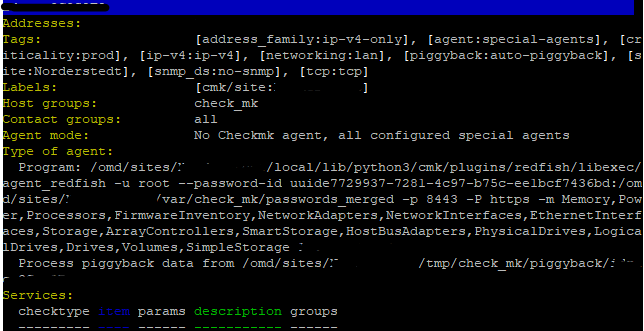
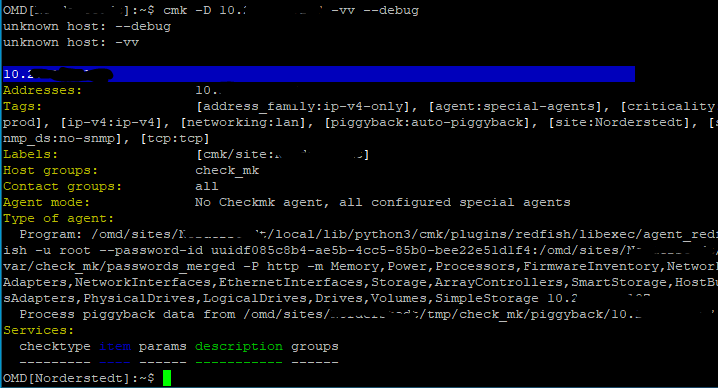

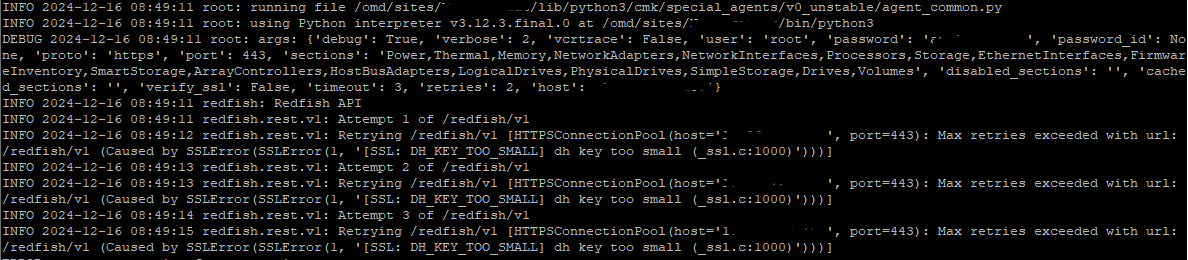
 diese werden im Februar ausgetauscht. Also habe ich einen neuen host angelegt für das IDRAC9 von einem Dell PowerEdge R750. Leider klappt der Abruf damit immer noch nicht?