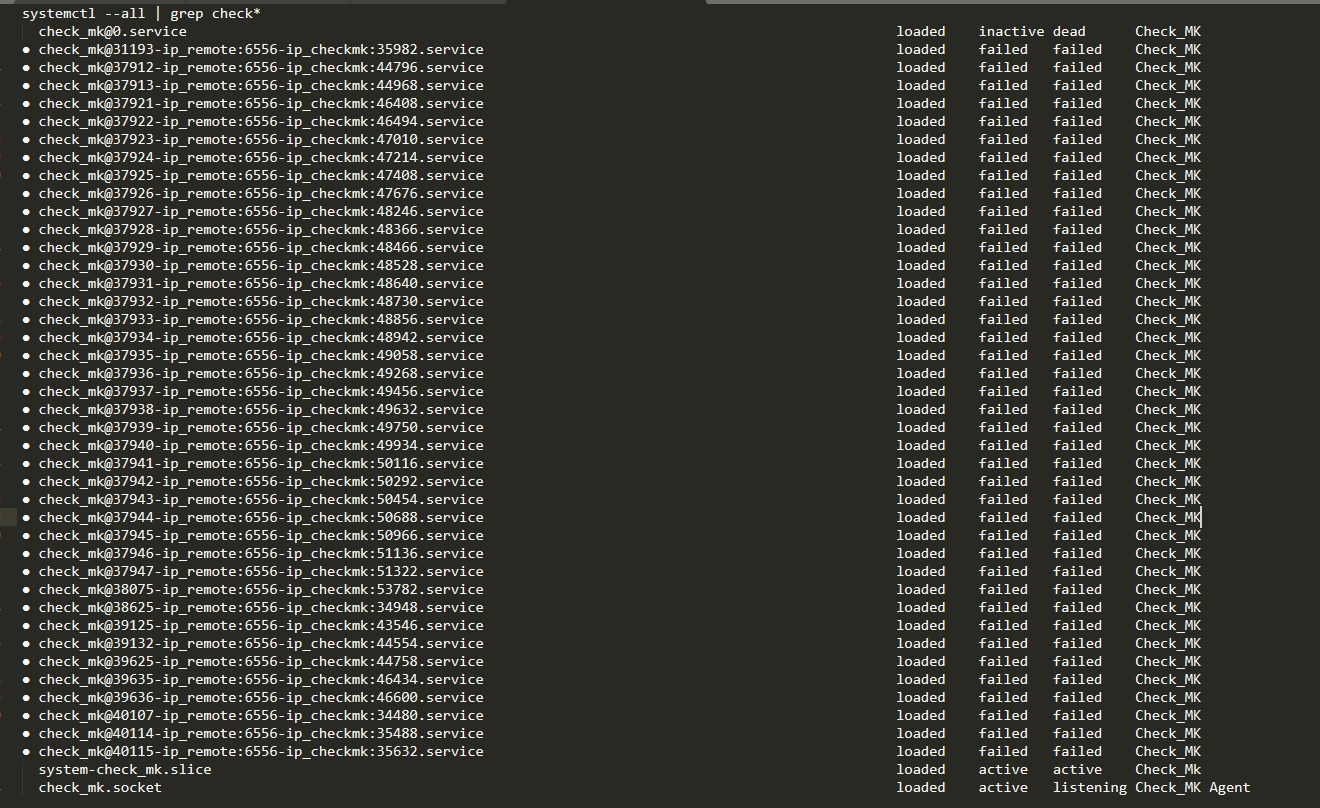
I want to remove the CheckMk agent on a Red Hat Enterprise Linux Server version 7.3 (Maipo) server. My agent’s version is check-mk-agent-1.6.0p9-1.noarch.rpm.
I have done the following
rpm -e check-mk-agent-1.6.0p9-1.noarch.rpm
It is not completely removed. It still exists. What do I have to do apart from the previous command to remove the agent from the server?
Apparently there is still the socket unit check_mk.socket active and listening. That shouldn’t be the case after uninstalling the rpm package. Try to stop and disable that unit:
systemctl disable --now check_mk.socket
You can also run systemctl cat check_mk.socket (or status instead of cat) to see where the unit file is located. Looks like the uninstall procedure of the RPM doesn’t remove that file. Remove it and run systemctl daemon-reload afterwards.
Good Morning
I have done what you have told me. Next I show you the output by console.
[user@server system]$ systemctl cat check_mk.socket
Warning: check_mk.socket changed on disk. Run 'systemctl daemon-reload' to reload units.
Failed to cat /etc/systemd/system/check_mk.socket: No such file or directory
The file or directory does not really exist. I execute what the warning tells me