Hi there,
I’m facing an issue in check_mk 1.6.0p30. I need to grab all the default thresholds that are applied but i cannot find a way to get it.
if i do the cmk -D
i get some param values but does not show the defaults
CPU utilization {}
I’ve check the documentation but i cannot find it. Can you help me please?

Just be show better, the example, i’ve made a script to compile the description and params from the output of cmk -D
I think the curly brackets {} say that the defaults are applied right? i need these values.
Thanks
Only if the check save these at discovery time. There are many checks existing that have “build-in” default parameters. These you will not see directly.
There are no parametric way to get all the default parameters.
1 Like
Ok, i just wanted to confirm that.
Thx
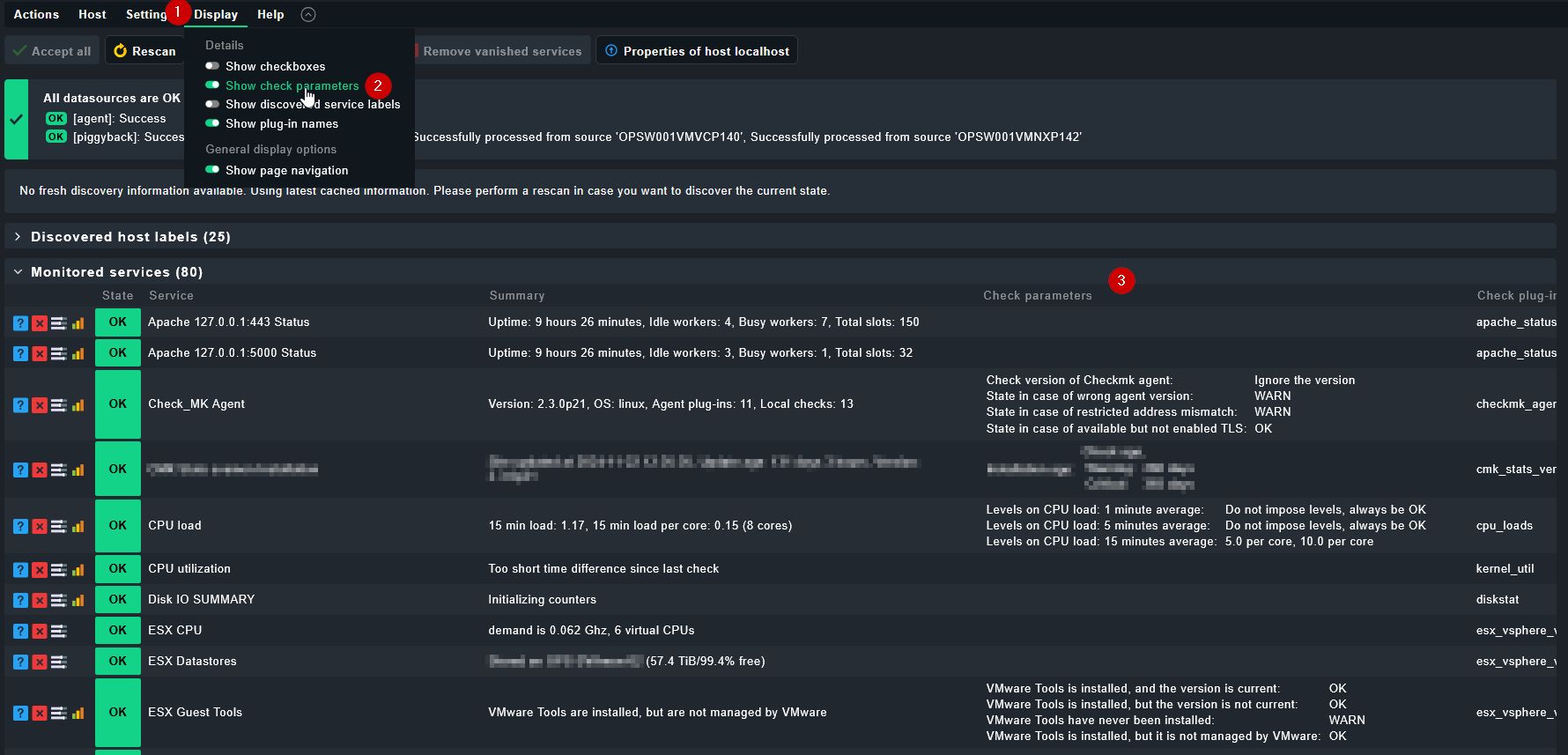
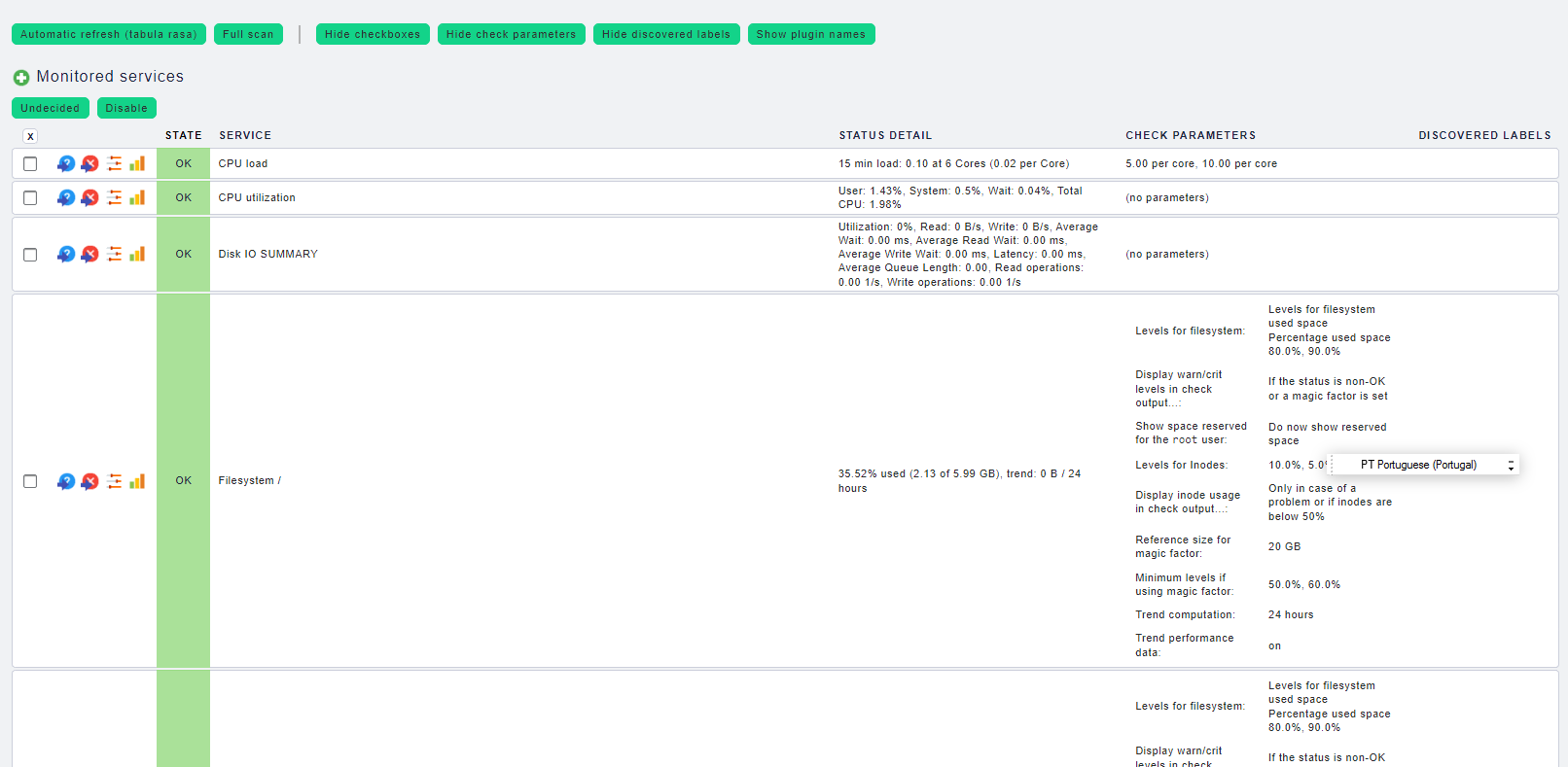
if you need at least a best-effort solution, you can open the service discovery of any host (or device type) and select “show check parameters”
Hi Gerd,
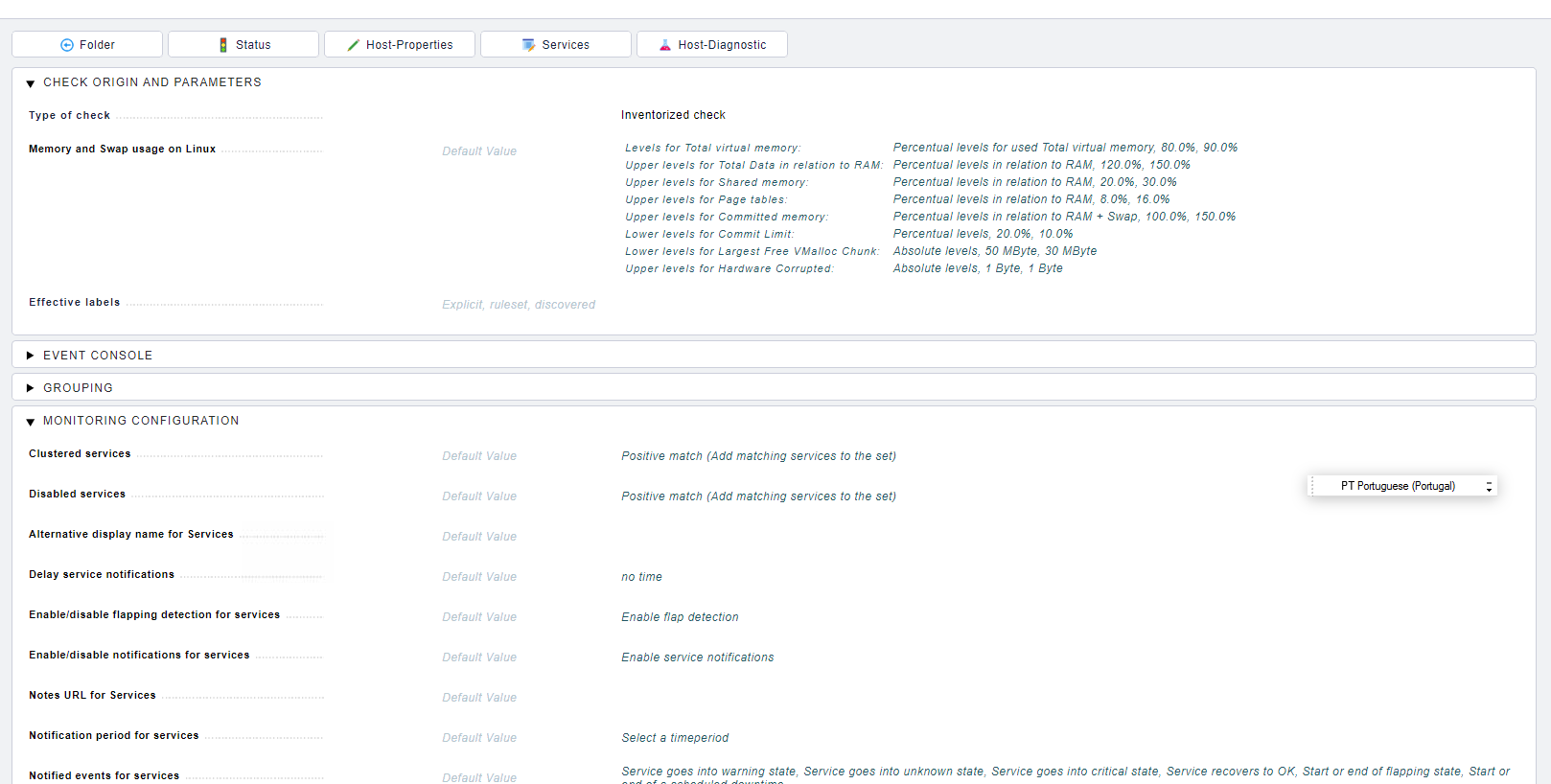
Im using v1.6.0p30 and i can see the default parameters in host>wato>services>view/edit parameters for this service.
The problem is the need to automate the grab of the default thresholds. There is to many hosts and alarms by host to do it manually.
But thanks for the remark.
@pedroreis welcome to the forum!
1.6 is no longer being maintained, so you might want to upgrade to a version that is stil being maintained
I have a very ugly solution for that problem.
cmk -D Hostname shows the current parameters on the cli, so you can write a bashscript to get all hostnames with an lql call and then iterate through all hosts and add the cmk -D output to a textfile or create a PDF.
This takes time, as the parameters have to be fetched for every host one after the other, but at least it works somehow.
you can also just use “cmk -l” to list all the hosts, but I think the “cmk -D” details are not really user friendly, as some thresholds (like time periods) are given in seconds and if the threshold is something like 3 or 7 days, thats a lot of seconds^^ so if you don’t need all but only some thresholds for documentation, the web-ui is a bit nicer. Albeit harder to automate.
yes, you are totally right.
I’ve made that, use the cmk -l to get the hosts and then iterate over them with cmk -D in a python script and send the output to a .csv file.
I thought the thresholds was somehow in a nagios file, since its the core of check_mk but that its not the case. In nagios it is in a file similar to objects.cfg, i cant remember now the name.
Anyway, thx for the help guys!
1 Like
I wrote a small very basic example how that could look, without any error handling etc.
Just an idea :
#!/bin/python3

import subprocess
from pathlib import Path
import re
from datetime import datetime

# Configuration
report_name = "checkmk_host_parameters"
debug = True

# Code
start_time = datetime.now()
date_short = start_time.strftime('%Y%m%d')
report_name = f"{report_name}_{date_short}"

def cleanup_text(text):
    replacements = [
        (r"--", ""),
        (r"SNMPv1 \(Community: [^)]*\)", "SNMPv1 (Credentials: redacted)"),
        (r"SNMPv2c \(Credentials: [^)]*\)", "SNMPv2c (Credentials: redacted)"),
        (r"SNMPv3 \(Credentials: [^)]*\)", "SNMPv3 (Credentials: redacted)"),
    ]
    for pattern, replacement in replacements:
        text = re.sub(pattern, replacement, text)
    return text

def get_host_parameters(host):

    cmkoutput = subprocess.run(['cmk', '-D', host], stdout=subprocess.PIPE, stderr=subprocess.PIPE)
    if cmkoutput.returncode != 0:
        return (f"Error with cmk command for {host}: {cmkoutput.stderr.decode('utf-8')}")
    else:
        host_parameters = cmkoutput.stdout.decode('utf-8')
        host_parameters = cleanup_text(host_parameters)
        return host_parameters

def write_host_parameters(doc,host_parameters):

    with open(doc,"a") as file:
        file.write(f"### {host} ###")
        file.write(host_parameters)

def get_host_list():
    if debug:
        print(f"Debug: Getting Host list with cmk -l")

    all_hosts = subprocess.run(['cmk', '-l'], stdout=subprocess.PIPE).stdout.decode('utf-8').strip().splitlines()

    if debug:
        print(f"Debug: {len(all_hosts)} hosts found.")

    return all_hosts

if __name__ == '__main__':

    all_hosts = get_host_list()
    all_hosts = sorted(all_hosts)
    host_count = len(all_hosts)

    if debug:
        print(f"Debug: starting host processing with cmk -D <hostname>")

    count = 0
    for host in all_hosts:
        count += 1
        if debug:
            print(f"Debug: Current host: {host} ({count}/{host_count})")
        host_parameters = get_host_parameters(host)
        write_host_parameters(report_name, host_parameters)

    if debug:
        end_time = datetime.now()
        duration = end_time - start_time
        print(f"Script execution time: {duration.total_seconds():.2f} seconds")
Thanks @aeckstein, it seems nice ur script 
With chatgpt i can see the final result.
...
### host1.example.com ###
Check_MK Agent: Yes, TCP
SNMP: No
Check parameters:
  CPU Load: Warning at 5.0, Critical at 10.0
  Memory: Warning at 80%, Critical at 90%
...
In the infra that im working only python 2 is available. I can put the script used but doesnt have functions, its simple and its fine for the problem.
We have a bunch of hosts that start with xpto-osb-01-, xpto-osb-02-, we have soa, app, admin, ocsg and so on within that pattern, so everything that its different from 01 will not be valid, because the thresholds are the same.
From the output columns we have check_type, item,params, description. Im only considering for the csv the description, params and then appended the hostname
csv_writer.writerow([hostname, description, params])
Im extrating too only the levels on the filesystem part that uses df
if check_type == 'df' and isinstance(params, dict) and 'levels' in params:
                    params = {'levels': params['levels']}
Full code,
import subprocess
import csv
import ast
import re
import datetime

# Generate filename with current date & time (YYYYMMDDHHMM)
timestamp = datetime.datetime.now().strftime("%Y%m%d%H%M")
filename = "cmk_output_{}.csv".format(timestamp)

# Run 'cmk -l' to get the list of hosts
process = subprocess.Popen(["cmk", "-l"], stdout=subprocess.PIPE, stderr=subprocess.PIPE)
stdout, stderr = process.communicate()

# Split the output into a list of hostnames
all_hosts = stdout.decode().splitlines()

# Separate valid hosts and excluded hosts
valid_hosts = []
excluded_hosts = []

# Filtering hosts
for host in all_hosts:
    if (host.startswith('xpto-') and '-01' in host) or host == 'elastic-search':
        valid_hosts.append(host)
    else:
        excluded_hosts.append(host)

print("Valid Hosts: {}".format(valid_hosts))
print("Excluded Hosts: {}".format(excluded_hosts))

# Open the CSV file with the timestamped filename
with open(filename, 'w') as csvfile:
    csv_writer = csv.writer(csvfile)

    # Write the header to the CSV file once
    csv_writer.writerow(['hostname', 'description', 'params'])

    # Loop through each valid host
    for hostname in valid_hosts:
        process = subprocess.Popen(["cmk", "-D", hostname], stdout=subprocess.PIPE, stderr=subprocess.PIPE)
        stdout, stderr = process.communicate()

        # Convert output to a list of lines
        lines = stdout.decode().splitlines()

        # Regex pattern to capture checktype, item, params, and description
        pattern = re.compile(r"(\S+)\s+(\S+)\s+(\{.*\}|\(.*\)|\{\}|None)\s+(.+)")

        for line in lines[1:]:
            match = pattern.search(line)
            if match:
                check_type = match.group(1)
                item = match.group(2)
                params_str = match.group(3)
                description = match.group(4)

                # Ensure "None" stays as a string
                if params_str.lower() == 'none':
                    params = "None"
                else:
                    try:
                        params = ast.literal_eval(params_str)
                    except Exception:
                        params = '{}'

                if params == {}:
                    params = '{}'

                if check_type == 'df' and isinstance(params, dict) and 'levels' in params:
                    params = {'levels': params['levels']}

                csv_writer.writerow([hostname, description, params])

print("Output saved to {}".format(filename))