Checkmk version:
Checkmk Cloud Edition 2.4.0p7
OS version of Checkmk server:
Ubuntu 22.04 LTS
Description of the problem : Hi everyone,
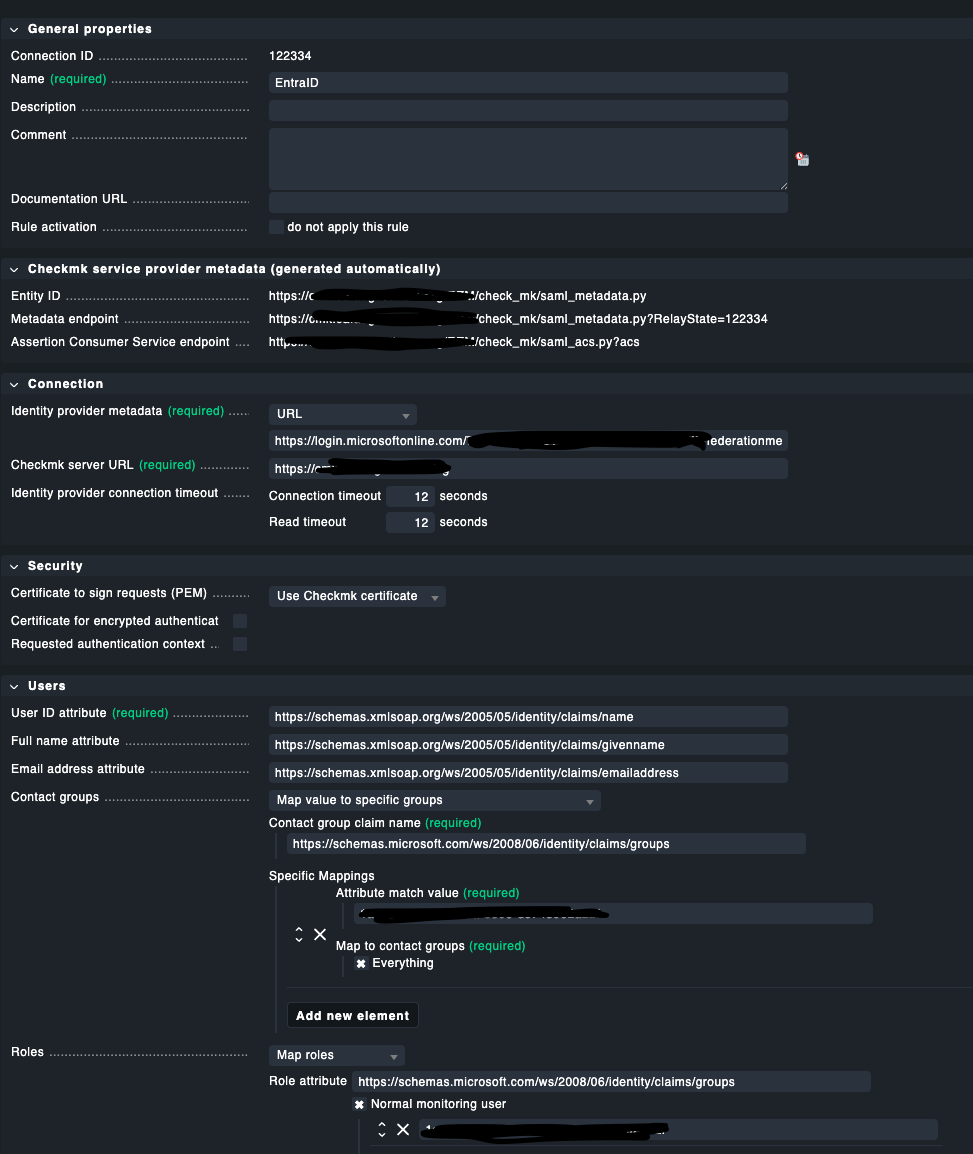
I’m trying to configure SAML authentication using Microsoft Entra ID (formerly Azure AD) in CheckMK Cloud 2.4.0p7, and I’m encountering the following error when users attempt to log in:
“Authentication failed
Please contact your administrator.”"
In the web log (web.log), the following message appears:
“EntraID (122334) - MissingKey: https://sts.windows.net/TenantID/AppID”
As far as I understand, this error indicates that CheckMK cannot find a valid public key to validate the SAML signature sent by Entra ID. The Metadata URL is correctly configured in CheckMK, and the metadata is accessible. The Tenant ID and App ID in the error message match our configuration.
I’ve already confirmed:
- The Metadata URL is correct and accessible.
- The federationmetadata.xml contains at least one
KeyDescriptor use="signing"entry. - There is no option in CheckMK Cloud to manually add the used certificate.
Any guidance from others who’ve encountered this issue with CheckMK Cloud and Azure would be appreciated — especially if you’ve found a workaround.
Thanks in advance!