CMK version:2.3.0p27
I have installed the enterprise edition in kubernetes Cluster. Installed postfix and checked sending email through email using terminal “echo “Test Email” | mail -s “Test Subject” myemail@example.com” It worked. But when testing notification using checkmk UI. I see the notifications sent but no email received in inbox.
1 Like
Hi SaiRam,
Do you see any error logs in /var/log/mail.log or /var/log/maillog?
If not, check /omd/sites//var/log/notify.log for any errors regarding the notification workflow.
Also in the Enterprise Edition you can define a synchronous delivery of HTML Mails inside the notification rules without the use of the system mailserver.
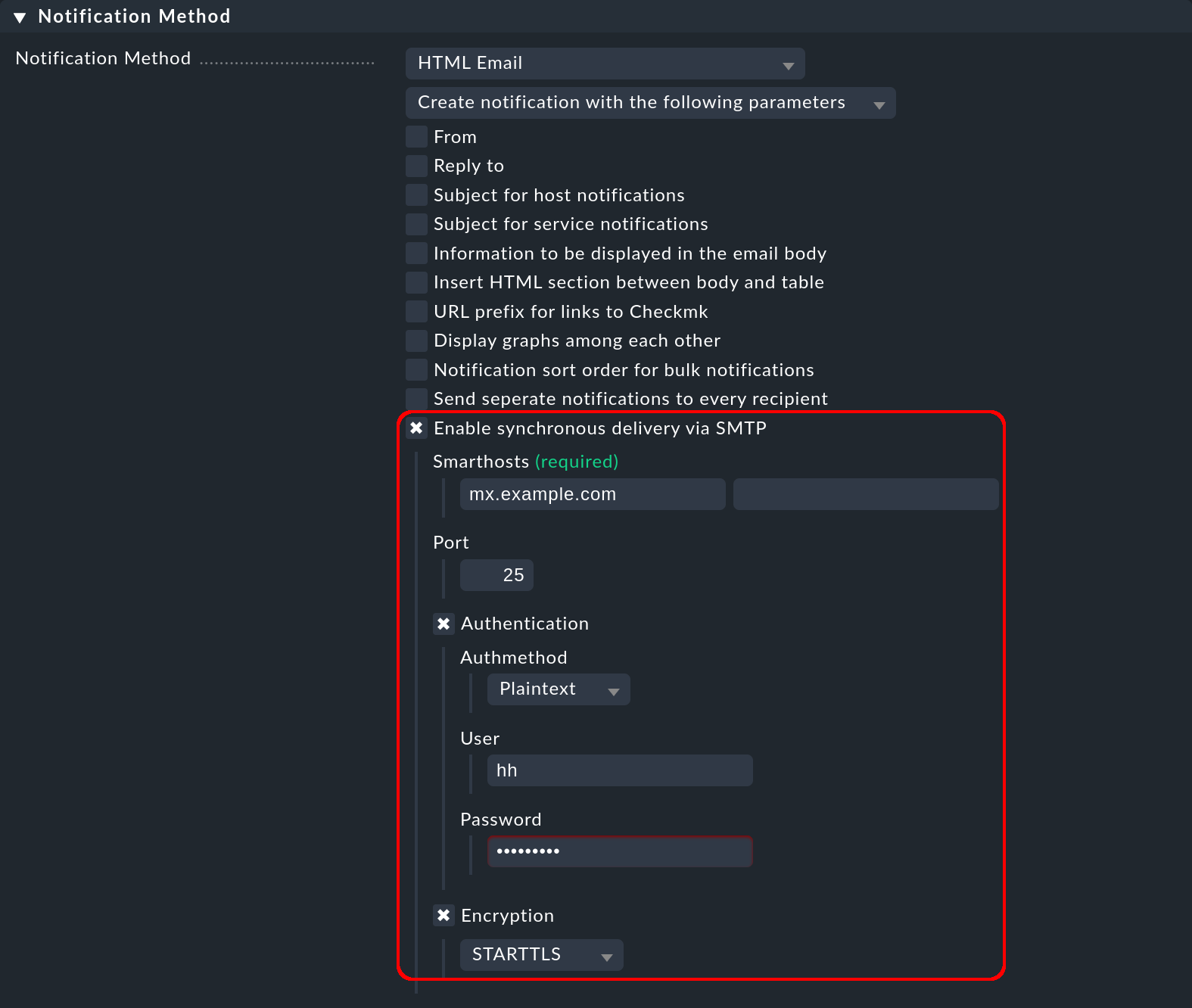
For more information see the following documentation link.
Cheers
Jeronimo
Hey,
I have already added my SMTP details as shown in docs (or in the picture you have attached), no error logs in notify.log
1 Like
latest entry in notify.log
Got spool file 6e83c6d9 (pod_development_example
22;Check_MK Discovery) for local delivery via mail
2025-03-10 13:57:22,068 [20] [cmk.utils.notify] sending command LOG;SERVICE NOTIFICATION: ,Sai
;pod_development_example22;Check_MK Discovery;WARNING;mail;Services unmonitored: 9 (kube_pod_co
ntainers: 1, kube_pod_info: 1, kube_pod_status: 1, kube_pod_phase: 1, kube_pod_restarts: 1, kube_cpu: 1, uptime: 1, kube_memor
y: 1, kube_pod_conditions: 1)(!), Host labels: all up to date
2025-03-10 13:57:22,069 [20] [cmk.base.notify] executing /omd/sites/checkmkdev/share/check_mk/notifications/mail
1 Like
Do you have multiple notification rules in place? Do you have any rule that disable notifications?
In my raw installation I need to define the from address in checkmk for every notification rule, and global settings (fallback mail) to be able to send mail.
Do you have that set as well?
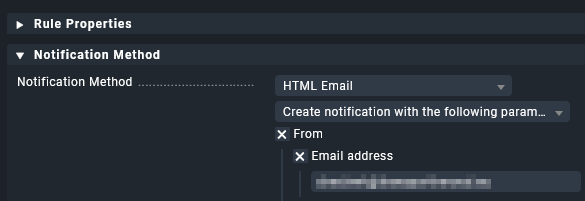
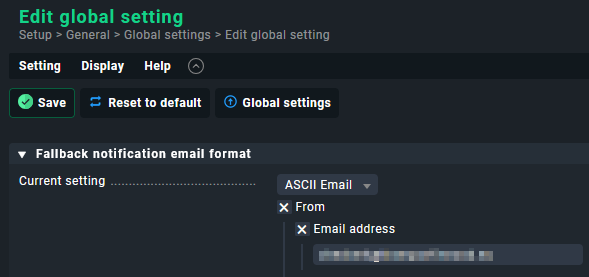
(copy paste my comment from earlier post last week) 
I have only one rule as of now since I have just started setting this up.
I have added the fallback email address, still no emails. I have also tested the notifications using “Test Notifications”, no happy results.
I reccomend creating this test notification script:
It will write a temporary file and it’s quite useful to testing notifications. If that does not work your problem is not related to the email setup.
My SMTP credentials are correct I checked them elsewhere, But checkmk is not able to authenticate with the same credentials
2025-04-08 13:07:06,406 [20] [cmk.base.notify] executing /omd/sites/checkmkdev/share/check_mk/notifications/mail
2025-04-08 13:07:09,969 [20] [cmk.base.notify] ----------------------------------------------------------------------
2025-04-08 13:07:09,970 [20] [cmk.base.notify] Got spool file ff9ffcba (node_dev;Memory) for local delivery via mail
2025-04-08 13:07:09,971 [20] [cmk.utils.notify] sending command LOG;SERVICE NOTIFICATION: Sai;node_dev;Memory;OK;mail;Total virtual memory: 41.81% - 13.1 GiB of 31.3 GiB, 8 additional details available
2025-04-08 13:07:09,972 [20] [cmk.base.notify] executing /omd/sites/checkmkdev/share/check_mk/notifications/mail
2025-04-08 13:07:20,176 [20] [cmk.base.notify] Output: authentication failed on “smtp.mysite.de”: 5.7.8 Authentication failed: wrong user/password
2025-04-08 13:07:20,282 [20] [cmk.base.notify] Plug-in exited with code 2
OM
1 Like