Hi Team,
We are using Checkmk Raw Edition 2.1.0p5 on a physical server.
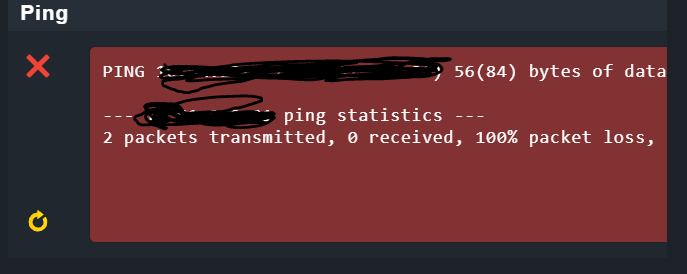
In the host groups, the server is in down state, so I ran the connection tests and yes, the ping is not reachable from the checkmk server and so the host is in down state.
Hi ,
Ok, that means apart from TCP 6556 port to be opened from source server (checkmk) to agents, do we need some other ports also to be opened from source to destination for ICMP ping request?
ok, well I disabled the firewall both on source (checkmk) and destination(agent) but still from checkmk I am unable to ping the destination , that means there is some firewall between them which blocking the ICMP /ping request.
Thank you so much. We can close this, its resolved.
Solution: Apart from opening port TCP 6556 from source (checkmk server) to destination(agents), we also need to check the ping works from source to destination otherwise the host will appear as down.
You need to contact your network team if there is any blockage/firewall between source and destination if the ping doesn’t work.
I know this is closed. I am also running the RAW version. I had this happen to me. I just SSH’d into the checkmk server and ran the ping command to the target host. Starting pinging from the checkmk application almost right away.
This topic was automatically closed 365 days after the last reply. New replies are no longer allowed. Contact an admin if you think this should be re-opened.