Service Check Command Packet Loss

We are based in London our other office is in New York.

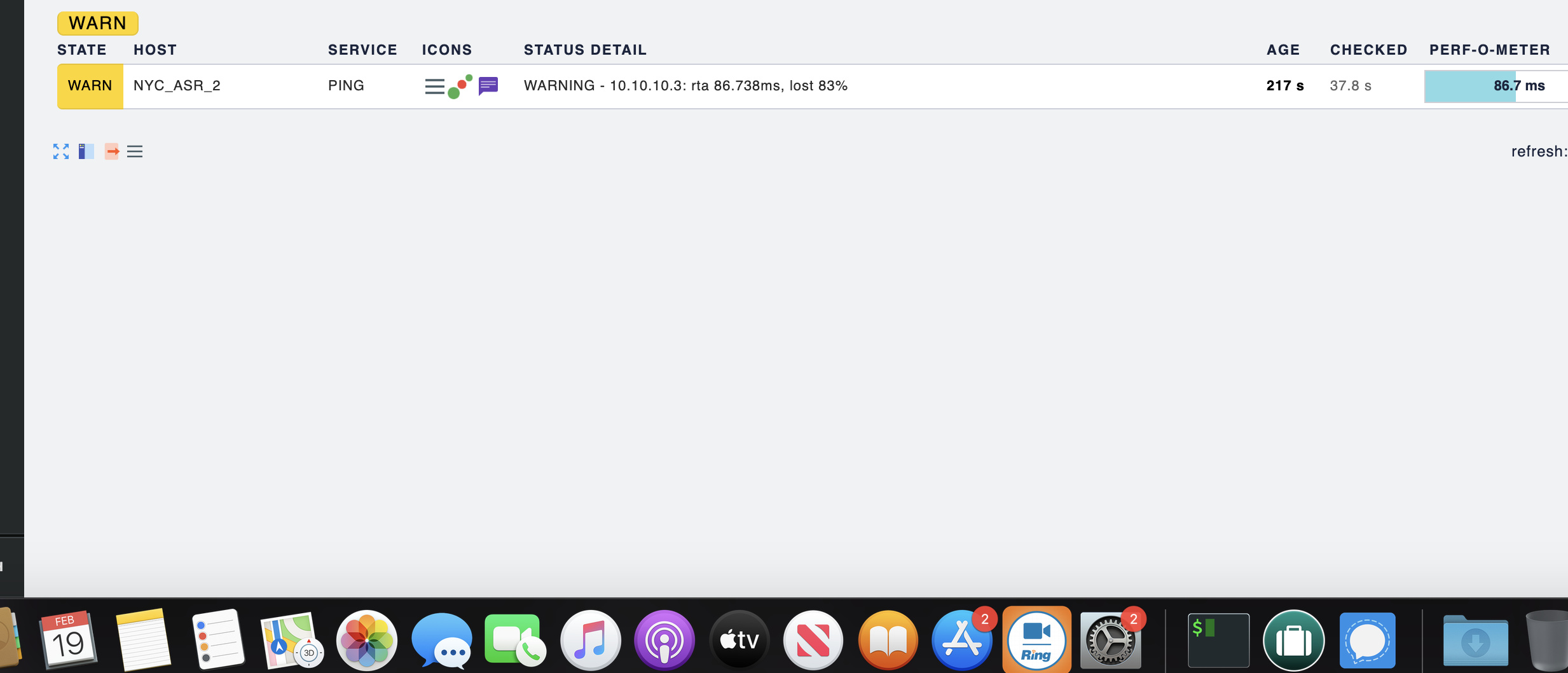
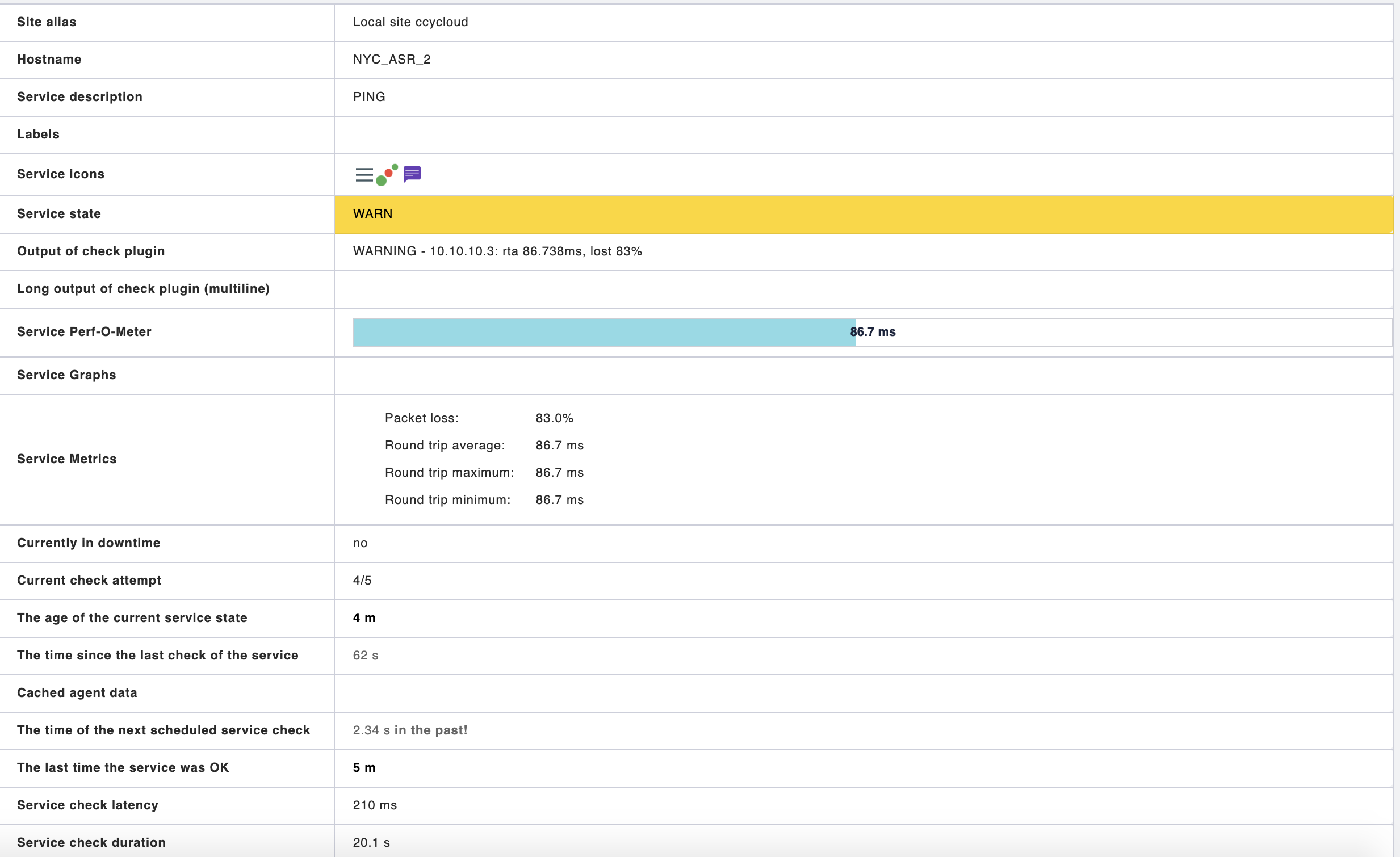
When we add devices to check_mk we keep getting a warning of 80 % packet loss.

We have confirmed on multiple occasions that we aren’t actually receiving packet loss.

I have successfully made a change to Check_MK to
enable service check command check-mk-ping!-w 200.00,80.00% -c
500.00,100.00%

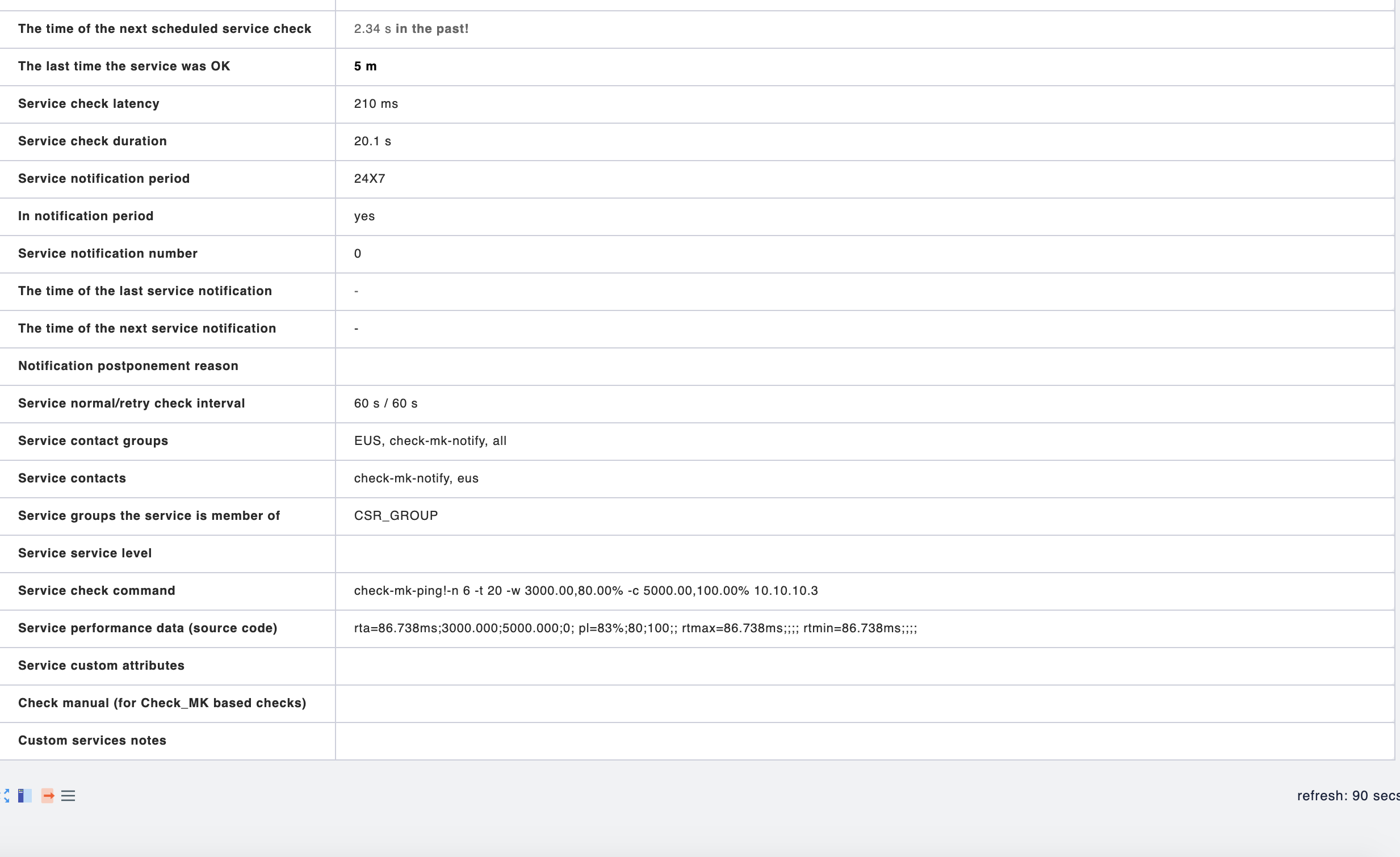
It is is now check-mk-ping!-w 3000,80.00% -c 5000,100.00%

However we are still seeing warnings at 3000,80.00%

Any ideas?

Hi @su-overlord,

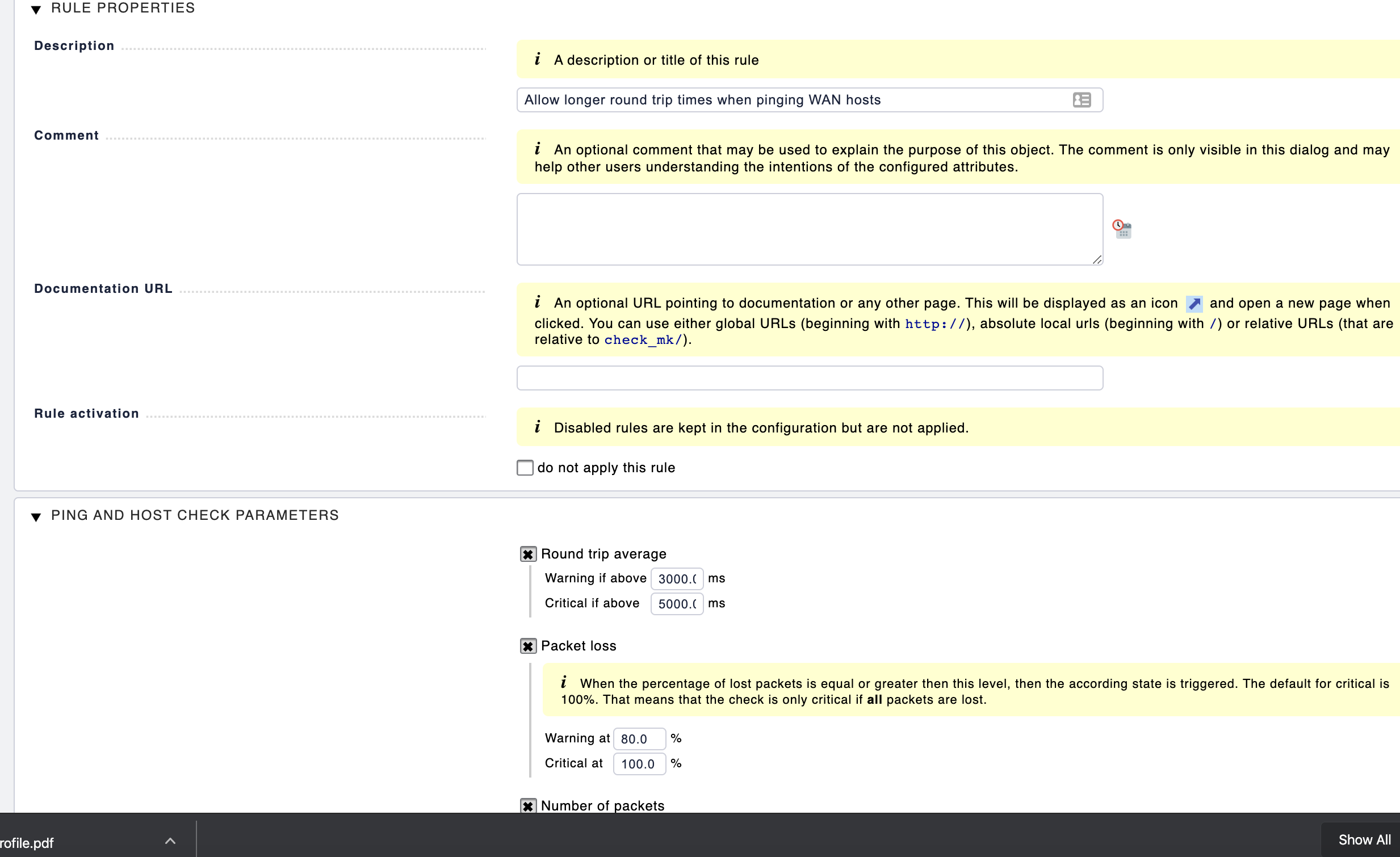
If you don’t want to receive the alerts at 80% you need to change it, you just changed the ms(millisecond) threshold.

Hi @tavanez

Where and how do I change it?

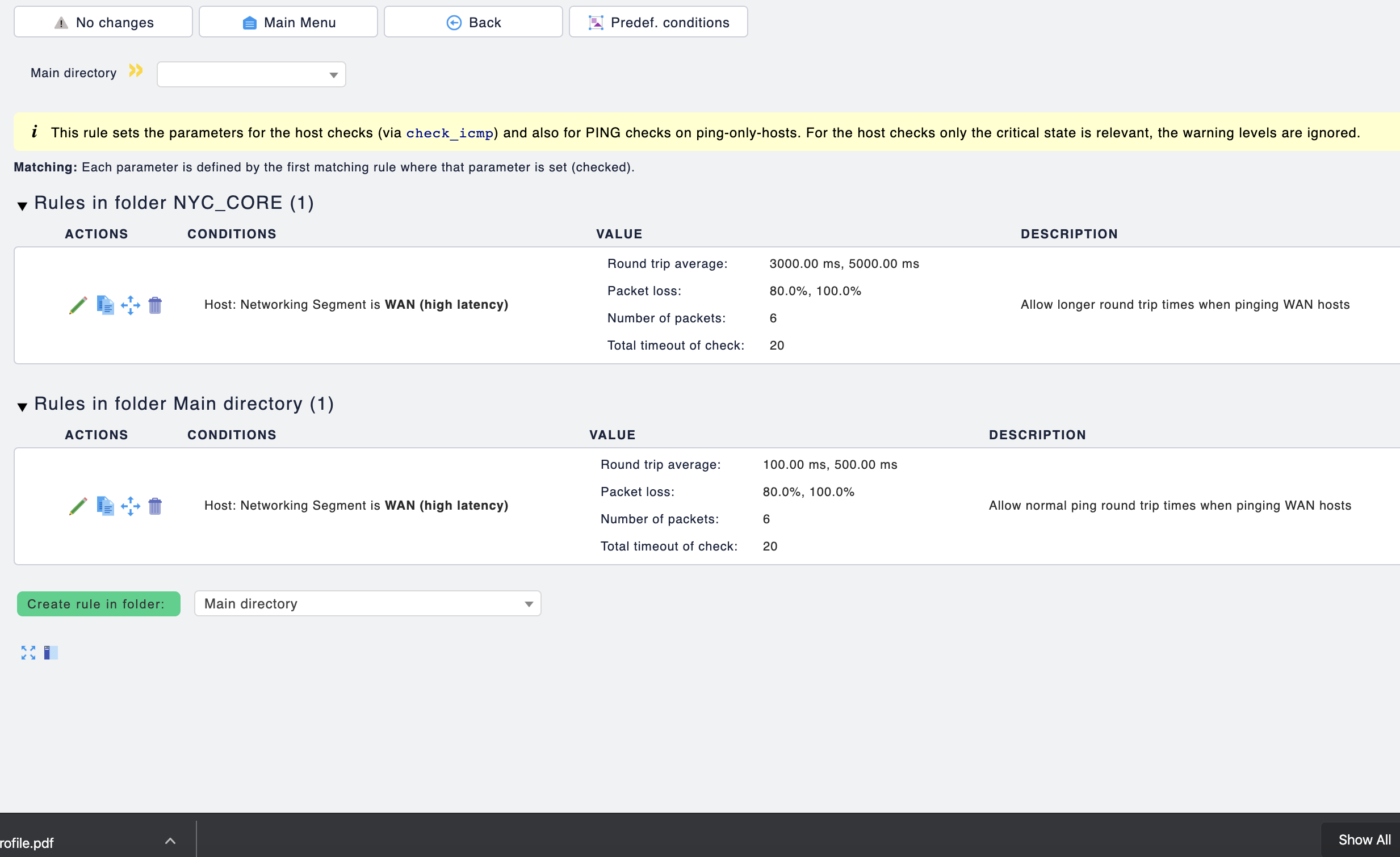
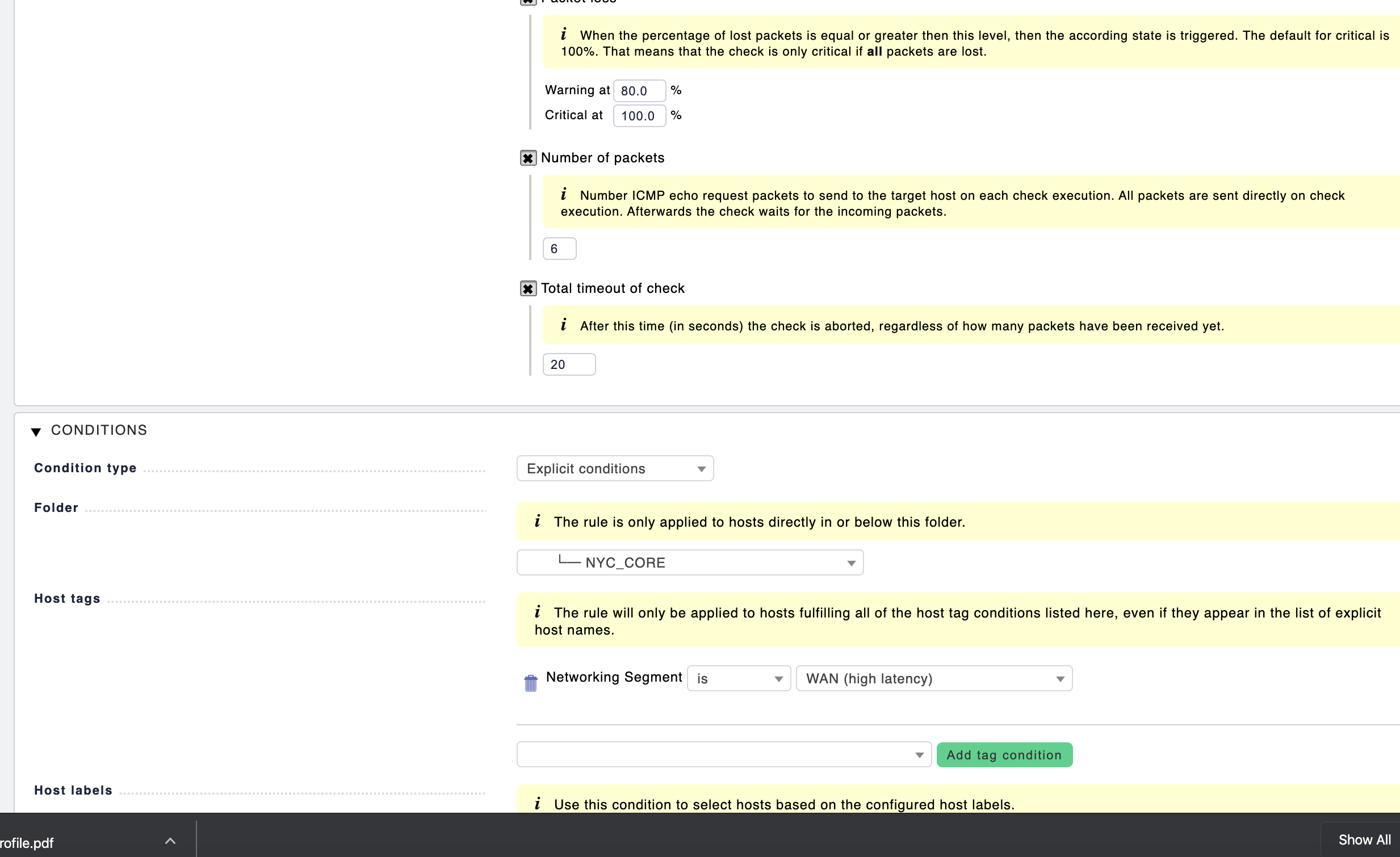
You can change it in Host & Parameters then search for ping and change it there. You’ll have option to adjust the millisecond threshold and also the packet loss %

@tavanez

It looks to already be configured

Unless there is an issue with the rule I am not seeing

yes but you have the warning threshold at 80%… so you’ll get warning once it reaches that value.
Try to increase for what you consider normal to your environment.
Although I would advise you to setup a distributed monitoring, having a master instance and then a slave on the other office, it will help to be more precise with monitoring.