CMK version: CEE2.1.0.p32 OS version: Ubuntu 20.04.6 LTS
**Error message: No Errormessage - it just wont translate
Hi There,
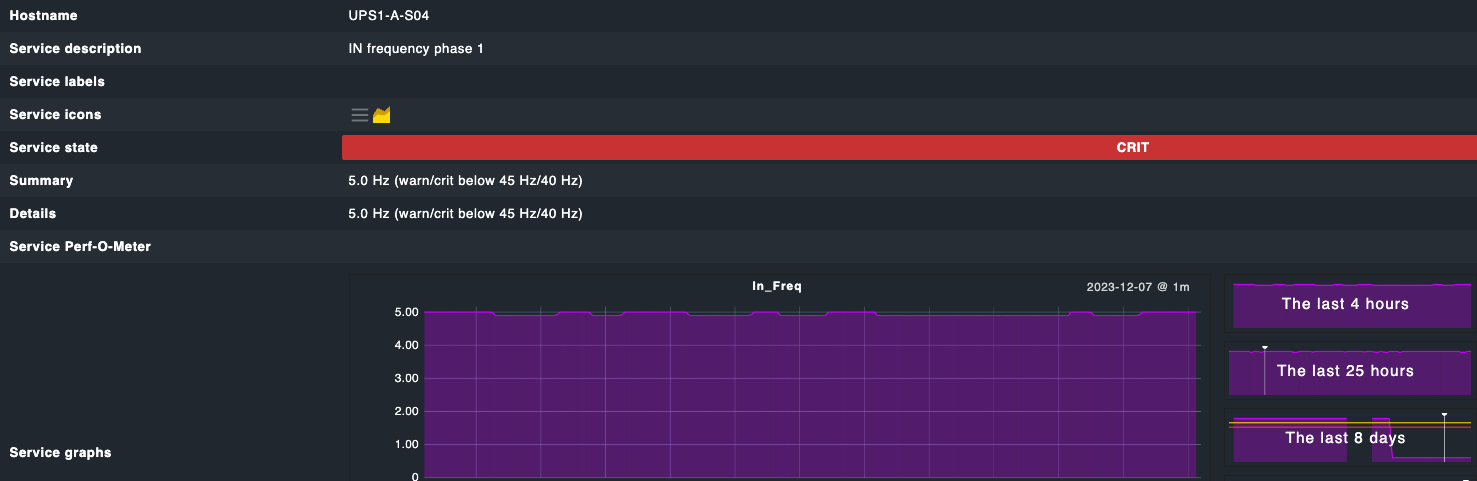
after a Firmwareupdate our HP UPS 6000 sends wrong information for service IN frequency phase.
Seems like a decimal fault, because it sends 4.9 Hz instead of 49Hz .
IN frequency phase 1 4.9 Hz (warn/crit below 45 Hz/40 Hz)
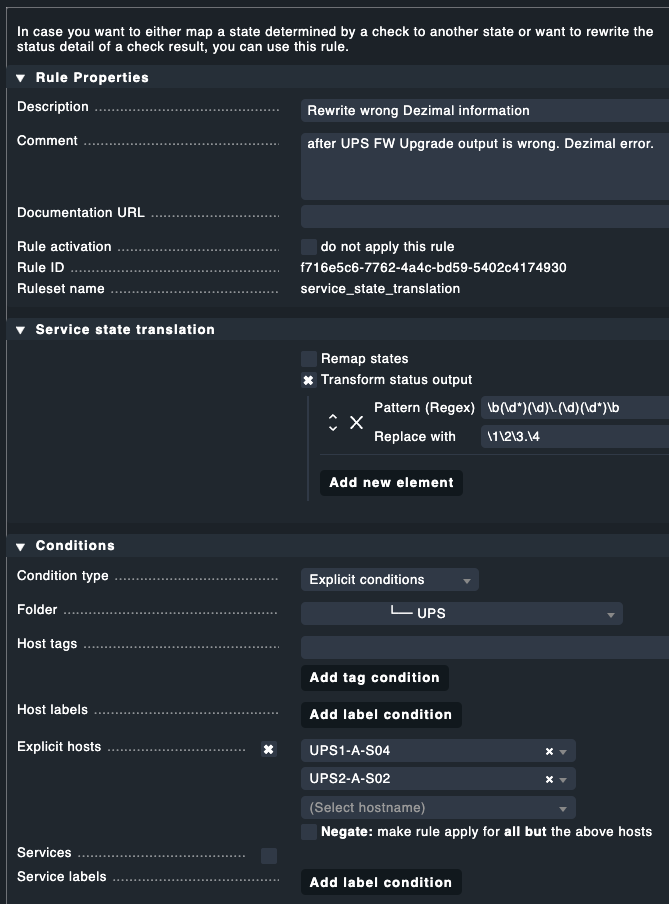
So i tried creating a rule Service state translation which should rewrite the information given by the UPS.
I used Transform status output
Pattern (RegEx) [1].[0-9]$
Replace with [0-9]0
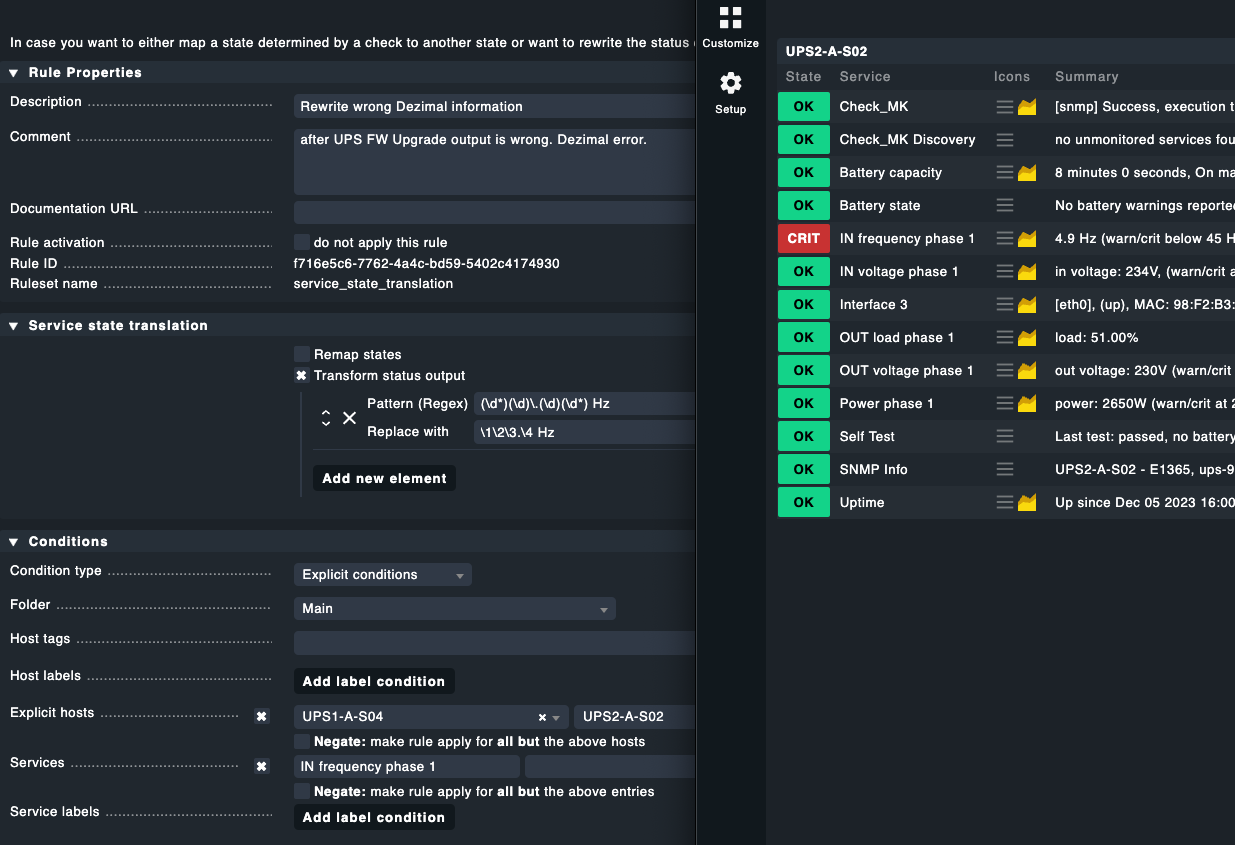
It wont work. The rule is marked green but it does nothing. I tried a lot of different Regex Pattern which in my world should work .
Since i am obviuously anything but good with Regex, can somebody please give me a hint in the right direction how to translate the wrong output of the UPS into one more sensefull !?
I’m not sure what exactly you want to replace with what other string.
To my understanding you want to replace 4.9 with 49.
There are two problems:
we cannot do calculations in the regular expressions in checkmk, i.e. we cannot multiply a value by 10. Simply removing the dot is sometimes the correct result and sometimes it is wrong. Consider the value 4.93. Removing the dot would result in 493 instead of 49.3. Moving the dot one place to the right is a bit better but may result in values like 49. (with a trailing dot) instead of just 49.
even if we find a regex or something to convert a 4.9 into a 49 – the check will internally still calculate with and check against the 4.9.
Having said that, here is a regex and replacement pattern that moves a dot one place to the right:
It splits a number into the single digit just before and after a dot (capture groups 2 and 3) and the digits before that and after that (capture groups 1 and 4).
For example, for 567.890, the capture groups are
1: 56
2: 7
3: 8
4: 90
It then re-assembles the number with capture groups 1, 2, 3, followed by a dot and then 4 (resulting in 5678.90).
The first and last capture groups may be empty. For example, for your 4.9 the capture groups are
1: (empty)
2: 4
3: 9
4: (empty)
No, your rule looks right to me. (At least if the conditions/hostnames are correct).
Maybe it’s the \b at the end of the pattern. It marks a word-boundary (something like “end of word”). To be precise: it is the change from a word-character to a non-word-character.
If the original output is actually 4.9hz (no space between the 9 and the h) then this won’t match.
Try dropping the final \b, i.e.
\b(\d*)(\d)\.(\d)(\d*)
Update: One more thing: you should restrict the rule to the service in question. Else it will translate the numbers on these hosts in every service it finds and where the pattern matches.
Thanks for checking. Thats what i thought.
But it wont work. Your new suggestion won´t work neither.
I´m out of luck with this one.
I deleted the servicename on purpose to check if any of the service gets rewritten and to be sure that there is no typo in the service description. But nothing helps.
I don’t see anything wrong. To check if the rule applies at all, I’d now try just Hz as the “regex” and Hertz as the replacement string. Just as a test, without any fancy expressions.
If that doesn’t work, then it must be something else.
This topic was automatically closed 365 days after the last reply. New replies are no longer allowed. Contact an admin if you think this should be re-opened.
 .
.