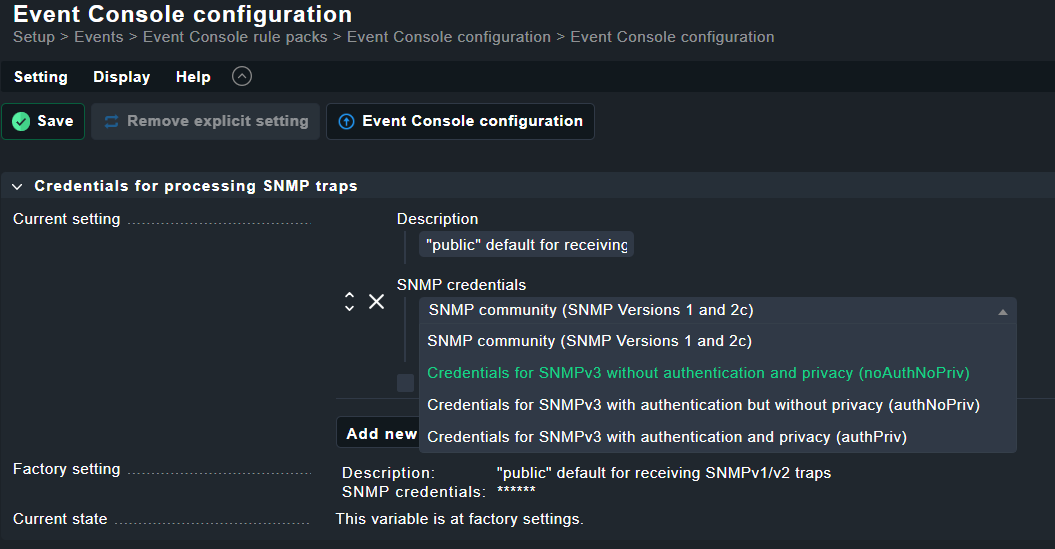
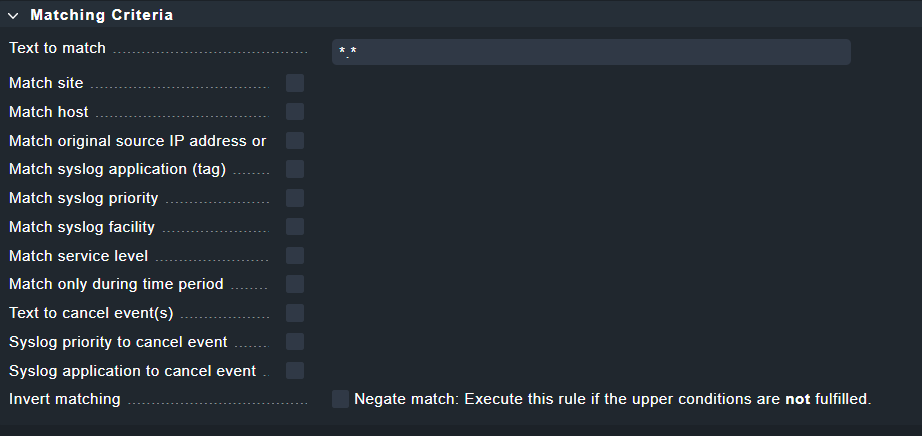
I have just set up my CheckMK according to this post: https://forum.checkmk.com/t/kein-empfang-von-snmp-traps-in-event-console/18872/5?u=dom_666
I have also made a Event Console Rule to catch all events matching the syslog facility “snmptrap”.
From the host I want to monitor, I can send test traps to the receiver.
But I don’t get any event.
(The host sending the traps is on a remotesite, I haave also tried sending the traps directly to the Master CheckMK Site, with the same result.)
I have Checked the firewall and the required Ports are all open.
I can also see traffic from the host to the CheckMK Server (UDP Port:162).
So I guess there is still something missing in my CheckMK config.
Hi @ricardoftribeiro
Thanks for your reply.
Yes I did enter the credentials as mentioned.
I followed step by step the manual in the link from my question.
This is not going to halp, as I already have a event console rule to catch any event.
I meant, if there is an error log from checkmk that shows what was sent to the server and maby blocked or handled in the wrong way.
I would also appreciate a step by step how to manual to setup SNMP trap handling in checkmk.
Can you try using SNMPv2 to start? They are easier to generate and catch. For SNMP Trap diagnosis I suggest starting with this command to check if traps are being received by your Checkmk Server: