** [special_vsphere] Agent exited with code 1: HTTPSConnectionPool(host=‘10.200.105.16’, port=443): Max retries exceeded with url: /sdk (Caused by NewConnectionError(‘<urllib3.connection.HTTPSConnection object at 0x7f15b7a71d00>: Failed to establish a new connection: [Errno 111] Connection refused’))CRIT, [piggyback] Successfully processed from source”: vCenter Name**
Hello CheckMK-Community, im now at the point, where I need help. This problem might be easy, but Im done… Story behind the problem. Im currently rebuild our folders in CheckMK for a new monitoring experience, everything worked fine before. Now I transferred (mostly VMs) in a new folder and now CheckMK trys to get informations for this devices via our vcenter, where they are located, but I installed the agents and it worked fine before. I dont know what I need to do, that it changed back to the agent.
Windows, Linux and even VIOs from IBM Powers are affected. They have all installed an agent depends on the OS what they are using. I copied the error message in here, but I cant sent a screenshot from the critical log, because to many names, IPs to hide.
The screenshots shows the rule for that vcenter. We used it, to get informations about snapshots and all other VMs. I already tried to seperate the hosts in the rule, didnt worked and Im not that deep in CheckMK to understand how I can use the Host Tags or If it is the solution for my problem.
your screenshot ends a little to early is the rule limited to the host name of your vcenter? otherwise the conditions will match it to all hosts in the “RZ Virtuell” folder.
Hello Gerd, yes sorry. The rule is for the folder.
I have already tried to seperate a single host with an installed agent from the rule using the conditions below. Nevertheless, it still tried to do it via the “vsphere special agent” during a service discovery. It seems that this rule generally overrides everything that is in the folder. The agent and the services found with it go to unknown.
The Vcenter has all the VMs as services listed, not as hosts. I don’t know if this informations helps here.
Hi Lucus, changing anything on the client side (ie. windows servers) won’t have any effect, as the checkmk server side decides how it will contact each host.
based on your description, I’m now wondering:
Do you have another vCenter rule in place? That’s really the only thing that can control that all your VM hosts - falsely - are contacted via special_vsphere agent instead of their OS agent.
No, only this vsphere rule. I have two other rules there, but these are for our esx server and esx server from customers and I checked all other rules with “vsphere” and they are empty.
I also tried unchecking “virtual machines” or deactivating the whole rule, but that didn’t help either.
Are all three rules limited by either tags or hostnames to match only the ESXi / vsphere hosts? Otherwise one of them is the culprit.
Maybe it’s easier to find the issue with context.
Open one of the windows VMs in Setup and Go to " Host → Effective parameters" than look for the rule “VMware ESX via vSphere”, it will tell you which rule applies.
It is all on “default” but I found something really interesting. One Windows VM as example has several “effective labels” + the new one “esx:host” which I created some minutes ago and give it alle 3 folders from our esx server and put in in the other rule.
hm interesting, that would mean the “effective parameters” view is incorrect, as of course, if you label the windows host with “esx:host” and set a rule to match that rule, than checkmk will correctly try to contact the windows VM as if it was an esx host.
Is it working correctly once you remove the esx:host label from the windows VMs?
Please do the rule like @gstolz requested with explizit hostname setting.
To use a self defined label here is very risky. What labels do the affected VMs have?
Hey Andreas, I found another solution with a colleague. It was not the rule for the vcenter. I needed to split the rule for our esx server in three different rules for each datacenter. After that all VMs worked again perfectly. I can’t tell what the problem actually was, but now this problem has solved. Thanks all for the helps
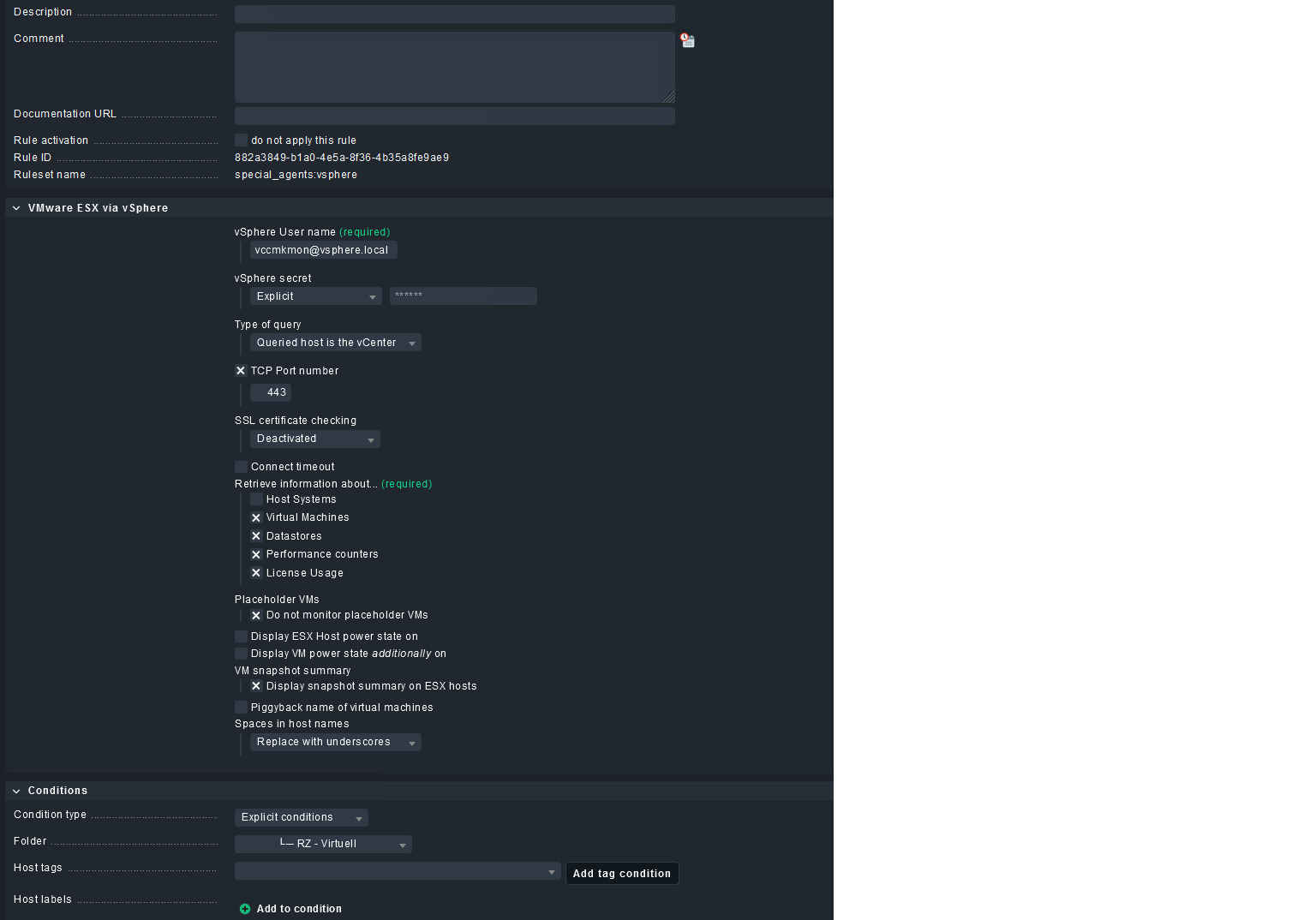
 is the rule limited to the host name of your vcenter? otherwise the conditions will match it to all hosts in the “RZ Virtuell” folder.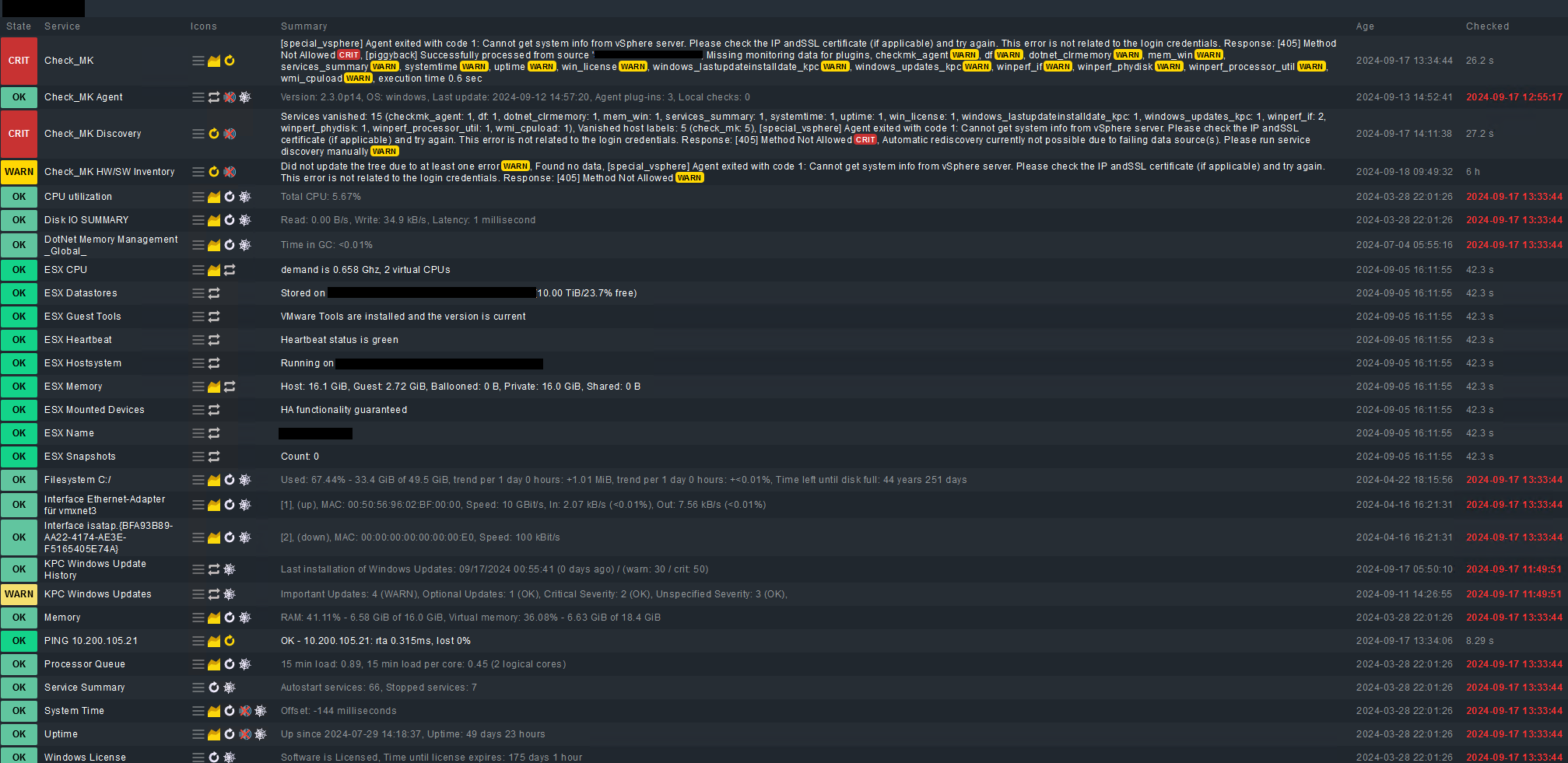
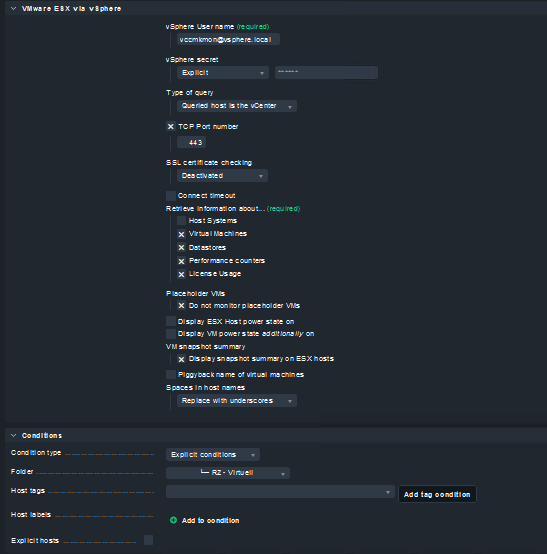
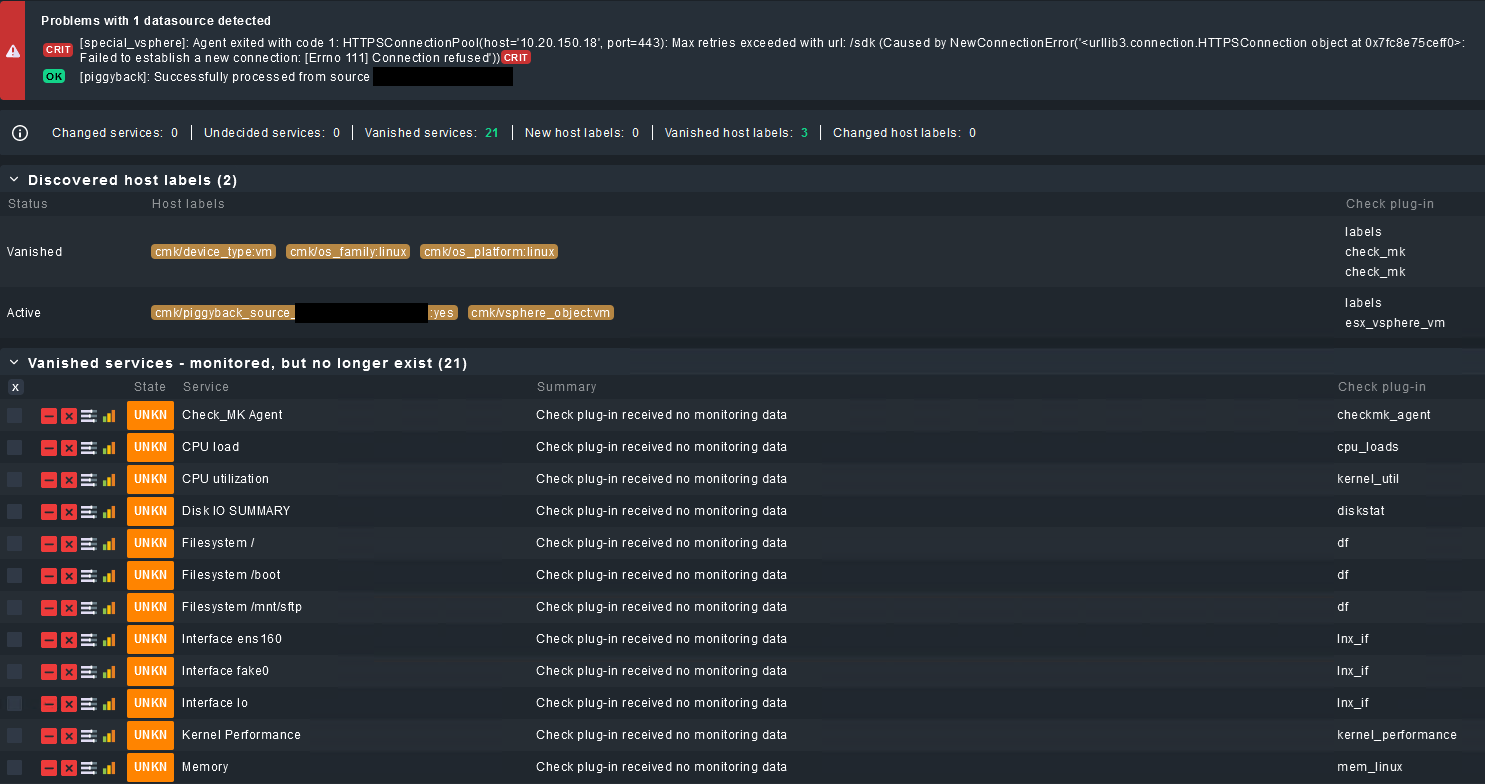


 I will now check that with a colleague and let you know, if we found something new or a solution