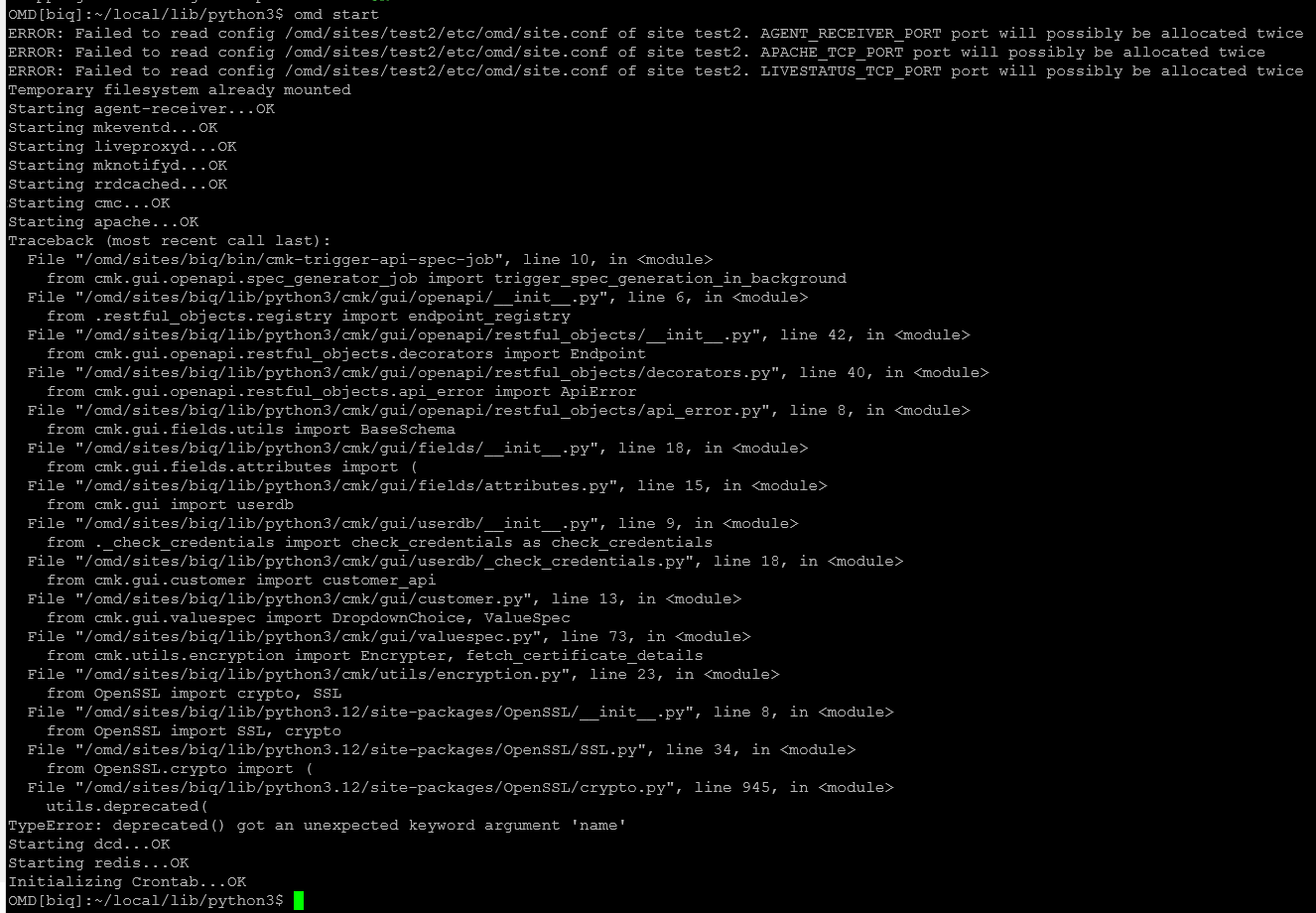
See screenshot
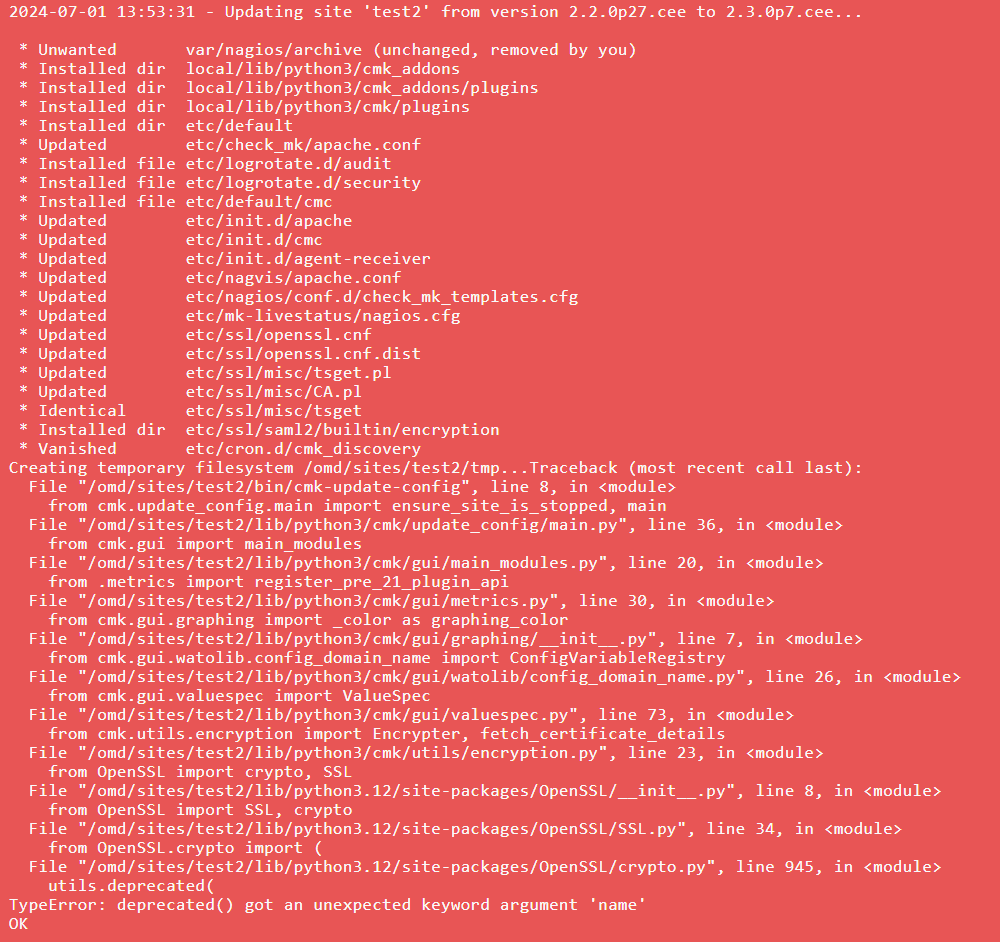
any ideas?
Hi,
Do you have MKP and / or python packages installed with pip3 in your site ?
Not sure, probably - I had to add a few minor things for a classic nagios check.
I would check first what additional python modules are installed in ~/local/lib/python3 and move everything besides of the cmk and bin folders to another place.
After that you can rerun the update with cmk-update-config --debug -vvv.
If that works, you can see if you still need those modules (there are a lot more shipped with checkmk now) and install one after another.
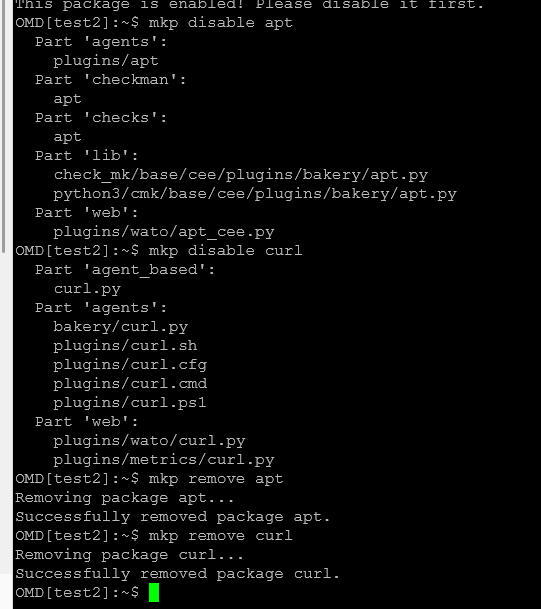
you need to uninstall the incompatible mkp packages apt and curl
okay, how would I go about doing that?
login as a site user, list all mkp packages with mkp list.
Then uninstall the affected packages with mkp remove package_name version
cool, now i would rerun the “cmk-update-config --debug -vvv” again.
If that works, do a “cmk -R” and everything should be fine 
ran the upgrade on the copy test site- all was green… then ran it on the actual site, now broken… any clues?
removing /python3 content fixed it- I guess I’ll need to reinstall those modules I was using for my local nagios checks
yes, you are overwriting the builtin python modules with your own and that breaks things.
makes sense - is there a good way to install tools I need on the box? I use this for example:
python3 -m pip install --user gvm-tools
as the site user…
i usually just use pip3 install packagename
ok, so you just re-do the installs after each version upgrade?
we try to not “upgrade” any dependencies to checkmk but its not easy as the site user. we also use virtual env for a lot of stuff
ok, so can you elaborate on that a bit? what is the “best practice” - I know it’s not never modify anything on the appliance etc. but I’d like for example to have salt-minion installed so I can keep my classic nagios checks in sync with my git repo etc.
This topic was automatically closed 365 days after the last reply. New replies are no longer allowed. Contact an admin if you think this should be re-opened.