SNMP Error (Exit-Code: 1) i doesnt get Information on Windows System

Hello

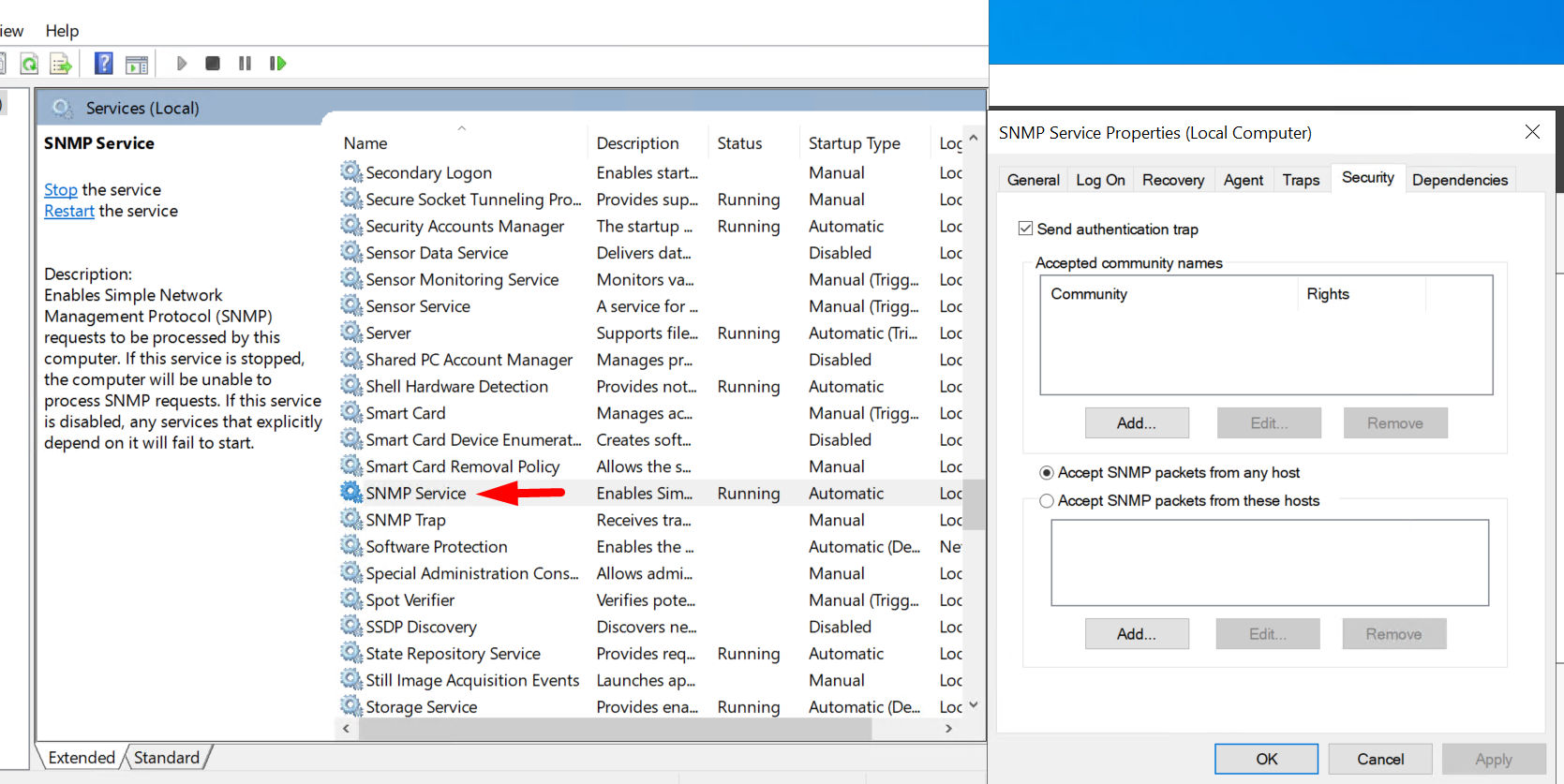
I’m just about to create my first hosts and I’ve already had the first error with SNMP, the error always comes up: No Response (Exit code: 1). On the Windows the service is active and running and on Security Option i have allowed to get SNMP packet from every host.

Thank You

You already seem to have the Checkmk agent installed on that Windows host.
There is no need to query it via SNMP.

1 Like

Yea, but i want to test snmp also because its the first time and some Windows Clients i cant install the agent.

Thank u

Have you installed and activated the Windows SNMP agent?
Is it configured to respond to queries from your monitoring server with the correct SNMP credentials?

i dont have any Credentials added only allow from any host.

You need to add an SNMP community. Otherwise the agent will not respond.

1 Like

Is that correct ? and what i have do on CHECKMK site ?

Thanks

Please read about it in the documentation: Monitoring via SNMP - Monitoring of SNMP devices with Checkmk

BTW: I would not recommend to mix checkmk agent and SNMP agent on one Windows host. Better create two hosts (with the same IP): one for the checkmk agent and one for SNMP. This way you can better compare the results.

1 Like

Thanks for the Link, but it doesnt describe how to setup with Windows for SNMP.
Why Checkmk doesnt have a Tutorial for SNMP Windows ??

I will create a new Host only for SNMP.

Because the better way (by orders of magnitude) is to use the Checkmk agent on Windows.

If you need a working SNMP agent on Windows I am sure there is a ton of documentation available on the Internet.

2 Likes

All right thanks i have now installed the Agent.

This topic was automatically closed 365 days after the last reply. New replies are no longer allowed. Contact an admin if you think this should be re-opened.