checkmk is shipped with MIB-2 and enterprises OID subtrees and uses the snmp agent to retrieve the data. You can set it in the host configuration view including the credentials for snmpv2/v3.
To monitor specific device data not covered by checkmk default subtrees, you can use the /omd/versions/$version/lib/nagios/plugins/check_snmp
Get the help for the options and you can set it over WATO:
Setup > Services > Other services > Integrate Nagios plug-ins
add a rule and use it as follows: $USER1$/check_snmp $options
This will check only one oid, not sub-tree, so you need to use it with each oid.
Yes agents are the same, only you need to do the manual configuration compared to enterprise agent bakery.
For the mkp handling on the CLI you have the “mkp” command that can install, activate, deactivate & remove mkp packages.
I also use this commands often in bigger enterprise environments as the installation via GUI is painfully slow.
Thank you for your response. We also use the MKP command-line tool quite frequently; however, I was considering whether it might be helpful to use the SNMP Nagios plugin in the RAW edition. If a community package exists to support a specific device, that would of course be ideal.
I have not previously worked with the RAW edition and was therefore a bit surprised to learn that pure Nagios plugins are not supported in the same way as in the other editions. Apologies for any confusion on my part.
Ah ok - the pure Nagios plugins are supported or used the same way in all editions. I have no problem at RAW compared to enterprise systems with classic Nagios checks.
The only difference is the installation of the MKP with the new classic Nagios check if it is not existing already on the system. The included checks are the same in RAW and enterprise.
If you want to make a calculation with two values fetched with check_metric then you should use.
Or if it gets more complicated you should consider to write an small SNMP check.
The syntax for check_calculate is not easy for RAW edition users as you cannot fetch the expression from the GUI like in enterprise.
Please have a look here.
A simple SNMP check with 2-3 values is not so hard to build.
Thanks for the responses. It seems that I may need to create a custom plugin myself.
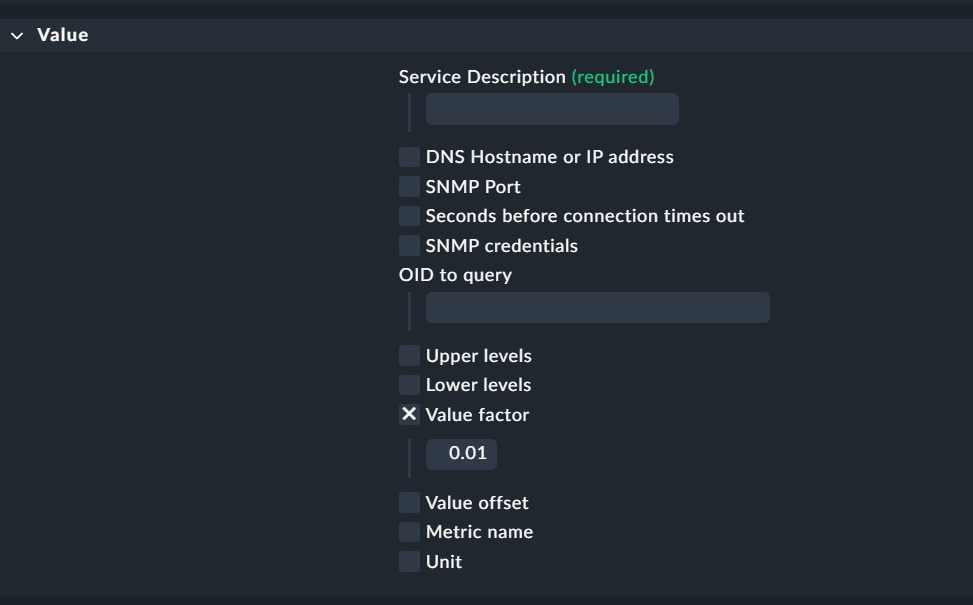
The issue I noticed yesterday, after receiving help to activate the plugin, is that certain values are not scaled correctly. For example, temperature values are received as 3750, which requires dividing the value by 100 to obtain a human-readable temperature of 37.5.