We setup Checkmk for a proof of concept in our office. It worked fine with a handful of nodes. We added ~50 devices using SNMP polling and we are getting more and more timeouts showing - Check_MK Discovery (Service Check Timed Out). We added more RAM and CPU to the Ubuntu server and it did not help. It using ~30% of the overall resources at most at peak. We are unable to see why the SNMP polling is not working for all devices. Please advise on how we do this.
TY,
Anthony
CMK version:
2.3.0p20
OS version:
Ubuntu 24.04
Error message:
Check_MK Discovery (Service Check Timed Out) - We do SNMP Polling only
Hi @arabbito,
you can try to increase the timeout for snmp request.
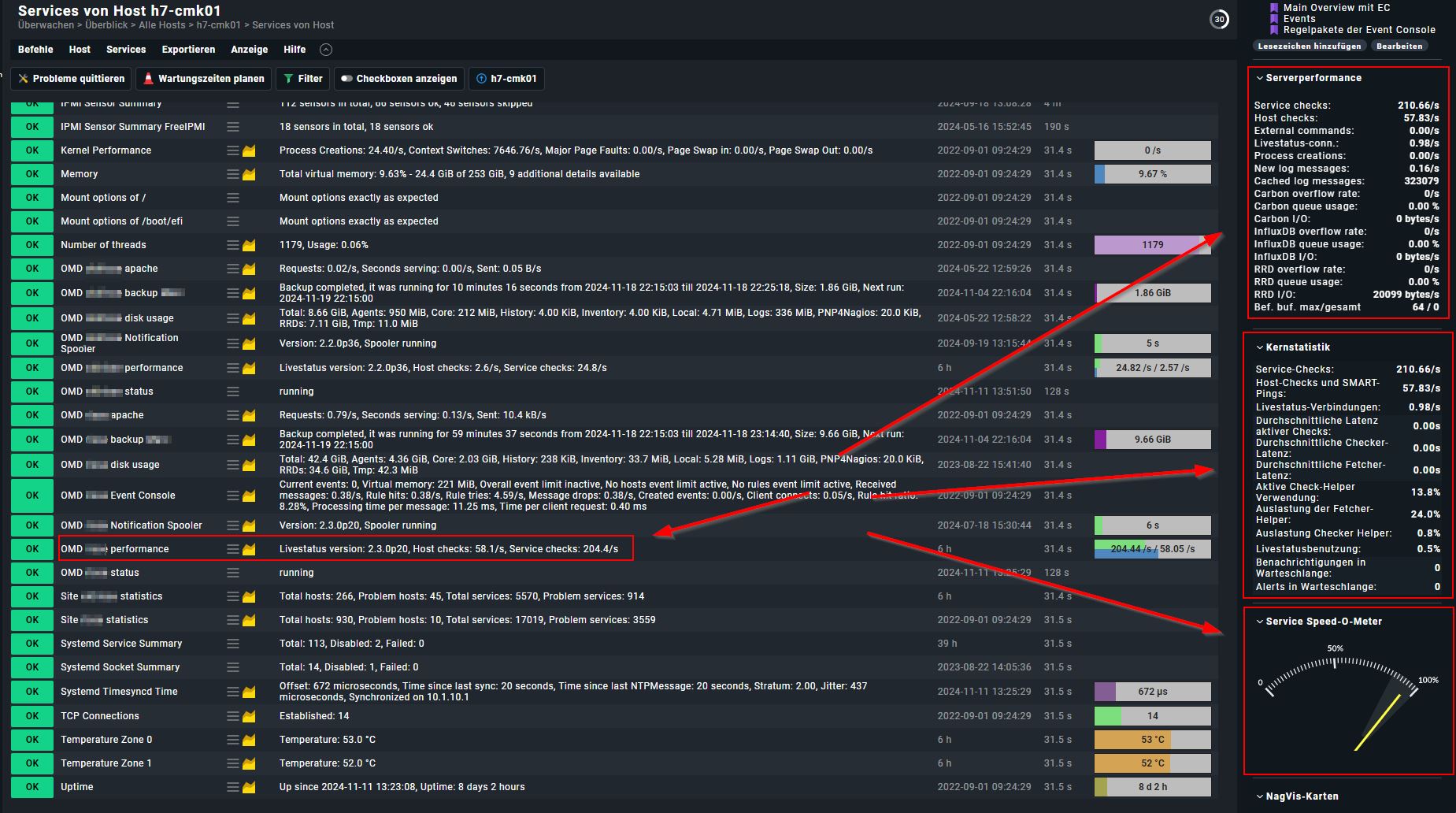
Will it work if you just monitor 5 devices? Have also a look at the server performance and kernelstatistics inside CMK. Read a little bit of performance of CMK. Sounds you are using a virtual CMK server, this is IMHO not the best idea… maybe for testing and or small enviroments…
Ah… sorry… you have written it worked fine with only a few clients.
Sounds like performance issues. SNMP is a little b**** Try differnt snmp settings and have a good look at the performance statistics from CMK itself.
Thank you for this info. We adjusted the SNMP to be the max of 60sec for the timeout, but that did not resolve it. This server is running on SSDs with plenty of power behind it. It is not using much of it and yet the polling is very slow and we don’t understand why. How do we check the performance of this?
I am unsure, but i think you have to monitore the monitoring server itself to get the performance infos inside the site…
Then the performance is a “service” with a lot of info. Also you can add plugins to the dashboad for a quick overview.
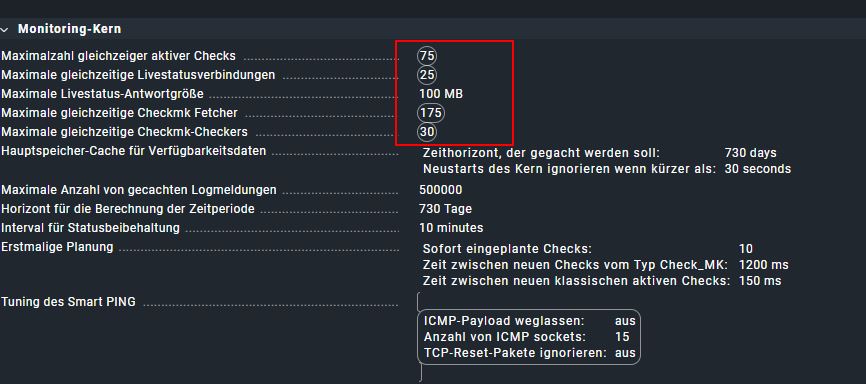
Where are these settings for the Fetcher and such? We don’t see them in our portal. We’ve tweaked all we can find and it is still the slowest thing running here. We don’t understand. This was supposed to be a fast tool. We are testing the RAW edition to see how well it works. It all is good after testing, we will get the paid version.
We run CMK on retired hyperv host server on hard disk, not on SSD… next year we get new server and we can take next generation of old hyperv host for CMK. We have over 900 hosts (on more than130 bad WANs), more as 13k (!) services, round about 50% from SNMP: printer, switches, access points.
Yes we use micro kernel (CEE editon on Debian Linux), because of performance and for the windows and linux agents you can use the bakery.
50 Hosts really should not be a problem, also not for RAW edition on a good hardware…
May try longer timeouts AND longer wait periods between checks.
Are the 50 Hosts in LAN or over WAN connections?
Did you test all of the devices while you add them? What i am asking, are you sure you can poll them? That is something we had to learn… SNMP is a mean b**** Just a little firmware difference on a printer modell and one pice work and next not. Most problems we had with SMNP v3. SMNP v2 in most cases works. But even there are some hints to know.
In case the poll is unsuccsessfull, it is repeated 3 times with 1 minute pause if not configured a other way. That can also cause problems.
This topic was automatically closed 365 days after the last reply. New replies are no longer allowed. Contact an admin if you think this should be re-opened.
 Try differnt snmp settings and have a good look at the performance statistics from CMK itself.