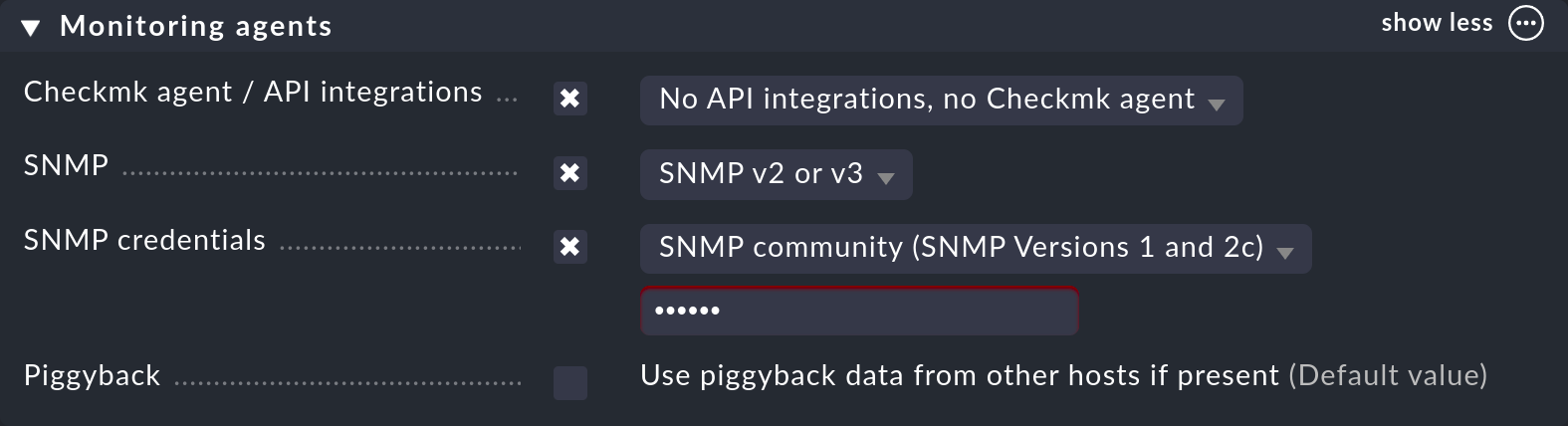
Hallo Andreas,
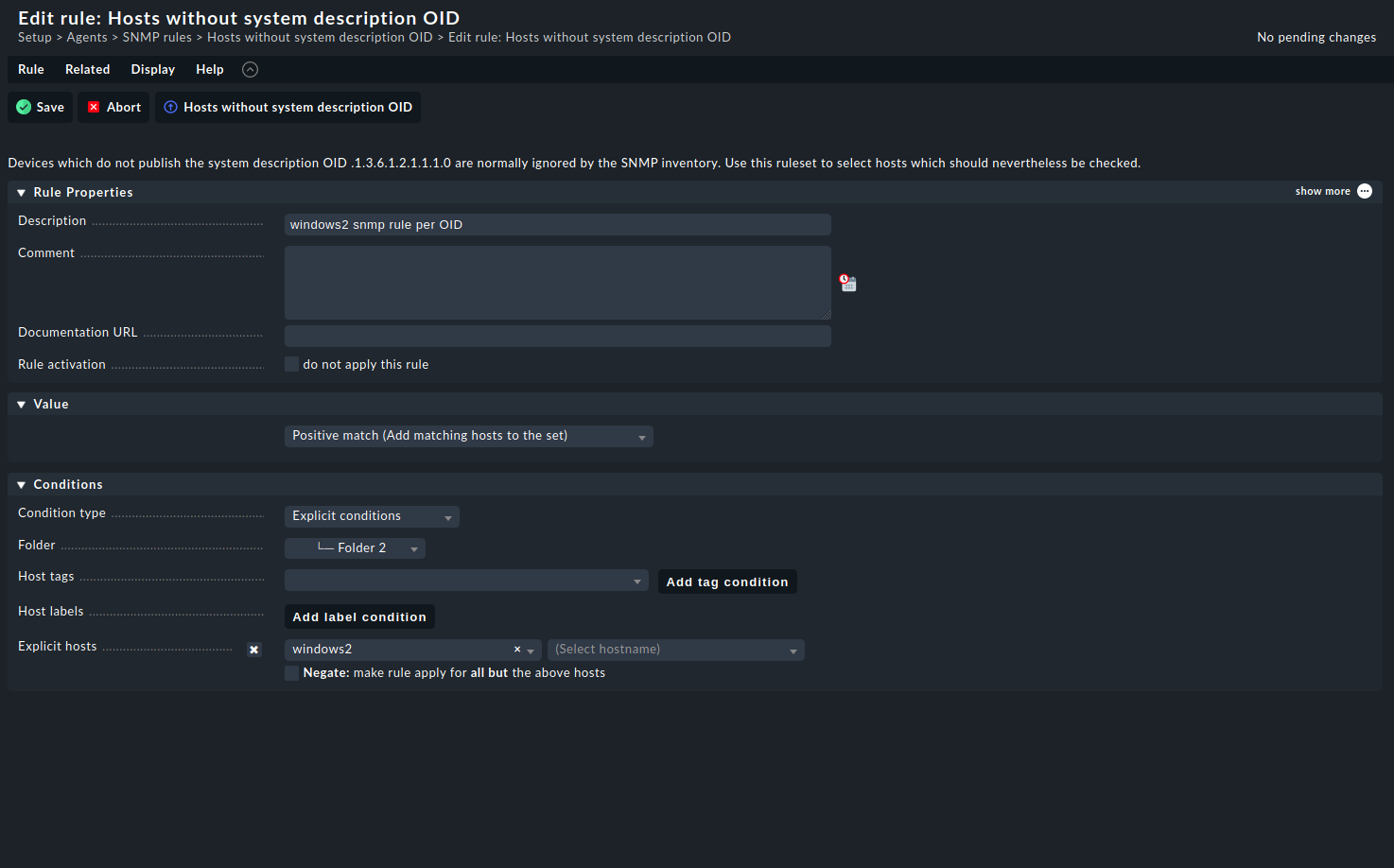
Thank you for your reply! I am of the same opinion , it’s like keeping a Ferrari in the garage  but I have to test this configuration in a working environment.I applied in the menatime the following rule to suppress the error
but the output is not encouraging :
cmk --debug -vvI windows2
Discovering services and host labels on: windows2
windows2:
- FETCHING DATA
Source: SourceType.HOST/FetcherType.SNMP
[cpu_tracking] Start [7f0c74105520]
Loading autochecks from /omd/sites/monitoring/var/check_mk/autochecks/windows2.mk
[SNMPFetcher] Fetch with cache settings: SNMPFileCache(base_path=PosixPath(’/omd/sites/monitoring/tmp/check_mk/data_source_cache/snmp/windows2’), max_age=MaxAge(checking=0, discovery=120, inventory=120), disabled=False, use_outdated=False, simulation=False)
Not using cache (Too old. Age is 33628 sec, allowed is 120 sec)
[SNMPFetcher] Execute data source
SNMP scan:
Skipping system description OID (Set .1.3.6.1.2.1.1.1.0 and .1.3.6.1.2.1.1.2.0 to “”)
Using cached OID .1.3.6.1.2.1.1.1.0: ‘’
Using cached OID .1.3.6.1.2.1.1.2.0: ‘’
Using cached OID .1.3.6.1.2.1.1.2.0: ‘’
Using cached OID .1.3.6.1.2.1.1.2.0: ‘’
Using cached OID .1.3.6.1.2.1.1.1.0: ‘’
Using cached OID .1.3.6.1.2.1.1.2.0: ‘’
Using cached OID .1.3.6.1.2.1.1.2.0: ‘’
Using cached OID .1.3.6.1.2.1.1.1.0: ‘’
Using cached OID .1.3.6.1.2.1.1.1.0: ‘’
Using cached OID .1.3.6.1.2.1.1.1.0: ‘’
Using cached OID .1.3.6.1.2.1.1.1.0: ‘’
Using cached OID .1.3.6.1.2.1.1.2.0: ‘’
Using cached OID .1.3.6.1.2.1.1.2.0: ‘’
Using cached OID .1.3.6.1.2.1.1.2.0: ‘’
Using cached OID .1.3.6.1.2.1.1.2.0: ‘’
Using cached OID .1.3.6.1.2.1.1.2.0: ‘’
Using cached OID .1.3.6.1.2.1.1.2.0: ‘’
Using cached OID .1.3.6.1.2.1.1.2.0: ‘’
Using cached OID .1.3.6.1.2.1.1.2.0: ‘’
Using cached OID .1.3.6.1.2.1.1.2.0: ‘’
Using cached OID .1.3.6.1.2.1.1.2.0: ‘’
Using cached OID .1.3.6.1.2.1.1.2.0: ‘’
Using cached OID .1.3.6.1.2.1.1.2.0: ‘’
Using cached OID .1.3.6.1.2.1.1.1.0: ‘’
Getting OID .1.3.6.1.4.1.1139.21.2.2.8.1.*: Executing SNMP GETNEXT of .1.3.6.1.4.1.1139.21.2.2.8.1 on windows2
=> [None] None
failed.
Using cached OID .1.3.6.1.2.1.1.2.0: ‘’
Using cached OID .1.3.6.1.2.1.1.2.0: ‘’
Using cached OID .1.3.6.1.2.1.1.2.0: ‘’
Using cached OID .1.3.6.1.2.1.1.2.0: ‘’
Using cached OID .1.3.6.1.2.1.1.1.0: ‘’
Using cached OID .1.3.6.1.2.1.1.1.0: ‘’
Using cached OID .1.3.6.1.2.1.1.2.0: ‘’
Using cached OID .1.3.6.1.2.1.1.2.0: ‘’
Using cached OID .1.3.6.1.2.1.1.2.0: ‘’
( truncated )
SNMP scan found hr_mem snmp_info snmp_os snmp_uptime
Trying to acquire lock on /omd/sites/monitoring/tmp/check_mk/snmp_scan_cache/windows2.172.31.0.81
Got lock on /omd/sites/monitoring/tmp/check_mk/snmp_scan_cache/windows2.172.31.0.81
Releasing lock on /omd/sites/monitoring/tmp/check_mk/snmp_scan_cache/windows2.172.31.0.81
Released lock on /omd/sites/monitoring/tmp/check_mk/snmp_scan_cache/windows2.172.31.0.81
hr_mem: Fetching data (SNMP walk cache is disabled)
Executing BULKWALK of “.1.3.6.1.2.1.25.2.3.1.2” on windows2
ERROR: SNMP error 0/-24 (Timeout)
[cpu_tracking] Stop [7f0c74105520 - Snapshot(process=posix.times_result(user=0.27, system=0.010000000000000009, children_user=0.0, children_system=0.0, elapsed=60.349999997764826))]
Trying to acquire lock on /omd/sites/monitoring/var/check_mk/crashes/base/245590c4-2d89-11ec-ba71-712e4369e3be/crash.info
Got lock on /omd/sites/monitoring/var/check_mk/crashes/base/245590c4-2d89-11ec-ba71-712e4369e3be/crash.info
Releasing lock on /omd/sites/monitoring/var/check_mk/crashes/base/245590c4-2d89-11ec-ba71-712e4369e3be/crash.info
Released lock on /omd/sites/monitoring/var/check_mk/crashes/base/245590c4-2d89-11ec-ba71-712e4369e3be/crash.info
Traceback (most recent call last):
File “/omd/sites/monitoring/lib/python3/cmk/fetchers/snmp.py”, line 342, in _fetch_from_io
_from, until, _section = persisted_sections[section_name]
File “/omd/sites/monitoring/lib/python3/cmk/fetchers/cache.py”, line 42, in getitem
return self._store.getitem(key)
KeyError: SectionName(‘hr_mem’)
During handling of the above exception, another exception occurred:
Traceback (most recent call last):
File “/omd/sites/monitoring/bin/cmk”, line 92, in
exit_status = modes.call(mode_name, mode_args, opts, args)
File “/omd/sites/monitoring/lib/python3/cmk/base/modes/init.py”, line 69, in call
return handler(*handler_args)
File “/omd/sites/monitoring/lib/python3/cmk/base/modes/check_mk.py”, line 1542, in mode_discover
discovery.do_discovery(
File “/omd/sites/monitoring/lib/python3/cmk/base/discovery.py”, line 370, in do_discovery
fetcher_messages=list(
File “/omd/sites/monitoring/lib/python3/cmk/base/checkers/_checkers.py”, line 247, in fetch_all
raw_data = source.fetch()
File “/omd/sites/monitoring/lib/python3/cmk/base/checkers/_abstract.py”, line 163, in fetch
return fetcher.fetch(self.mode)
File “/omd/sites/monitoring/lib/python3/cmk/fetchers/_base.py”, line 259, in fetch
return result.OK(self._fetch(mode))
File “/omd/sites/monitoring/lib/python3/cmk/fetchers/_base.py”, line 277, in _fetch
raw_data = self._fetch_from_io(mode)
File “/omd/sites/monitoring/lib/python3/cmk/fetchers/snmp.py”, line 348, in _fetch_from_io
fetched_data[section_name] = [
File “/omd/sites/monitoring/lib/python3/cmk/fetchers/snmp.py”, line 349, in
snmp_table.get_snmp_table(
File “/omd/sites/monitoring/lib/python3/cmk/snmplib/snmp_table.py”, line 55, in get_snmp_table
table_data = _get_snmp_table(
File “/omd/sites/monitoring/lib/python3/cmk/snmplib/snmp_table.py”, line 99, in _get_snmp_table
rowinfo = _get_snmpwalk(
File “/omd/sites/monitoring/lib/python3/cmk/snmplib/snmp_table.py”, line 205, in _get_snmpwalk
rowinfo = _perform_snmpwalk(section_name, base, fetchoid, backend=backend)
File “/omd/sites/monitoring/lib/python3/cmk/snmplib/snmp_table.py”, line 221, in _perform_snmpwalk
rows = backend.walk(
File “/omd/sites/monitoring/lib/python3/cmk/fetchers/cee/snmp_backend/inline.py”, line 200, in walk
raise MKSNMPError(
cmk.utils.exceptions.MKSNMPError: SNMP Error on windows2: SNMP query timed out after 4 tries within 4.00 seconds
Thanks in advance for your help!
mau