Target device: OPNsense 25.7.1_1-amd64 via os-net-snmp plugin.
Services from SNMP aren’t showing up in the discovery page.
Check_MK service reports [snmp] Success. cmk --debug -vvn hostname shows all the SNMP data. Check_MK Discovery shows the services as “services unmonitored” and a periodic discovery rule does eventually add new services. SNMP is working!
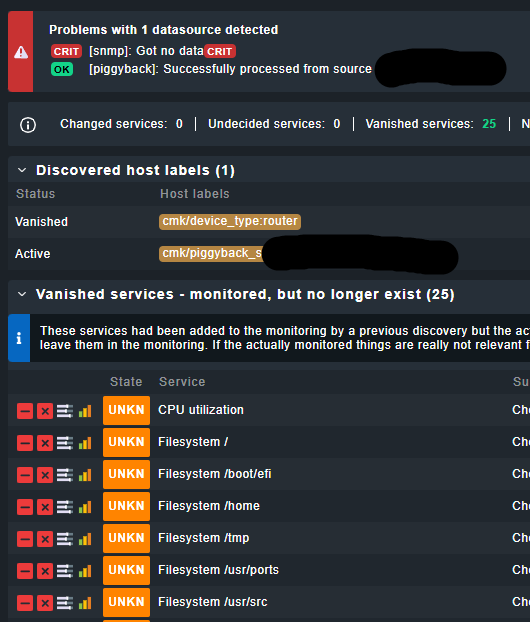
But the discovery page just is not. It says “[snmp]: Got no data” and if I hit rescan I see all the SNMP services that periodic discovery added have “vanished”.
If I click host icons or check_mk service icons and select “Download SNMP walk” I get the following message and an empty 0 byte download.
Fetching 'walk'...
Failed: Failed to fetch data from [hostname]: cannot access local variable 'oid' where it is not associated with a value

Job finished.
 Click on the icon to download the agent output.
So SNMP is sorta working but also sorta broken and I can’t figure out where it’s gone wrong.
cmk -II -vv --debug <hostname> complete ok? The II (two capital i) is a tabula rasa discovery. You might need to restart the site or make some dummy change to be able to due a UI change activation after to make sure the updates found by the command are applied.
When was the last time the site was restarted? It seems like a running config vs saved config conflict that I’ve run into before. Make sure all changes are applied before restarting the site
But I think this turns out to be just one of those things. I cloned the host (changing the hostname, going through a bit of a renaming) and service discovery just WORKED. Everything is fine now.
 Thanks though.
 Thank you!