Hi there,
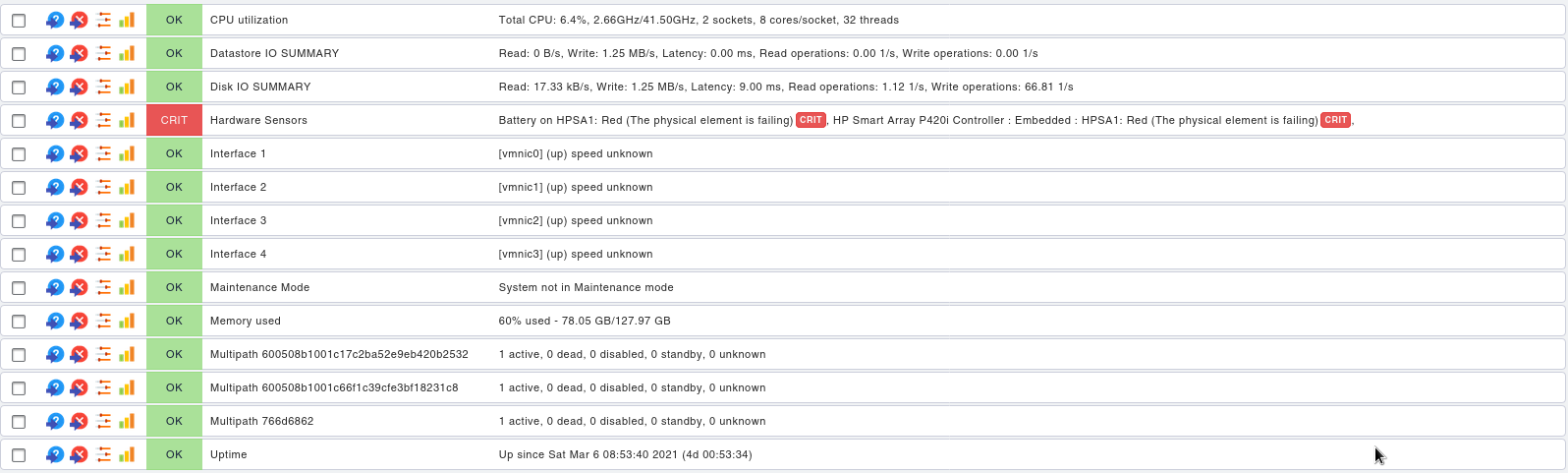
I read about this in the sensor details:
This check checks the state of all of a VMWare ESX host system’s hardware sensors - including temperatures, fans, power supplies, memory DIMMS, hard disk, an others. In order to avoid network traffic the agent sends only information about sensors that are not in green state.
Note: Due to a caching problem on the ESX host system side, this check occasionally reports incorrect sensor data. This may mean that the sensor appears to be stuck in an unhealthy state. You can find more information here: VMware Knowledge Base
I applied the fixed proposed, but it does not update on CheckMK.
EDIT: On esxi management UI it’s gone!
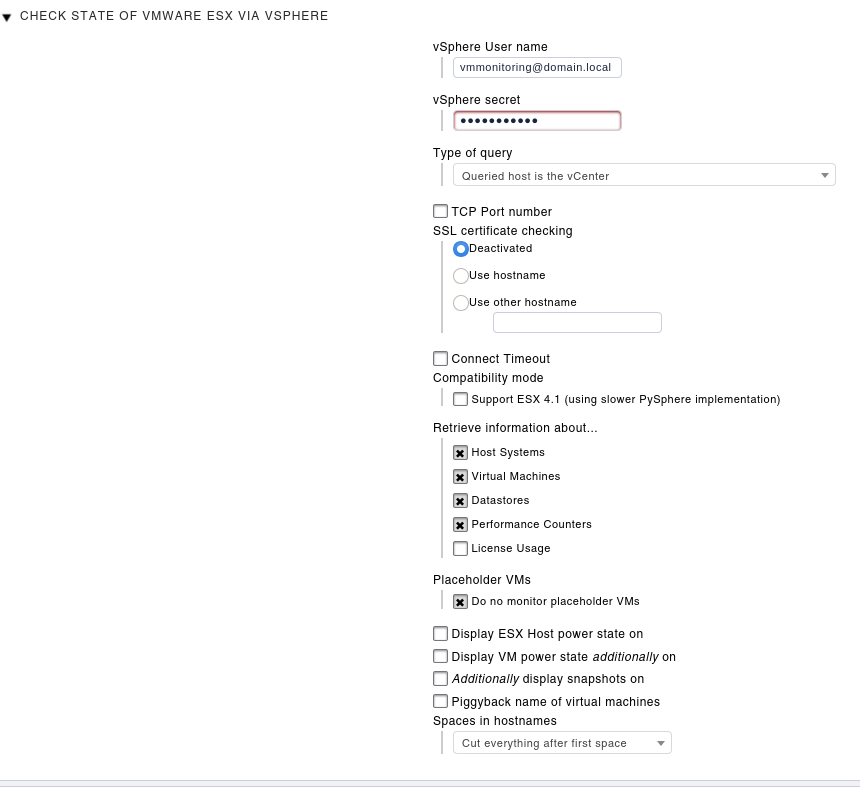
Do you get also the false error if you query your vCenter?
I would also prefer the usage of the vCenter of the direct connection to the ESX as there are some other false measurements from the ESX.
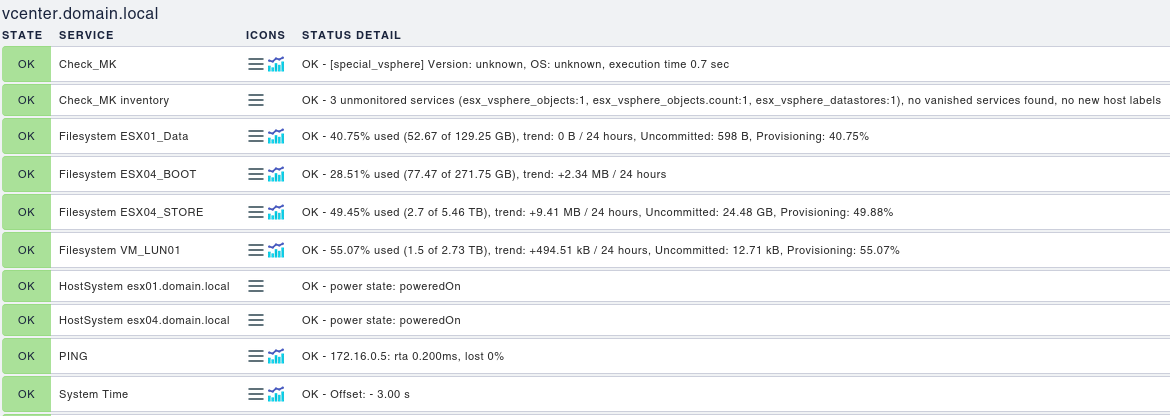
You are sure that you have the same names for your ESX hosts inside the monitoring as they are defined in the vCenter? The hardware sensor information is transferred as piggyback data and you will only see it if there is a host inside CMK existing with the same name as inside the vCenter.
You can use the “piggyback hostname renaming” rule to fix this problem.
The question is, if you setup this hosts with “no agent” setting then you should see all the data you get with the piggyback mechanic. There should also be the data about the hardware sensors.
This data is reportet from you vCenter and should also be visible the same way inside the vCenter.
vCenter itself uses also the API calls to gather all the data.
This topic was automatically closed 365 days after the last reply. New replies are no longer allowed. Contact @fayepal if you think this should be re-opened.