As I have mentioned in a few other topics, I am trying to setup monitoring of a remote server, which will not allow me to install an agent ( windows and linux boxes, but due to access rules, cannot install software )
We do have a listener of sorts ( SAP NW RFC ), which I have been able to code a simple test service against:
rfc-agent=
outputs separator label
connect to remote site
if fails send error text
if pass send success text
rfc-check=
perform discovery
perform check
give it a name and register it
Now the challenging part ( at least for me ), the special agent section of the docs is very sparse, but the “write your own plugin” docs hint at most of the rest of the setup, but am not sure on the correct folder locations.
The “special agent” doc says ~/local/bin & ~/local/share/check_mk/agents/special for the modified agents. But doing that gets me either a “name not in global” ( due to import of agent_based_api.v1 ) or “do not register from PosixPath” if I link it to the right location ( from cmk.base.plugins.agent_based.agent_based_api.v1 import * )
If I follow the “write your own…” docs it says ~/local/lib/check_mk/base/plugins/agent_based & /usr/lib/check_mk_agent/plugins but that looks and feels more like augmenting the check_mk_agent with customer plugins, instead of a replacement.
If I put my code the “write your own” folders it does not discover or perform the check.
So looking for help / guidance around writing custom special agents or some pointers towards docs that are clearer.
Hi,
the mk_sap Plugin can already do this, unfortunately, it seems the documentation has vanished completely from the checkmk docs, however, I do believe it is still correct and the guys at archive.org came to the rescue Monitoring SAP R/3 with Checkmk | checkmk
While the documentation doesn’t mention it, the example sap.cfg file shipped with every check instance does show that you can indeed configure mk_sap to connect to a remote SAP instance and we’re using that succesfully, so I can confirm that it works.
So your approach is correct, but you don’t need to go that way as mk_sap already exists :).
Thanks @gstolz I am now working down that path ( thanks to the archive.org ) but some of the monitoring does not appear in CCMS, therefore I still need to be able to write custom special agent checks.
The mk_sap pulls the data from the remote server, but now trying to figure out the sap.value(group) to get it to show up in the now SID host ( as per the docs ).
Any chance you can send me a screen shot of an example rule ? so I can see what I am missing ?
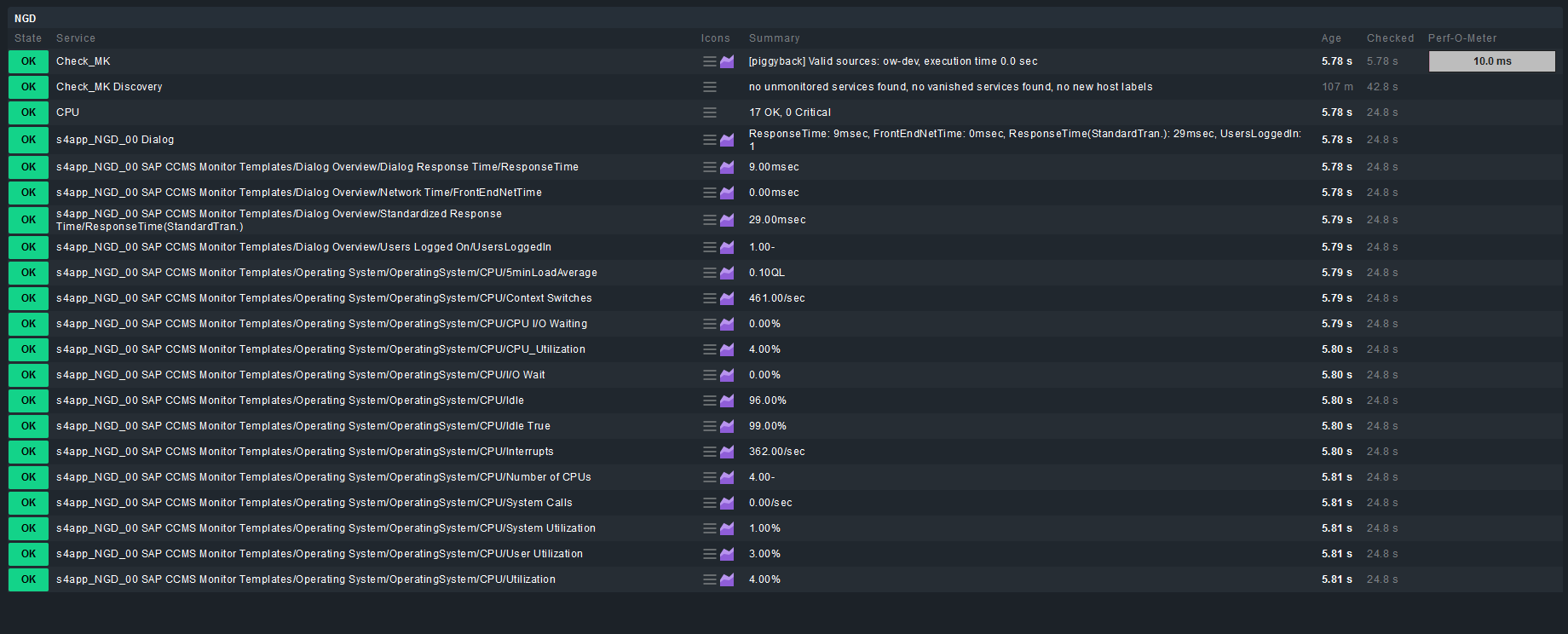
Is there a way to rename the services and strip out the node names ?
ie
s4app_NGD_00 SAP CCMS Monitor Templates/Operating System/OperatingSystem/CPU/CPU_Utilization
becomes CPU Utilization ?
Hi Sean,
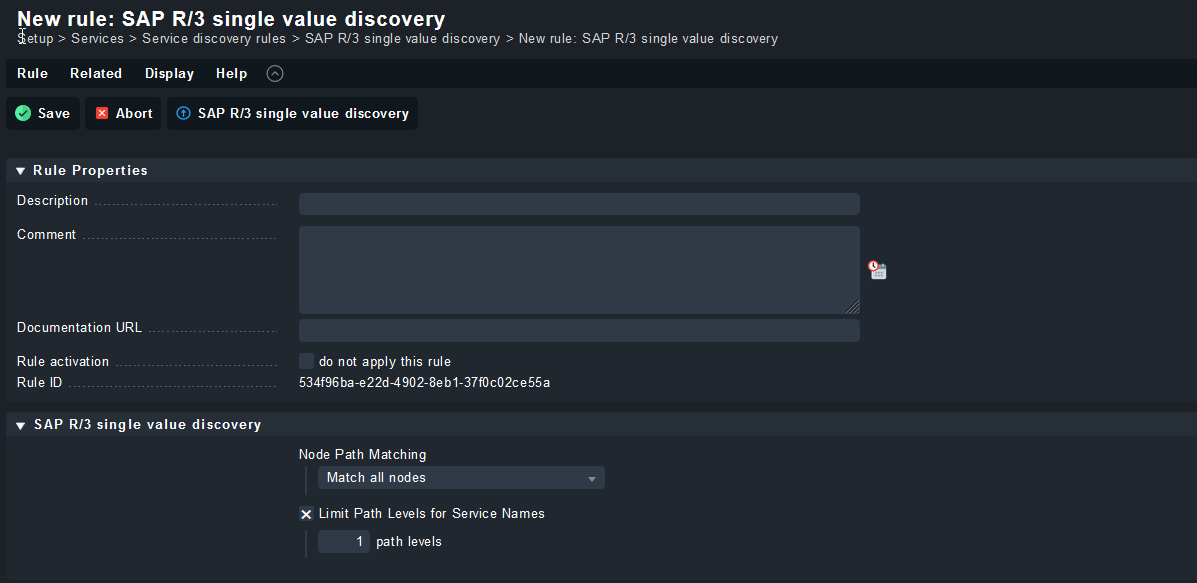
you can limit the Path levels in the SAP R/3 single value discovery rule, be careful though as you might lose values whose last path value is not unique:
Hi Sean,
we didn’t need to pull info from non-CCMS sources so far, so I’m afraid I can’t help there, but would still be interested to hear if/how you found a solution maybe it’s useful for us or someone else in the future!
Earlier we talked about using mk_sap.py to allow us to remotely query SAP R/3 via RFC.
The process was to add the remote servers to the local cmk box, and then define the SID as a non-agent/api box, so it could use the data collected by the main server. ( using the old removed docs… )
While we were able to effectively “piggyback” 1-2 servers on our local host, but adding additional instances to the main server eventually become some a burden on the main box, it kept failing, due to the time it took too process 10+ remote instances. ( good old systemd timeout )
How would we be able to run mk_sap.py separately / externally and still have it push all the right data to the RRD folders ?
I have tried running as the “customer user” ( omd su acme, then running mk_sap.py manually ), while it works, it does not seem to be putting the collected data in the RRD folder ( afaict )
We have to get this process to remotely monitor over 200+ instances eventually, therefore trying to make this work.
Goal would be we setup the sap.cfg with all the instances, it runs. Pulls all the date in and puts it in the right spot, register all the instances as non-agent/api boxes, setup the R/3 single value rule and we are off to the races…
All feedback welcome
This topic was automatically closed 365 days after the last reply. New replies are no longer allowed. Contact an admin if you think this should be re-opened.

 ) but some of the monitoring does not appear in CCMS, therefore I still need to be able to write custom special agent checks.