CMK version: Checkmk Enterprise Edition 2.3.0p20 OS version: Debian 12
Error message:
Traceback (most recent call last):
File "/omd/sites/mysite/lib/python3/cmk/special_agents/agent_proxmox_ve.py", line 553, in agent_proxmox_ve_main
tz = node_timezones[all_vms[vmid]["node"]]
~~~~~~~~~~~~~~^^^^^^^^^^^^^^^^^^^^^^^
KeyError: 'NameOfMyHost'

During handling of the above exception, another exception occurred:

Traceback (most recent call last):
File "/omd/sites/mysite/lib/python3/cmk/special_agents/v0_unstable/agent_common.py", line 149, in _special_agent_main_core
return main_fn(args)
^^^^^^^^^^^^^
File "/omd/sites/mysite/lib/python3/cmk/special_agents/agent_proxmox_ve.py", line 556, in agent_proxmox_ve_main
tz = next(iter(node_timezones.values()))
^^^^^^^^^^^^^^^^^^^^^^^^^^^^^^^^^^^
StopIteration
Hello,
I try to monitor a proxmox hypervisor for the first time but the agent fails. The version of proxmox is 9.1.2. Thanks for any help.
… while writing this I found a solution: In proxmox ve under “Datacenter > NameOfTheNode > System > Time” a time zone needs to be set. Otherwise the agent crashes.
While this is an interesting find, I wonder how your node ended up without a time zone in there. During the installation of PVE, one of the fields you have to fill out (or rather adjust) is the time zone.
The current code (as of 2.4.0p17) still assumes there’s at least one time zone. Slightly truncated copy of the code:
    node_timezones = {}  # Timezones on nodes can be potentially different
    snapshot_data = {}

    for node in data["nodes"]:
        if (timezone := node["time"].get("timezone")) is not None:
            node_timezones[node["node"]] = timezone

    # …cutcutcut…

    for vmid in logged_backup_data:
        try:
            # Happens when the VM has backup data but is not in all_vms
            tz = node_timezones[all_vms[vmid]["node"]]
        except KeyError:
            # get the first value of the first key
            tz = next(iter(node_timezones.values()))
The code in the except branch is the problematic code. It assumes that node_timezones isn’t empty. It is only non-empty if there are nodes whose time property is not None.
What timezone is used by proxmox if is not set? Is this UTC like in linux or is it just using whatever time the node is using (without knowing which timezone this is)?
I have nodes running off the Debian → move-to-proxmox -method.
Its been a while, but i do not recall setting a timezone in Proxmox itself after i had the Debian base set up ( but i so set a/the timezone on the Debian -host when i install it).
        try:
            # Happens when the VM has backup data but is not in all_vms
            tz = node_timezones[all_vms[vmid]["node"]]
        except KeyError:
            if node_timezones:
                # get the first value of the first key
                tz = next(iter(node_timezones.values()))
            else:
                # fall back to UTC when no node has a timezone set
                tz = 'UTC'
But I don’t understand if this is a safe assumption or not. But that’s also the case for the initial exception handling which uses the timezone from the first node in the list. All guessed …
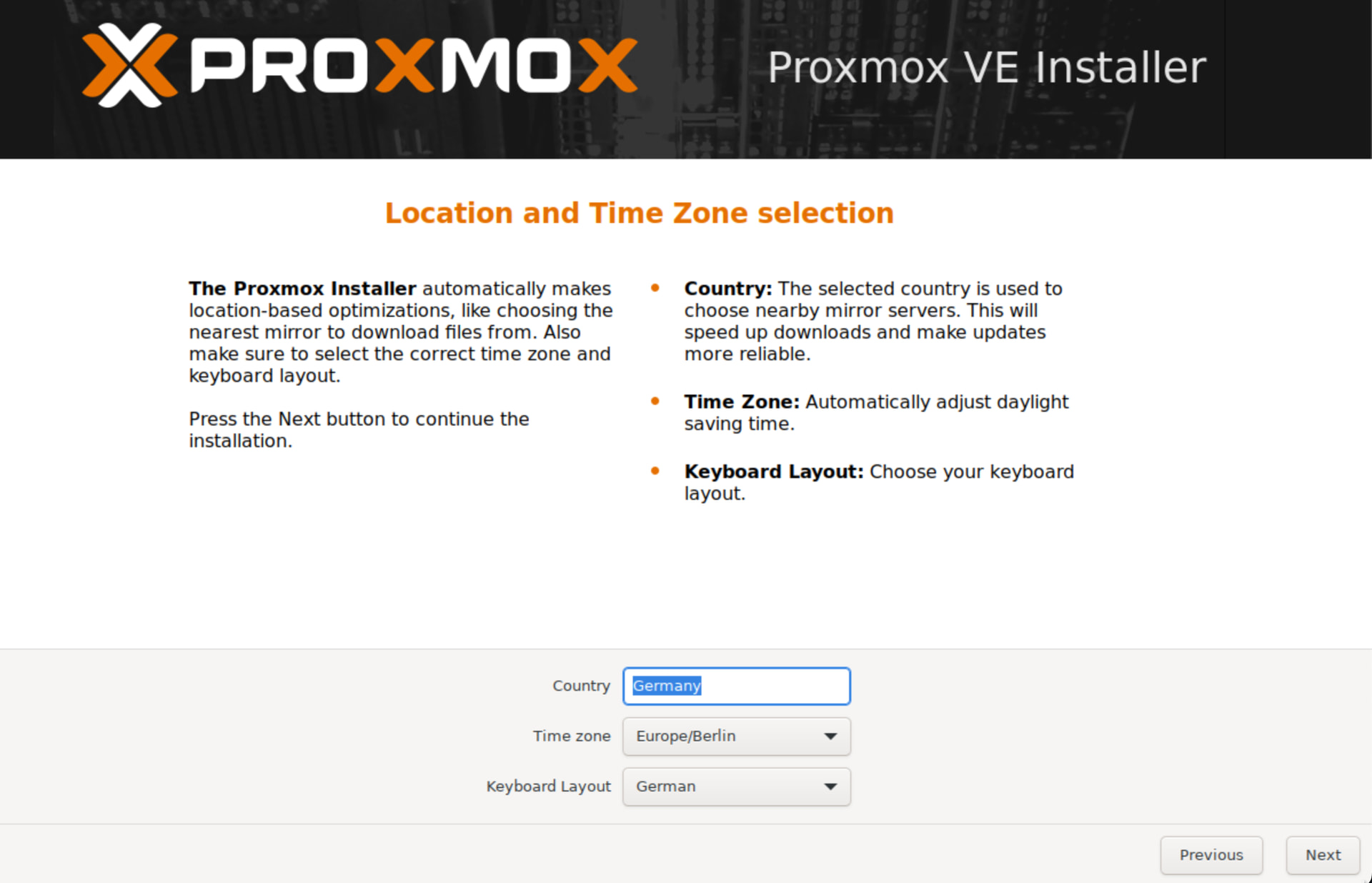
I asked my colleagues how the proxmox installation was done. They use the ISO file that can be downloaded from proxmox and followed the GUI step by step. Three of five servers had no time zone.
I just did an installation from the Proxmox VE 9.1 ISO and found the following:
i did not touch the timezone selection during installation. It showed Europe/Berlin
After the installation the timezone was not set for the node in Proxmox UI
/etc/localtime was a link to /usr/share/zoneinfo/Europe/Berlin
hwclock showed the RTC was in UTC
system was showing the correct (local) time
/etc/timezone did not exist
After setting a different timezone via the UI /etc/localtime was changed and /etc/timezone was created with the name of the timezone in it
So i would say this is a “bug” in the Proxmox installer.
For Checkmk I would conclude that assuming UTC if timezone is not set is wrong. We need to check if Proxmox is detecting it somehow or if Europe/Berlin is just the Proxmox default.
After some more digging I found the change in the installer was intended but the part reading the information for the API was forgotten.
So for Proxmox 9 a node uses the timezone that was given on a fresh install but the API response will be empty. I see no chance to guess anything here.
As a workaround /etc/timezone must be created on the Proxmox node. This can be done manually or using the Proxmox UI/API. Using the UI/API updates /etc/localtime and the old /etc/timezone which was deprecated with the installer change.