CMK version: 2.4.0.cceOS version: Ubuntu 24.04.1 LTS x86_64
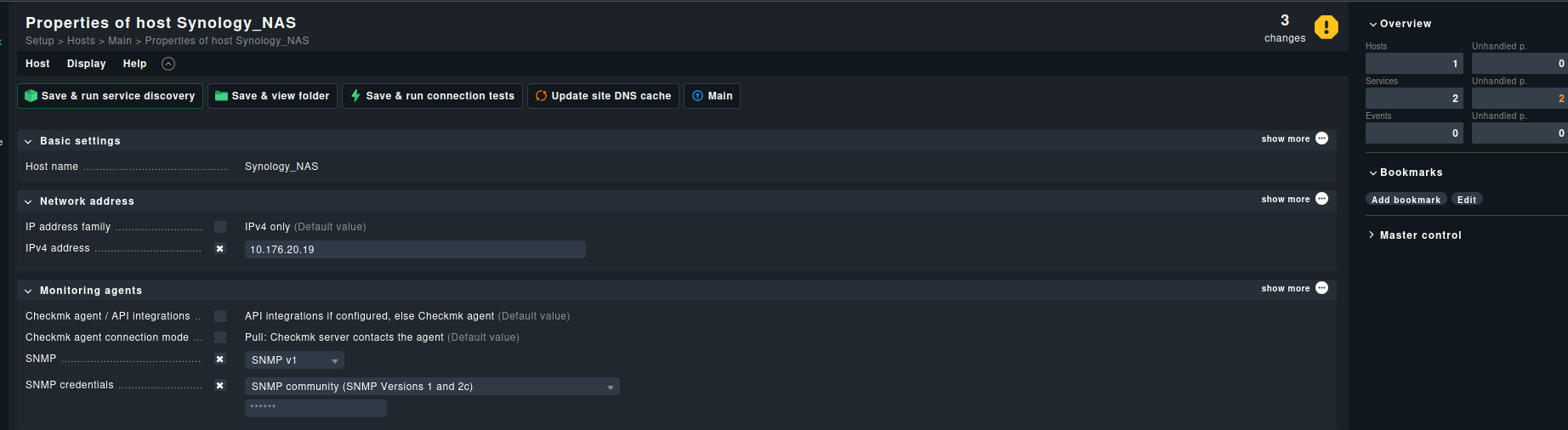
SNMP is enabled in Synology NAS ( Admin page is accessible via port 5001 ) .
Added IP and Configured other settings :
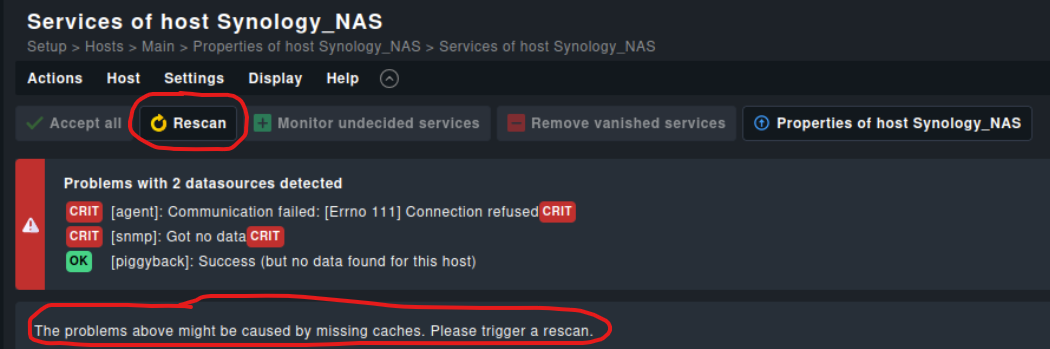
When I run the “Save & run service discovery” is showing :
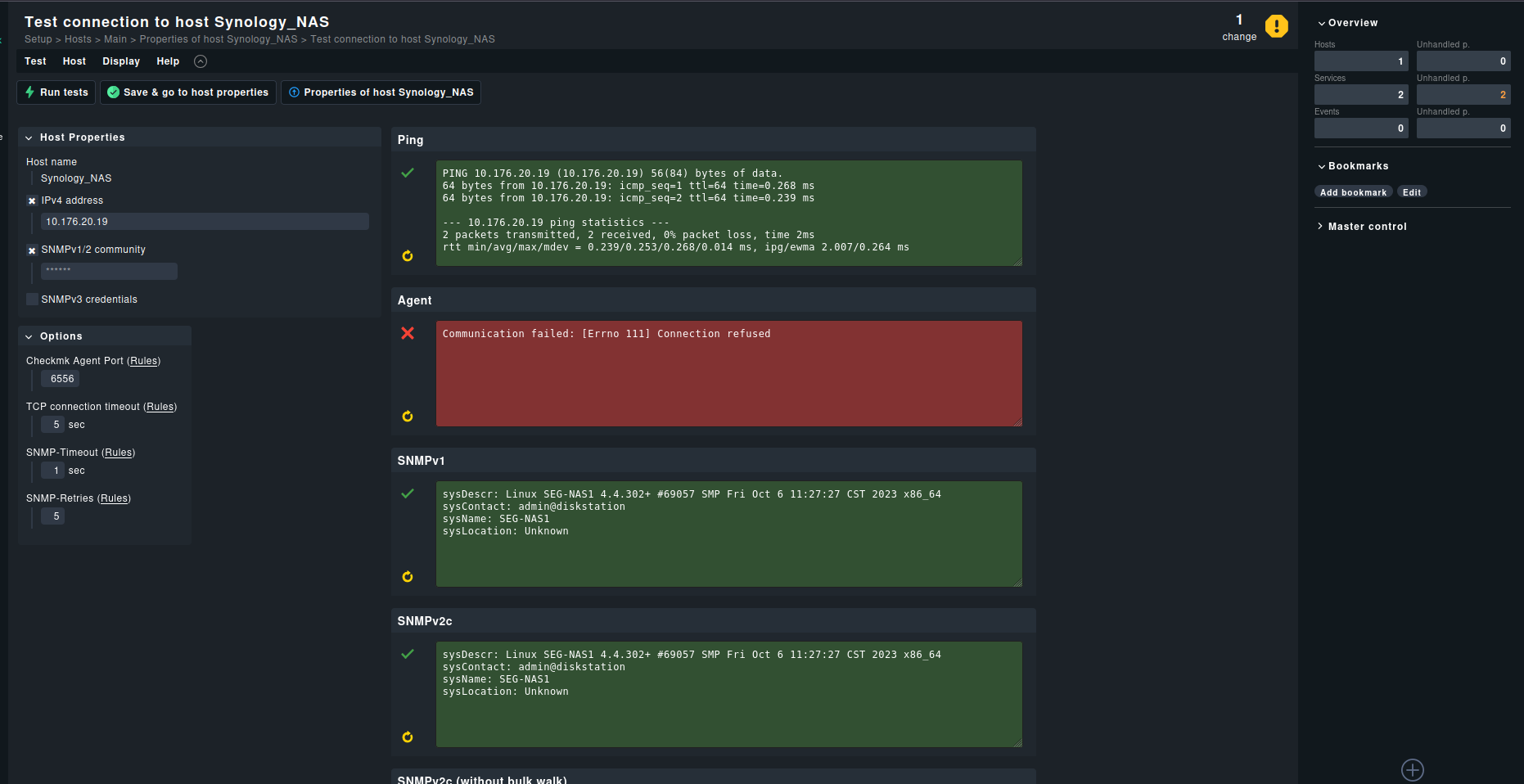
I have already enabled SNMP version 1 ( community string ) enabled in my Synology NAS. Nothing else has done to my synology NAS settings. Also I use login creds for NAS web interface ( port 5000 ) . connectivity worked fine :
Only 2 services showed when I click the host :
Not showing other services ( CPU , RAM , Storage, Filesystem , Temp , etc ) .
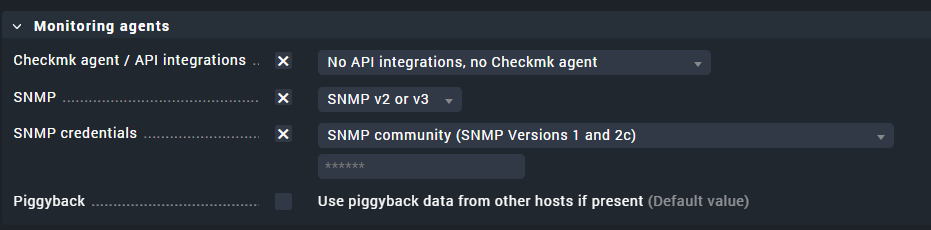
In your first Picture there is a checkbox “no snmp” . Try to uncheck this. / change it to snmp v1 or 2/3.
With the following config it works on my synology.
2 Likes
Sorry I attached wrong image to the post. Now I’ve edit the post . Please take a look.
Yggy
May 13, 2025, 9:55am
4
As @Meister already showed in screenshot Checkmk agent / API integrations should be No API integrations, no Checkmk agent
Your screenshot also shows that did find other services, made them purple:
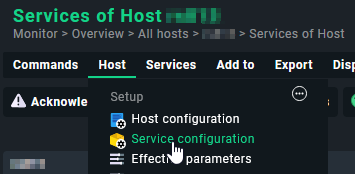
When you do the service configuration of your NAS, you should enable those services that are unmonitored, but you want to have monitored.
Often Accept all button, and then apply changes is enough.
As @yggy mentioned make shure to check “No API integrations, no Checkmk agent”.
While doing the service discovery, try the refresh button since the cache can be a problem. It often works for me.
system
May 13, 2026, 10:23am
6
This topic was automatically closed 365 days after the last reply. New replies are no longer allowed. Contact an admin if you think this should be re-opened.