I am using check_mk 2.1.0 p9 and I need to use the tags I have set when checking_mk sends notifications.
I am using check_mk 2.1.0 p9 and I need to use the tags I set when check_mk sends notifications.
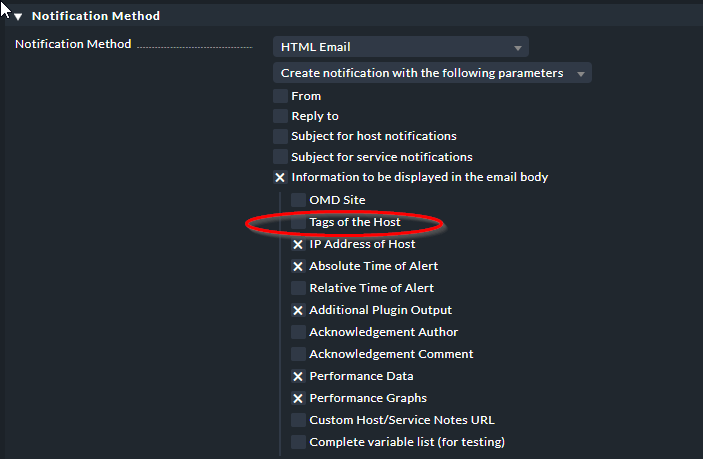
In the notification section I see the option in two headings (Notification Method - Host Tags) & (Conditions - Host Tag Match).
I have enabled the first one but it does nothing, in the notifications it sends I do not see anything. I need to use this option because I have personalized notes per server and I don’t want to create notification rules per server, I would like to use some generic ones and that the notes come there and not have many rules created in the notifications section.
(Conditions - Match host tags) I was testing in this section but it only allows you to select one option from the many that I have configured, there is no option that allows you to say (use tags and link them to the servers that already have them)
Hello elias, You are right.
Enable The option but when I receive the notifications I cannot see that information, that option called tag does not even appear.
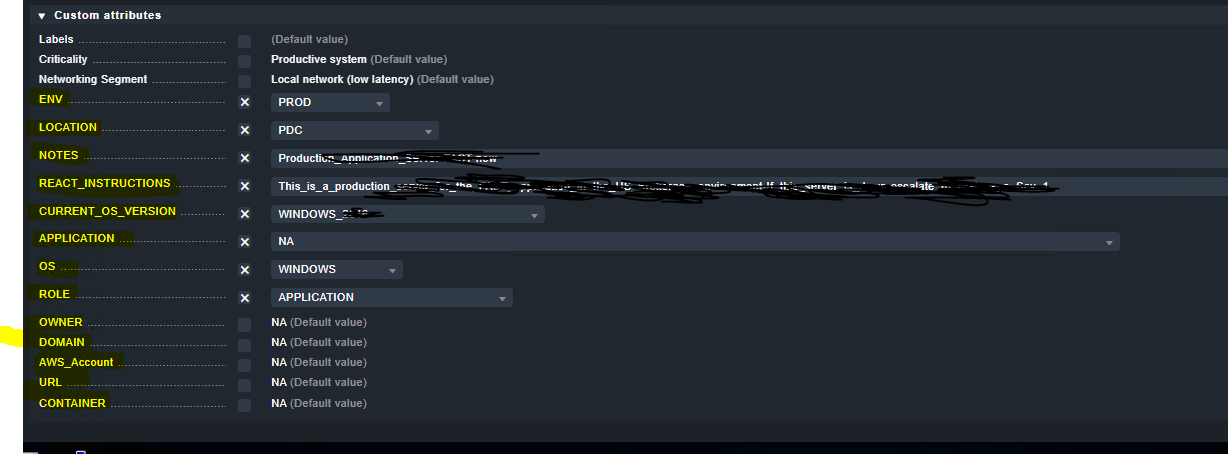
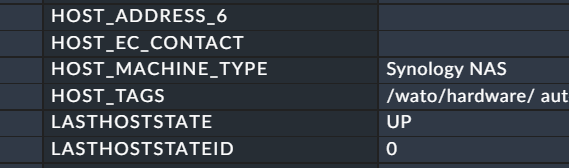
In the attached image you can see the tgs that I want to be visible in the notifications.
If not everyone could, I’ll settle for react instructions and notes.
These are not tags, they are custom attributes
Anyhow I’m not sure what Checkmk means with Host Tags here. We wrote our own message bus instead with Kafka and push events there, where we add whatever information we want.
@VIX
Afaik, custom attributes can not be added to the email body. But many of the things in your screenshot
you could also have as tags and labels, I’d presume.
Thx @elias.voelker
It looks like it’s auxiliary tags are added to the HTML email even if the host does not have these set? This is an example hosts where I have not defined anything on the host…
@Anders The hosts tags shown are tags you have on every host like the folder the host is inside, if it is an agent host and so on. The shown tags are normal and aux tags.
What is shown in the screenshot of @VIX are host tags. It is only assigned to the section custom attributes.
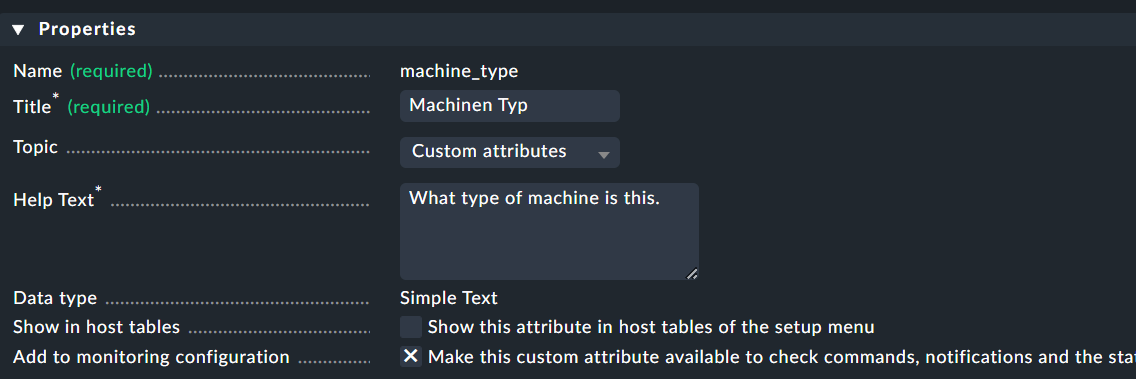
Example here
1 is a self defined host tag (dropdown list)
2 is a custom attribute (free text field)
This is the only visible difference between these two.
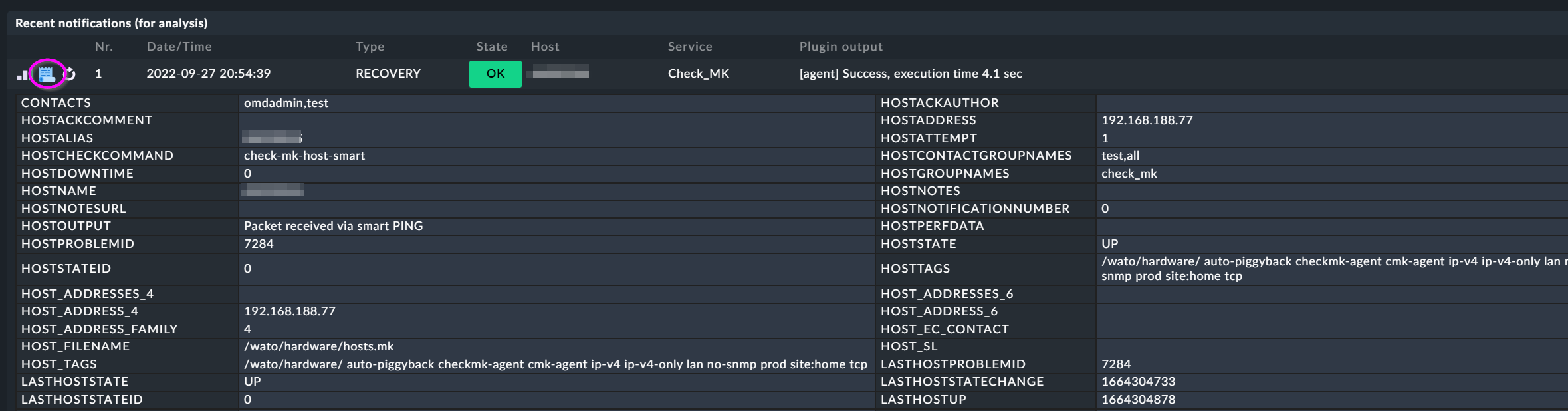
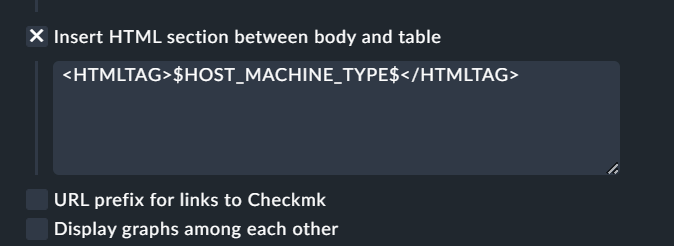
@VIX what you can do to see all the available variables is, select the last option shown in @elias.voelker’s screenshot (Complete variable list) or inside your notifications select this
Custom host attribute created - important is the last option.
Assign some text inside this attribute to a host.
Generate a notification an inspect the context. There is your attribute.
Edit now you notification rule to suit your needs.
Only a stupid example
Thanks,
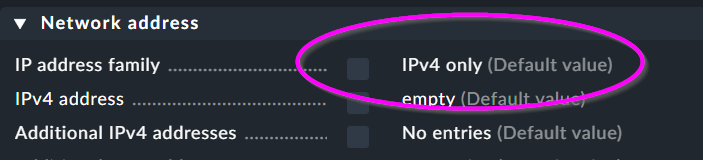
I understand from where the are coming but I don’t understand why they are in my HTML notification as these tags are not set. I don’t have any IPv4 host tags set. It seems it picks up the default (useless) value. (I have also never understood why there are a variable called HOSTTAGS and HOST_TAGS …
I like your suggestion about. modify the HTML, have never done that… Would be nice to do that with host labels but as every label (iirc) is it’s own variable this would require some work to get it into an email.
I have written my own notification module that exports events to Kafka where I added all labels
As it is the default setting every host has this tag of not changed.
All the other tags from your example are such system internal tags.
Every option you select on your host configuration page will end in some host tag.
I don’t ignored it. As it makes no sense. Nearly every you set for one of your hosts results in an host tag. That means it is in no way useless like you said.
If it useless you can remove it, but then your monitoring will not work with CMK.
This topic was automatically closed 365 days after the last reply. New replies are no longer allowed. Contact an admin if you think this should be re-opened.