We have a number of Cisco switches that we are monitoring via SNMP. These switches (Catalyst 9300’s) have a bunch of different temperature sensors in them. I need to adjust the thresholds for alerting on some of them, but I cant find where or what rule to add to do this.
Can someone explain where CheckMK gets its default warn/crit levels for the various sensors? They seem to be random and I cant find any rule set for it out of the box. The rules I’m adding dont seem to be working.
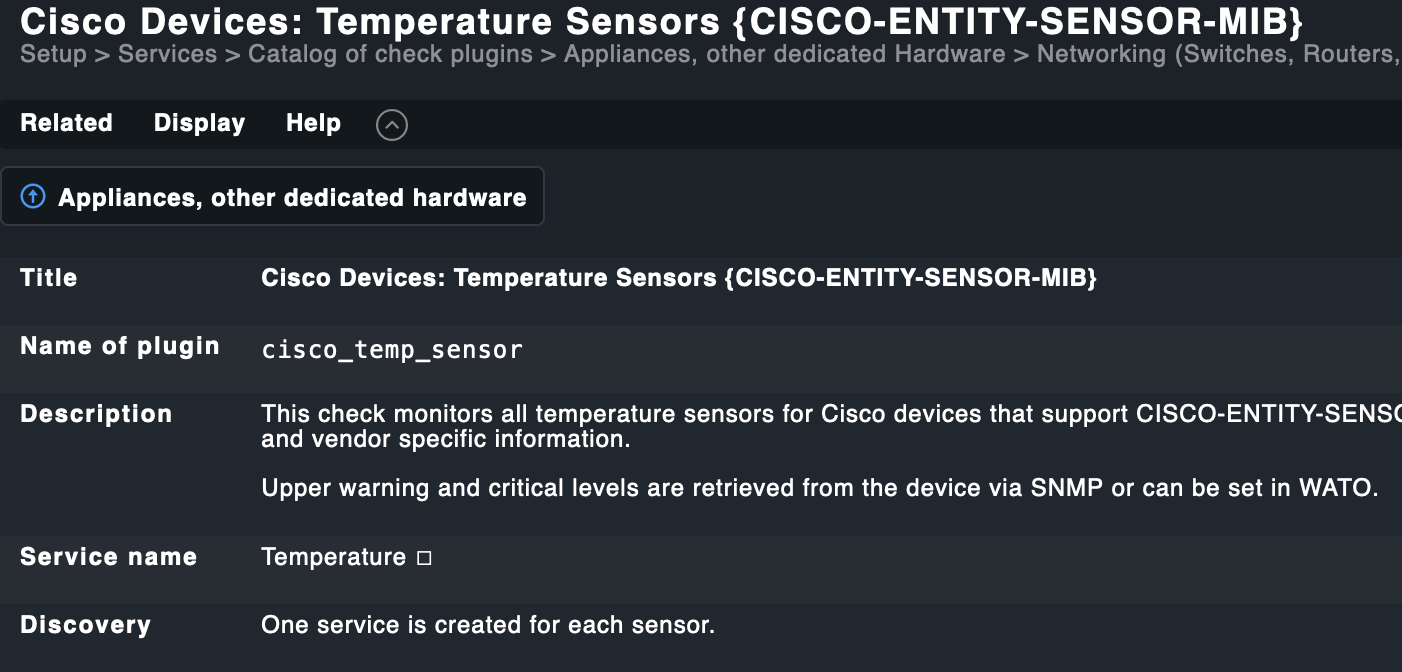
Where these thresholds come from depends on the check-implementation and what kind of information the device is exposing. In most cases the device itself exposes, next to the current value, some form of thresholds the device defines itself and checkmk reads and the evaluates those. Sometimes however, if the device does not expose these thresholds, checkmk sets some “sane defaults”.
You should see where these thresholds come from in the manpage for the check. You can find the manpage if you click in the monitoring-view for that host on the service and scroll all the way to the bottom. Or you can go to Setup → Services → Catalog of Check Plugins and search for that specific check. You will see some explanation like this:
(I can’t tell if that is exactly the check you are using from the screenshot, just a guess).
And in most cases, you should be able to adjust the thresholds with a rule by clicking on the “three coloured bars” on your screenshot for the service you want to edit. You will be taken to a view where you can create a rule, also explicitly for this host and service.
Ah thank you thats actually helped! I did not realise the coloured bars did that, so huge help on that one!
Turned out I was setting rules up in the correct place, but as usual, my RegEx was wrong. Why is RegEx so HARD!! The guy that invented it must have been either a next-level genius from the future, or on acid. I am not sure which lol.
I’m sure you know of this site and others, but I test my rules against: https://regex101.com
Great site for that stuff, if you’re looking for a decent online resource.
This topic was automatically closed 365 days after the last reply. New replies are no longer allowed. Contact an admin if you think this should be re-opened.