I’ve followed exactly all the steps to create a notification for my first host. Following the onboarding guide, I’ve reached to test the notifications, but I don’t receive any of them.
But the notification works, because I uninstalled the agent from my host, and I received an email notifying that, so I reinstalled the agent.
The agent reports high memory consumption and I receive by email, but still don’t receive the test notification by email.
Hi,
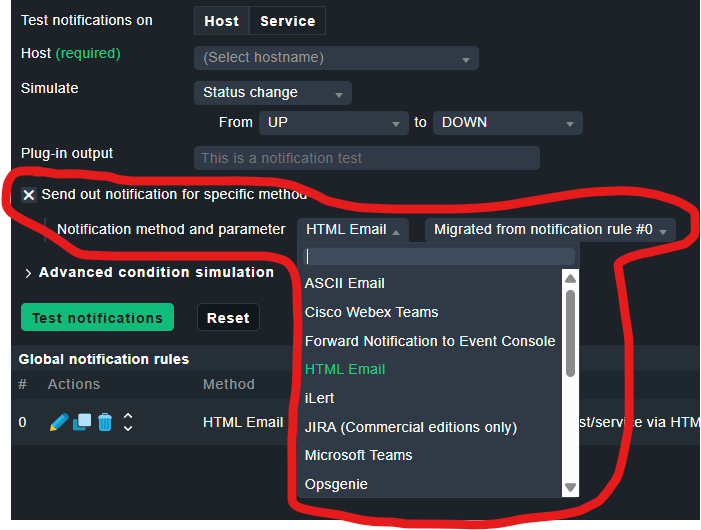
did you also select the correct method when filling in the fields in the Test Notification Wizard? So far it has happened to all my colleagues, including me, that we didn’t understand/overlooked this field and then spent ages wondering why test notification didn’t work. @theyken , perhaps you could make this field a bit more prominent!
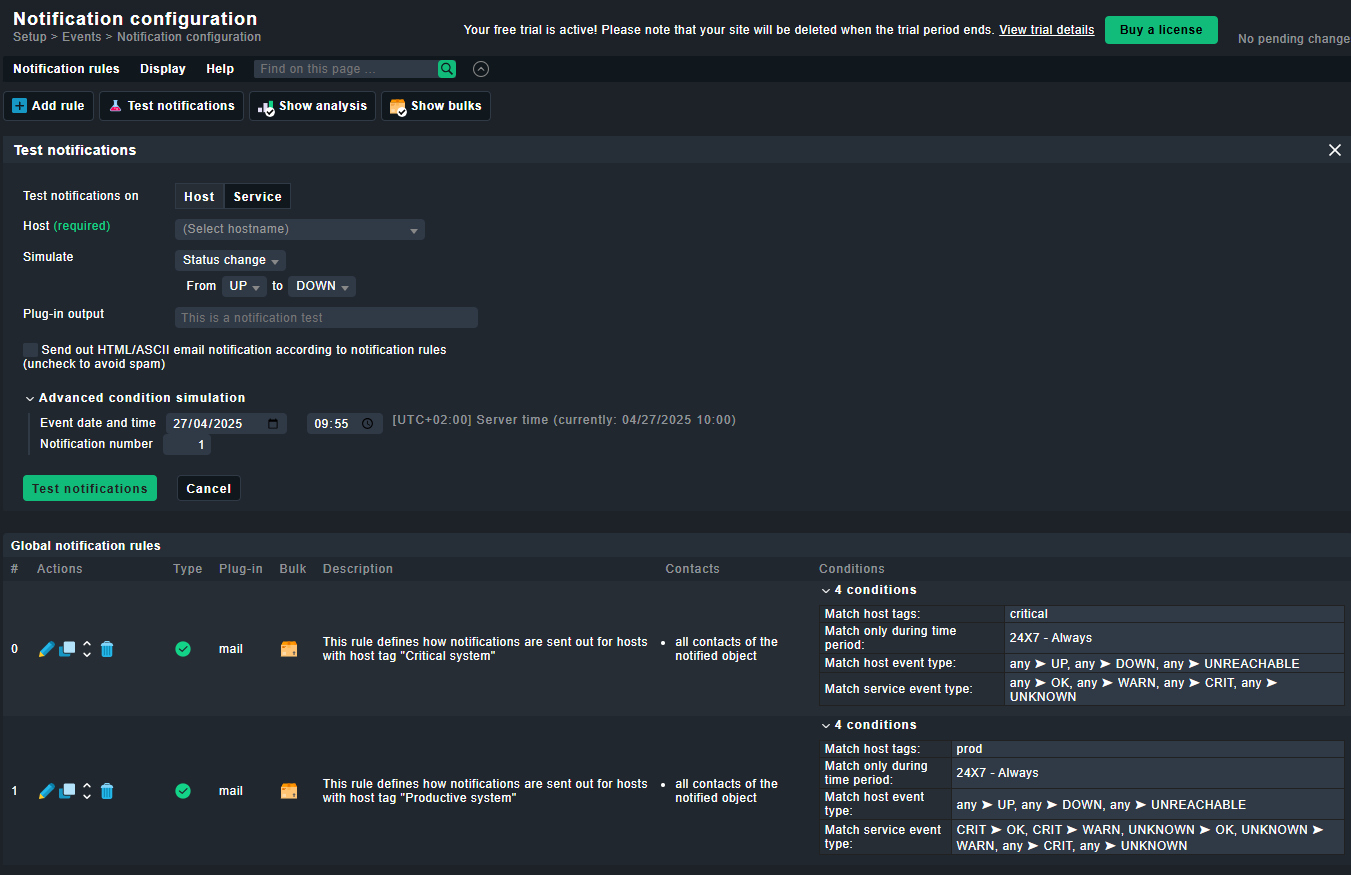
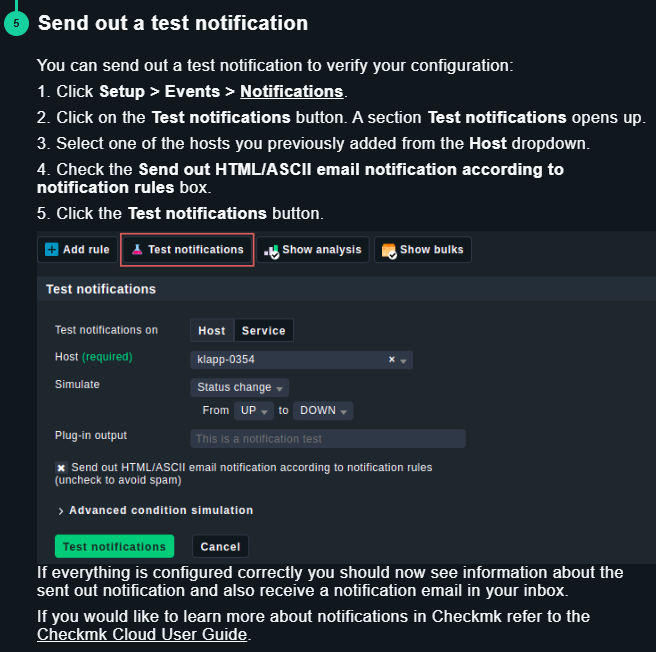
I tested both checking “Send out HTML/ASCII email notification according to notification rules (uncheck to avoid spam)” and unchecking it, with the same result (I received no email, and I checked also the spam folder). I followed the welcome instructions (the forum doesn’t allow me to attach two images on my first posts, so I will attach on my next post, if the system allows me).
Can you please provide a screenshots when you check the “Send out HTML/ASCII email notification according to notification rules (uncheck to avoid spam)” and then send out the “Test notifications”.
Hi @amendez
You actually discovered a bug in 2.3 here
It will be fixed with the next patch release 2.3.0p32
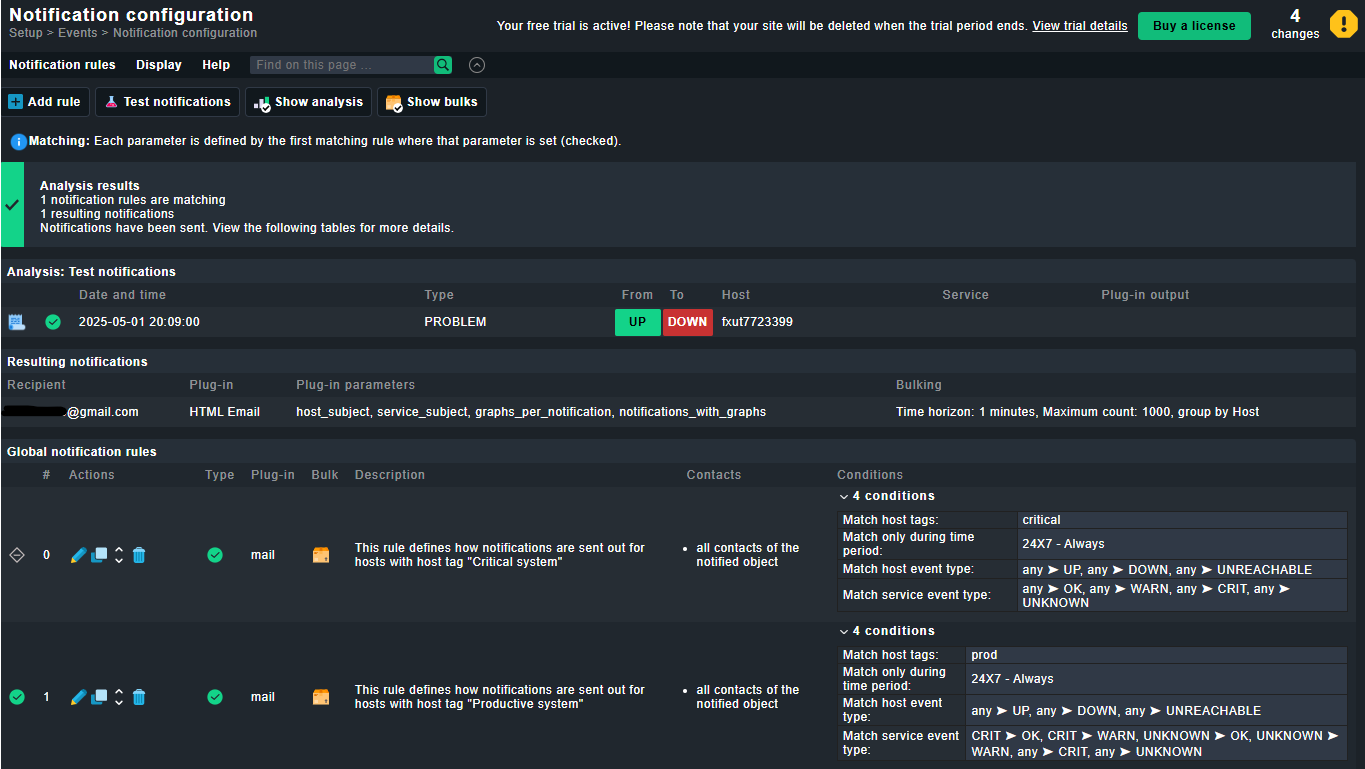
Email notifications for “regular” alerts are still being sent out, however, the “test notification” feature is not sending out email notifications even if you tick the box.
Thanks for reaching out and helping us improve the product!
Christian
P.S the bug does not exist in the 2.4 version which has been released today.