The default web UI is not available

CMK version: 2.4.0p15.cee / 2.4.0p11.cee
OS version: sles:15:sp6

Error message: none

Hi there, on a fresh installation of SUSE Linux with the required packages (Web and Scripting, Development Tools, SUSE Package Hub 15) I installed Checkmk following the documentation.

The installation completed successfully - I got the message with the generated password and the login link - but the web UI isn’t responding.

I checked the firewall and the traffic is allowed and reaches the server. Any idea what might have happened? I’ve done this many times before and this is the first time I’ve seen this issue. I tested it on two virtual machines and two different Checkmk versions (2.4.0p15.cee and 2.4.0p11.cee) with the same result.

omd update-apache-config is not helping.

● apache2.service - The Apache Webserver
Loaded: loaded (/usr/lib/systemd/system/apache2.service; enabled; preset: disabled)
Active: active (running) since Mon 2025-11-17 09:46:41 CET; 5min ago
Main PID: 8139 (httpd-prefork)
Status: “Total requests: 0; Idle/Busy workers 100/0;Requests/sec: 0; Bytes served/sec: 0 B/sec”
Tasks: 6
CPU: 67ms
CGroup: /system.slice/apache2.service
├─8139 /usr/sbin/httpd-prefork -DSYSCONFIG -C “PidFile /run/httpd.pid” -C “Include /etc/apache2/sysconfig.d//loadmodule.conf” -C “Include /etc/apache2/sysconfig.d//global.conf” -f /etc/apache2/httpd.conf -c “Include /etc/apache2/sysconfig.d//include.conf” -DSYSTEMD -DFOREGROUND -k start
├─8165 /usr/sbin/httpd-prefork -DSYSCONFIG -C “PidFile /run/httpd.pid” -C “Include /etc/apache2/sysconfig.d//loadmodule.conf” -C “Include /etc/apache2/sysconfig.d//global.conf” -f /etc/apache2/httpd.conf -c “Include /etc/apache2/sysconfig.d//include.conf” -DSYSTEMD -DFOREGROUND -k start
├─8166 /usr/sbin/httpd-prefork -DSYSCONFIG -C “PidFile /run/httpd.pid” -C “Include /etc/apache2/sysconfig.d//loadmodule.conf” -C “Include /etc/apache2/sysconfig.d//global.conf” -f /etc/apache2/httpd.conf -c “Include /etc/apache2/sysconfig.d//include.conf” -DSYSTEMD -DFOREGROUND -k start
├─8167 /usr/sbin/httpd-prefork -DSYSCONFIG -C “PidFile /run/httpd.pid” -C “Include /etc/apache2/sysconfig.d//loadmodule.conf” -C “Include /etc/apache2/sysconfig.d//global.conf” -f /etc/apache2/httpd.conf -c “Include /etc/apache2/sysconfig.d//include.conf” -DSYSTEMD -DFOREGROUND -k start
├─8168 /usr/sbin/httpd-prefork -DSYSCONFIG -C “PidFile /run/httpd.pid” -C “Include /etc/apache2/sysconfig.d//loadmodule.conf” -C “Include /etc/apache2/sysconfig.d//global.conf” -f /etc/apache2/httpd.conf -c “Include /etc/apache2/sysconfig.d//include.conf” -DSYSTEMD -DFOREGROUND -k start
└─8169 /usr/sbin/httpd-prefork -DSYSCONFIG -C “PidFile /run/httpd.pid” -C “Include /etc/apache2/sysconfig.d//loadmodule.conf” -C “Include /etc/apache2/sysconfig.d//global.conf” -f /etc/apache2/httpd.conf -c “Include /etc/apache2/sysconfig.d//include.conf” -DSYSTEMD -DFOREGROUND -k start
Nov 17 09:46:41 pfdtcmkap1002 systemd[1]: Starting The Apache Webserver…
Nov 17 09:46:41 pfdtcmkap1002 systemd[1]: Started The Apache Webserver.

apachectl configtest
Syntax OK

omd status monitoring
agent-receiver: running
mkeventd: running
liveproxyd: running
mknotifyd: running
rrdcached: running
redis: running
automation-helper: running
ui-job-scheduler: running
cmc: running
apache: running
dcd: running
crontab: running

Overall state: running

+open ports:
ss -tuln
Netid State Recv-Q Send-Q Local Address:Port Peer Address:Port
udp UNCONN 0 0 0.0.0.0%eth0:68 0.0.0.0:*
udp UNCONN 0 0 127.0.0.1:323 0.0.0.0:*
udp UNCONN 0 0 [::1]:323 [::]:*
tcp LISTEN 0 4096 127.0.0.1:5000 0.0.0.0:*
tcp LISTEN 0 4096 127.0.0.1:13005 0.0.0.0:*
tcp LISTEN 0 4096 127.0.0.1:12563 0.0.0.0:*
tcp LISTEN 0 10 127.0.0.1:28230 0.0.0.0:*
tcp LISTEN 0 10 127.0.0.1:28330 0.0.0.0:*
tcp LISTEN 0 10 127.0.0.1:28130 0.0.0.0:*
tcp LISTEN 0 128 0.0.0.0:22 0.0.0.0:*
tcp LISTEN 0 4096 [::ffff:127.0.0.1]:4317 :
tcp LISTEN 0 4096 [::ffff:127.0.0.1]:4316 :
tcp LISTEN 0 4096 *:6556 :
tcp LISTEN 0 2048 *:8000 :
tcp LISTEN 0 4096 :80 :
tcp LISTEN 0 128 [::]:22 [::]:

What happens if you do a

curl -v http://localhost/monitoring/

?

I’ve seen that /etc/apache2/conf-enabled/zzz_omd.conf was missing on Ubuntu after on site updates from 20.04 to 22.04 and then directly to 24.04 - do you have that file?

$ cat /etc/apache2/conf-enabled/zzz_omd.conf 
Include /omd/apache/*.conf

if it’s missing, the site apache doesn’t know that it should proxy for the checkmk site apache instance :slight_smile:

Here is the output (different site name, as I tried to reinstall once again)

  • Host localhost:80 was resolved.
  • IPv6: ::1
  • IPv4: 127.0.0.1
  • Trying [::1]:80…
  • Connected to localhost (::1) port 80
  • using HTTP/1.x

GET /network_emea HTTP/1.1
Host: localhost
User-Agent: curl/8.14.1
Accept: /

  • Request completely sent off
    < HTTP/1.1 302 Found
    < Date: Mon, 17 Nov 2025 10:11:10 GMT
    < Server: Apache
    < Content-Security-Policy: default-src ‘self’ ‘unsafe-inline’ ‘unsafe-eval’ ssh: rdp:; img-src ‘self’ data: https://*.tile.openstreetmap.org/ ; connect-src ‘self’ https ://crash.checkmk.com/ https:// license .checkmk.com/api/verify; frame-ancestors ‘self’ ; base-uri ‘self’; form-action ‘self’ javascript: ‘unsafe-inline’; object-src ‘self’; worker-src ‘self’ blob:
    < Permissions-Policy: accelerometer=(), autoplay=(), camera=(), encrypted-media=(), fullscreen=(), geolocation=(), gyroscope=(), magnetometer=(), microphone=(), midi=(), payment=(), picture-in-picture=(), usb=()
    < X-Frame-Options: sameorigin
    < X-XSS-Protection: 1; mode=block
    < X-Permitted-Cross-Domain-Policies: none
    < Referrer-Policy: origin-when-cross-origin
    < X-Content-Type-Options: nosniff
    < Location: http://localhost/network_emea/check_mk/
    < Content-Length: 228
    < Content-Type: text/html; charset=iso-8859-1
    <
302 Found

Found

The document has moved here.

* Connection #0 to host localhost left intact

I have this file in following location:

/etc/apache2/conf.d$ ls -la
total 4
drwxr-xr-x 2 root root 26 Nov 17 09:14 ./
drwxr-xr-x 10 root root 4096 Nov 17 06:33 ../
lrwxrwxrwx 1 root root 43 Nov 17 09:14 zzz_omd.conf → /omd/versions/default/share/omd/apache.conf

Looks good it forwards you to the CMK site.

What happens if you do this with the real host IP instead of localhost?

Result is the same.

I don’t want to paste output, as my account have been locked for unknown reason after last post :frowning:

If you can access the web page from the command line with curl, then it should also be accessible from another machine with the same command.

If you access your server without any URI, do you see the Apache welcome page?

Thank you for the tips.
I have found ACL which blocked the traffic and I was not aware of.

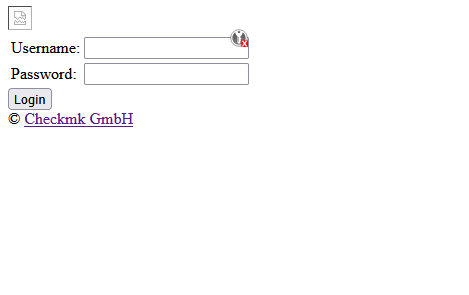
Any clue, why web UI of each site is showing without any css, and once I enter login and password, I lose connection?

There are some other things blocked like the style sheets and graphics.
I would have a look at the system Apache config or if your browser is using something like the “no script” extension.

Hi all,

topic can be closed, thank you all for help.

I found out that firewall now recognize traffic as “checkmk”, not web browsing as before, and access rule was not matching.

As is suspected some evil firewall :smiley:

1 Like