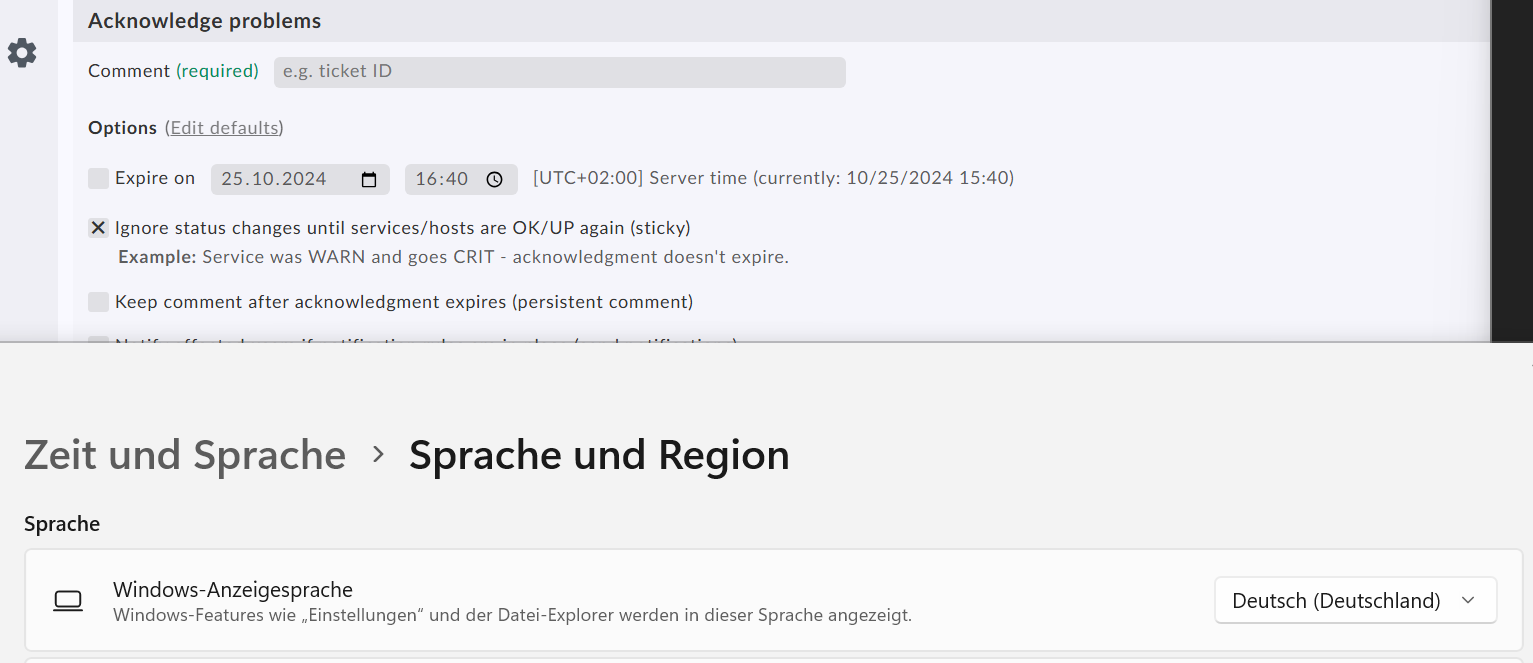
When scheduling downtimes or acknowledging check results the date/time selectors use US American formats (MM/DD/YYYY HH:MM am/pm), which we find highly annoying. We’d really like to have this configurable so that we can set it do a format we’re more familiar with, be it German (DD.MM.YYYY HH:MM with 24h time) or ISO dates or whatever.
I know that there are controls for both formats in the global settings, but only for generated reports.
The format is also not tied to the user’s display language. It’s always US American, even with German UI languge.
To the best of my knowledge, you aren’t overlooking anything. But, I’ll add that it’s not just defaulting to U.S. English, as my Windows computer is running a modified version of U.K. English for its culture, and Checkmk detects the U.K. English culture, but not the modifications.
Thus, I’ll lend my weight, what little it is, to a request that Checkmk provide a customization option or at least detect modified culture settings.
@mbunkus I can fully understand your frustration, especially, because wanted to tie it to your system settings (so that you don’t have to change anything). For me, this sounds like a bug, so I will check with the developers. As soon as I know more, I will come back to you
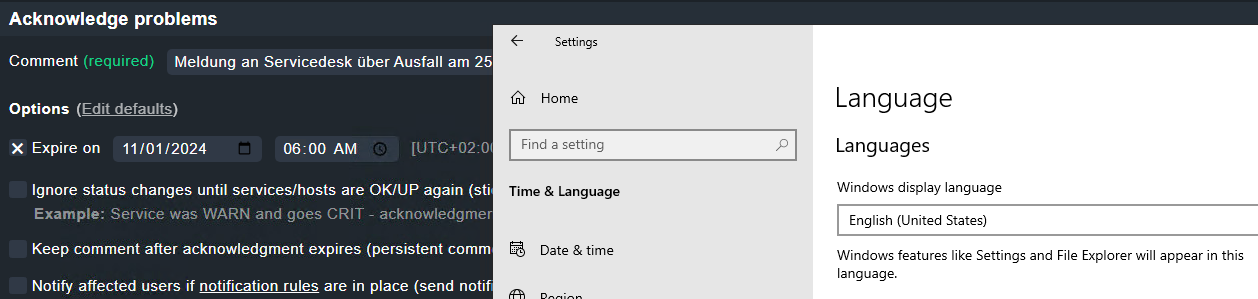
It looks like it only respects the language setting. The screenshot from the second machine has display language English but number and time settings for German format.
What i have seen, it doesn`t really seem to be consistent across browsers.
In Firefox i see it with the 12hour format on my Windows Machine and in the Edge browser it`s still the 24hour format. Windows language is English in both cases.
Might there be an option to get a profile setting, where you can change it based on your preference? I think most of us IT guys have Windows Language set to English but would like to have the 24hour format.
Until now, i didn`t really realize, but as i want to switch my default browser to Firefox, and some colleagues already have this problem, it would be really nice.
quick update from our side: As we are currently using the browser native date and time picker, we have no real customizing possibilities - including the date/time format. We hear you, and we don’t like it ourselves, so we are currently investigating including a custom date/time picker. We have some limitations in our frontend, that we try to bend to our will with this investigation (if you are interested in the technical details, say so!). As soon as I have something more concrete (hopefully in around two weeks, if nothing else pops up), I will update you! Ultimately, our goal is to have full control over the functionality and styling of date/time picker and tying the date/time format to the global settings.
This topic was automatically closed 365 days after the last reply. New replies are no longer allowed. Contact an admin if you think this should be re-opened.


 Due to the final weeks of 2.4 beta, the issue was pushed back