CMK version: CMK Raw Edition 2.1.0p10 OS version: Ubuntu 22.04.1 LTS
Error message:
Version: 2.1.0p10
OS: linux
The hosts agent supports TLS, but it is not being used.
We strongly recommend to enable TLS by registering the host to the site (using the `cmk-agent-ctl register` command on the monitored host).
NOTE: A registered host will refuse all unencrypted connections. If the host is monitored by multiple sites, you must register to all of them. This can be problematic if you are monitoring the same host from a site running Checkmk version 2.0 or earlier.
If you can not register the host, you can configure missing TLS to be OK in the setting "State in case of available but not enabled TLS" of the ruleset "Checkmk Agent installation auditing".**WARN**
Agent plugins: 2
Local checks: 2
Output of “cmk --debug -vvn hostname”:
Check_MK Agent Version: 2.1.0p10, OS: linux, TLS is not activated on monitored host (see details)(!), Agent plugins: 2, Local checks: 2
My temporary solution:
What I have for now is (as described): "configured missing TLS to be OK in the setting “State in case of available but not enabled TLS” of the ruleset “Checkmk Agent installation auditing”
Questions
Just to be clear: am I right thinking that:
I now have to login to every monitored machine and register the local agent with a checkmk instance?
What is the best practice for a distiributed monitoring environment?
Is it possible to register an agent with several checkmk instances (in case I change the server which the host is monitored by) ?
No. The whole purpose with TLS is to trust the root certificate that the server has, and you can only have one certificate so if you register to another server the first server will stop working as the certificate chain is now different.
You could, however change the root cert on all servers and it might work as Checkmk does not look at Common Name (They should but do not)
That is not correct. At the registration time you trust the client cert of your site you register to. Keep in mind that the CMK server is the client at the time it requests data from the agent.
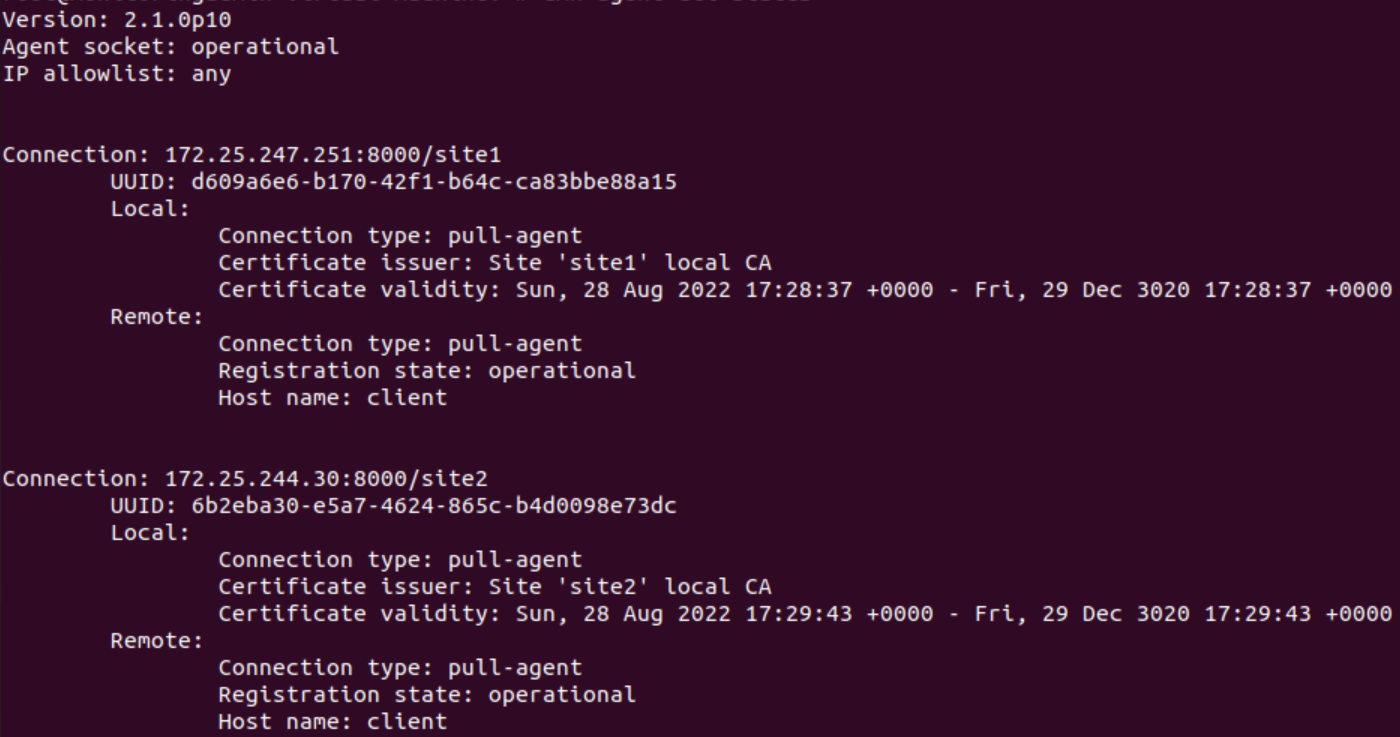
Here this is an example output from an agent controller that is registered to two sites at the same time.
Thx for that Andreas, I didn’t believe you could have multiple connections, but seems you can. Yes its a bit difficult to wrap your head around the fact that the root-ca is pushed to the agent so that the server(s) can initiate a connection. Haven’t had time to test any push/pull TLS/HTTPS stuff
There is a ruleset “Agent pairing” in the agent rules topic. This looks like it is doing the TLS registration.
It is not mentioned in the documentation.
This ruleset creates a file /etc/check_mk/agent_pairing.cfg for the Linux agent but otherwise seems to have no effect. Strange.
This topic was automatically closed 365 days after the last reply. New replies are no longer allowed. Contact an admin if you think this should be re-opened.