Trying to ignore some network interfaces

I’m trying to configure the netwotk interface detection.
With 1.6 all runs as expected, but with 2.0.0.p9 the rule does not work as i think it should:
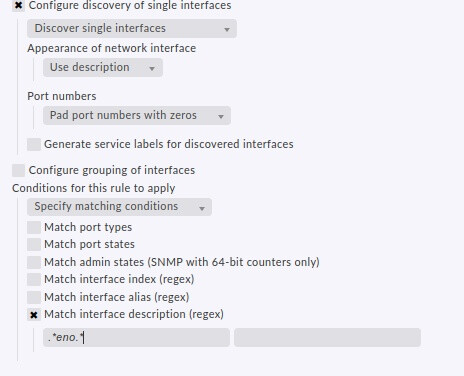
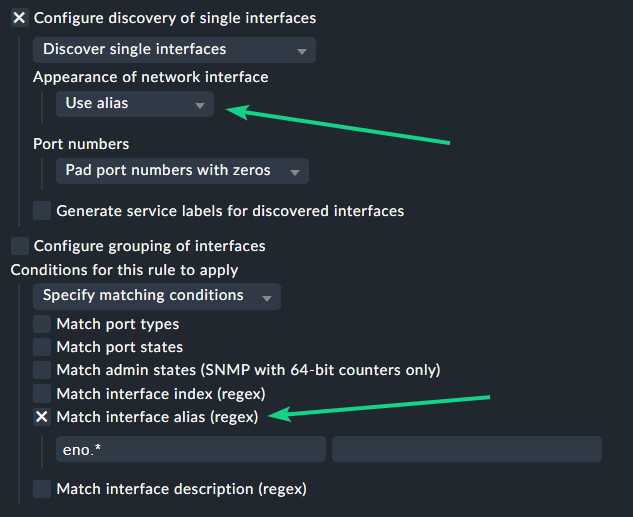
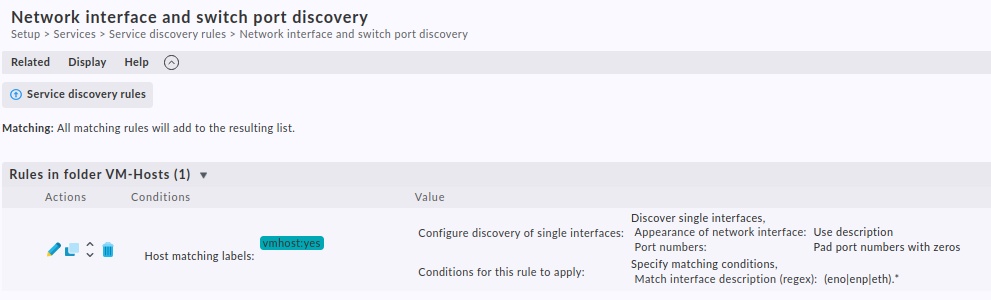
I’ve configured a rule:
grafik
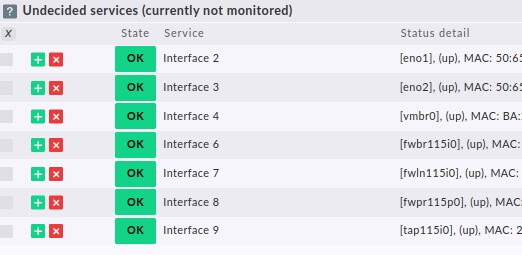
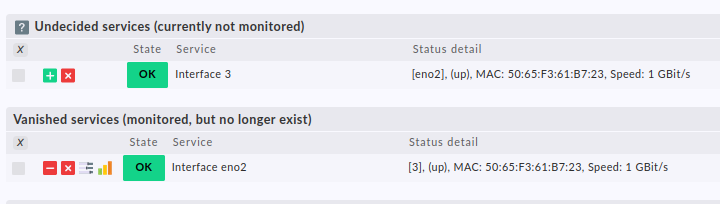
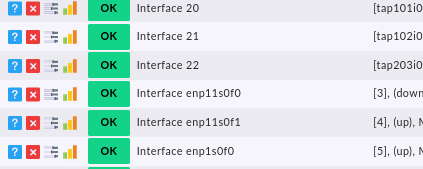
and then i’ve started the service detection for the host:
grafik

I’d like to ignore the virtual interfaces created for virtual hosts on this server, but the condition part seemed to be ignored.

Thanks for help and hints.

Hi @rnaujack,

do you have the same behaviour if you change Appearance of network interface from Use description to Use alias ?

Because the Interface names are found in the Status details on your screenshot. If Use alias is not working try the Use index option.

Greetings Norm :grinning:

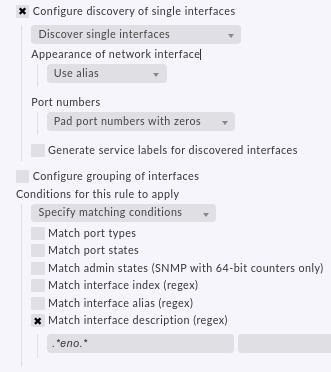
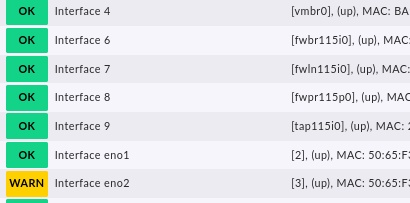
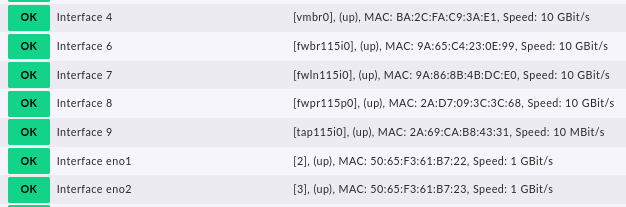
I’ve tested also with “alias”, other interface names, but same result: all are detected instead of only the real interfaces “eno”:
Auswahl_018
Auswahl_019

I’ve forgotten: this is the agent version:
[agent] Version: 2.0.0p9, OS: linux, [special_proxmox_ve] Version: unknown, OS: unknown, execution time 4.0 sec

Hi @rnaujack,

the Use alias did indeed worked as we can see on your last screenshot but now you have to edit your regex to eno.* then it should work. :wink:

But the service detection is not ignoring the other interfaces. And evry time a new virual host is created or deleted, the Check_MK Discovery is warning :frowning:

grafik
grafik

Hi,
I just saw now because you are using the alias for the network interface discovery you have to do the regex for the alias instead of the description.

Try this and hopefully it works. :slightly_smiling_face:

Greetings Norm

Doesn’t work either.
It seems do be a problem with the virtual interfaces:
I’ve tested with |Match interface alias (regex): |eno1.*|
So i’m expecting only one interface to be detected, but:


and the other virtual interfaces are detected as service as before:

Hey,
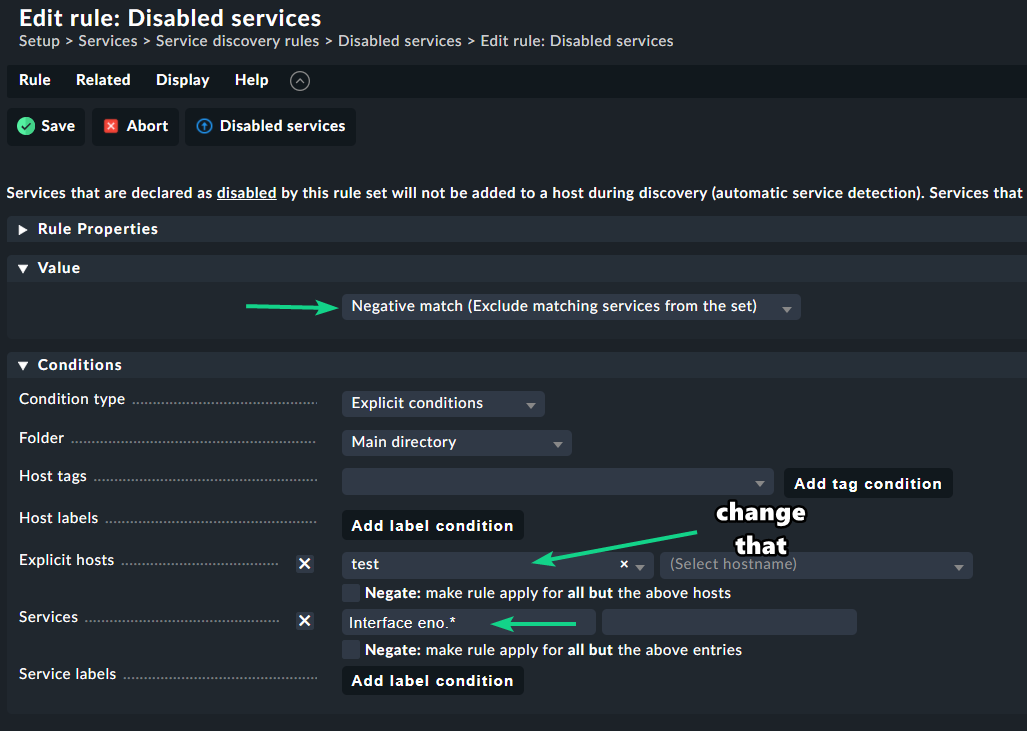
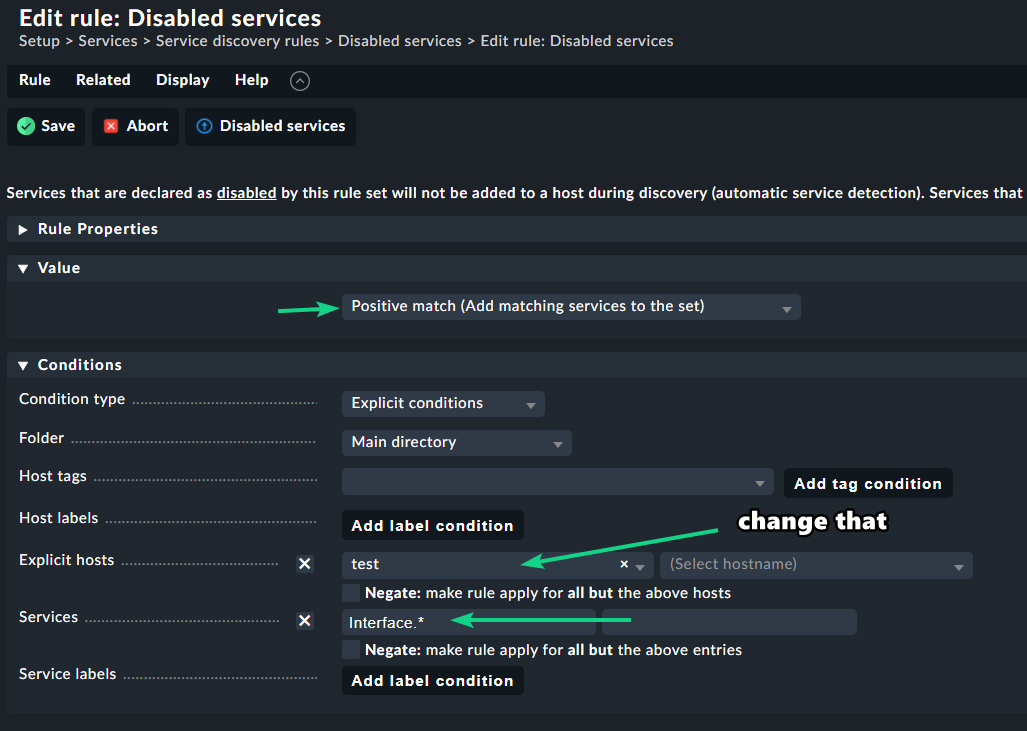
I couldn’t get it to work with the Network interface and switch port discovery rule and kinda gave up but I have another solution for you. You could use 2 disable service rules to get the outcome that you want.

Here is a workaround:

In my case I created a test host for this you can choose your host/hosts.

  1. Create this rule:

  2. Then create this rule:

Please put the rules in the right order as seen on my first screenshot!

The outcome looks like this:

All the interfaces are disabled that you don’t want and the eno interfaces are getting monitored:

Maybe not the best way to do this but this gives you the outcome that you asked for.

Hope this is better than nothing :wink:
Greetings Norm

One tip at the end :slight_smile:
If you monitor with agent and do something with interface names, only use the interface description as all names are descriptions and not alias if the data comes from the agent.
I think this is one of the reasons for all the matching problems.

The trick with the disable rules works! :grinning:
thanks to Norm for help and time!

I’ve tried also using only description but ist seems that all interfaces not detected by the rule are detected by default instead of beeing ignored.

1 Like

Yes that’s why there should be no default rule to find all interfaces with index numbers as a global rule.

What i do is - 1 rule for network devices with alias as port name and 1 rule for all server systems with description as port name. Then you can also use the ignore function as there is no rule over these two only more specific ones.

Where do i find the default rule?
I’ve tried


and
image
The virtual interfaces are not detected by my rule but i don’t know where to disable this detection.

Now I know what you can do. After your rule create a second rule with the setting “Do not discover single interfaces” with the same conditions as your first rule.

1 Like

That is the trick! :grinning:
I’ve never thought of “Do not discover single interfaces” rules :see_no_evil:

No the Check_MK Discovery ignores the virtual interfaces!

Thanks!

This topic was automatically closed 365 days after the last reply. New replies are no longer allowed. Contact an admin if you think this should be re-opened.