CMK version: 2.1.0P32 on server, 2.0.0p24 OS version: Ubuntu 20.x? on server, Windows Server 2019 on client
Error message:
Output of “cmk --debug -vvn hostname”: (If it is a problem with checks or plugins)
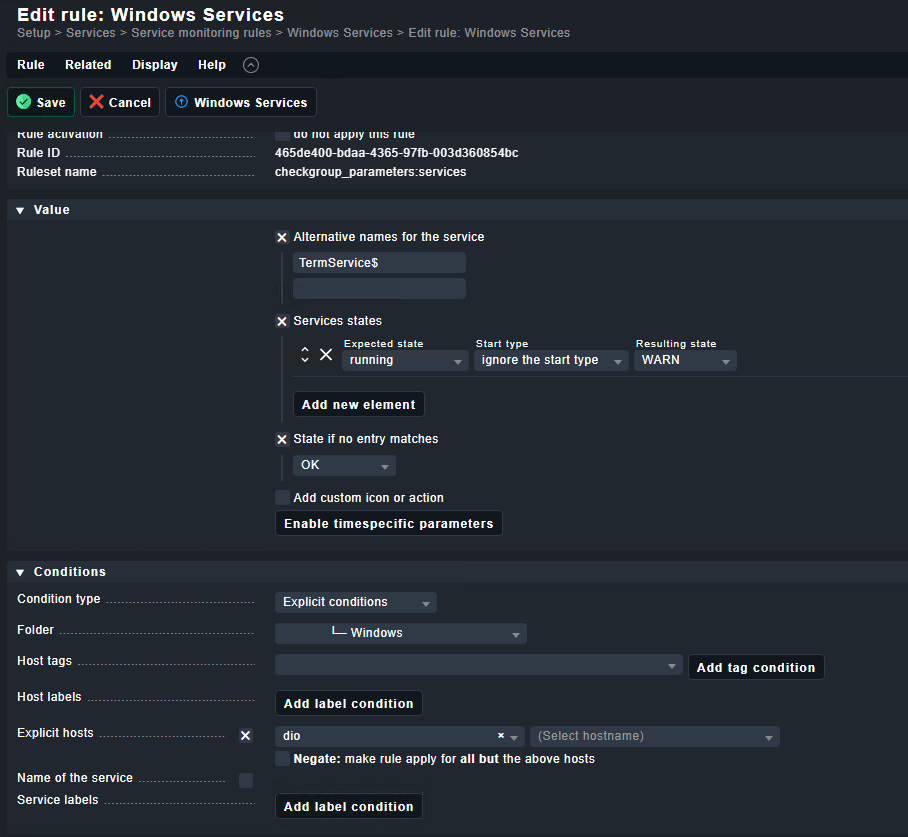
When I try to set a warning or Critical for a specific Service that are stopped it will not take Alternate Name for this Service. Instead All services are hit that meet the criteria. I have also tried to use the $-sign after the Service name but it does not matter.
What have I missed?
Just to clarify, the service is already discovered but when I go into the section Service Monitoring Rules, Windows Services I have this problem.
Normally we just use Discovery Rules and Windows Services Discovery with the default values to warn about services not running.
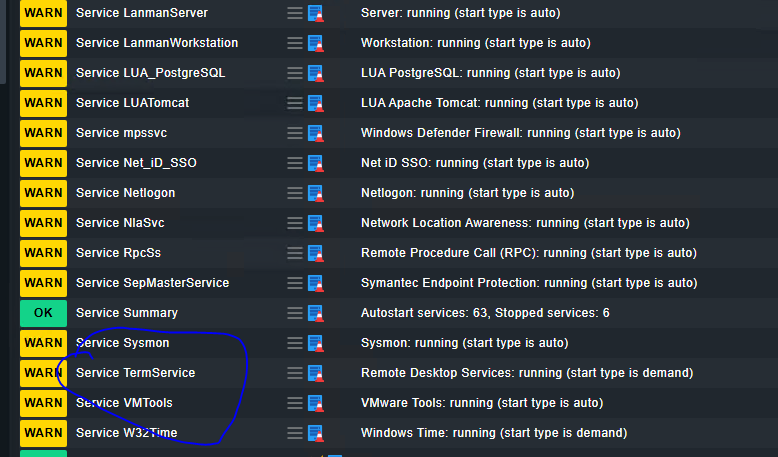
I think you mix up the name of the service in Windows with the service name it gets assigned in Checkmk gui. The last one is needed for the rules.
Rephrasing it to be sure:
When Checkmk talks about rules for Windows Services, it’s actually about rules for Checkmk services discovered on Windows hosts.
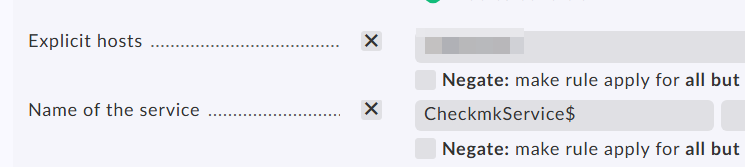
What @Yggy wanted to say is that your rule matches all the services. In your screenshot you need to insert “TermService” at the “Name of service” in the condition section.
What I tried to say, but maybe still vague due to not knowing the name of the service, TermService is what the service is called on Windows, but Checkmk makes something different from it at discovery stage, in this case Service TermService.
So Service TermService, or a matching regex when allowed, is needed in the condition part of a rule.
I use 2.1.0p9 cre. Almost all my service related rules have a leading prefix added by Checkmk at discovery phase included in the condition part, like Check_MK , Filesystem , Service , etc.
Does this condition rule behaviour change in later versions?
This topic was automatically closed 365 days after the last reply. New replies are no longer allowed. Contact an admin if you think this should be re-opened.