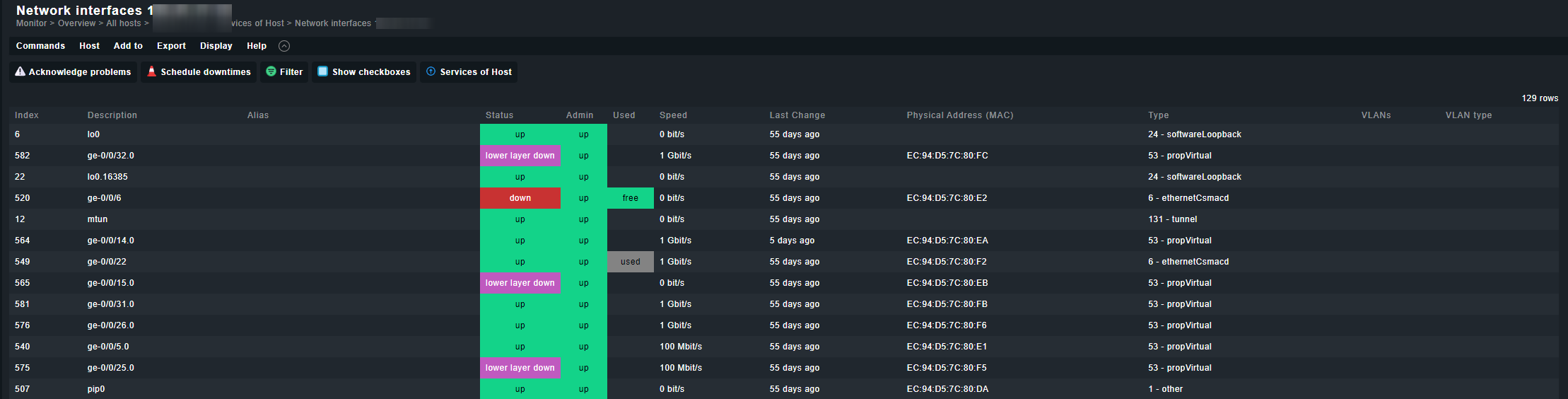
We’re just getting started deploying Checkmk and so far the only issue is trying to get VLANs to show. . We’ve tried both Juniper 3400x and HP 2920 switches. LibreNMS was able to pull this info so hopefully it’s just a small setting we need to update.
take a look at the rule setup - services - service discovery rules - Network interface and switch port discovery.
In this rule you can configure the “port types” you want to additionally add to your monitoring.
VLAN Interfaces should show up in the HW/SW inventory. If this is not the case then it would be interesting where LibreNMS does get the needed info from (SNMP OIDs).
The problem here is that at the moment the inventory function is only supporting Cisco VLAN information.
It should be possible to also make some inventory plugins for other vendors.
These are every time vendor specific plugins, as most vendors store these data inside own enterprise MIBs.
For Cisco the data comes from ciscoVlanMembershipMIB
If you don´t need the vlans in the hardware inventory, it should still be possible to discover the vlans itself as services, so that you see them in the service view of the switch. (at least for the hp switch )
This topic was automatically closed 365 days after the last reply. New replies are no longer allowed. Contact an admin if you think this should be re-opened.

 )
)