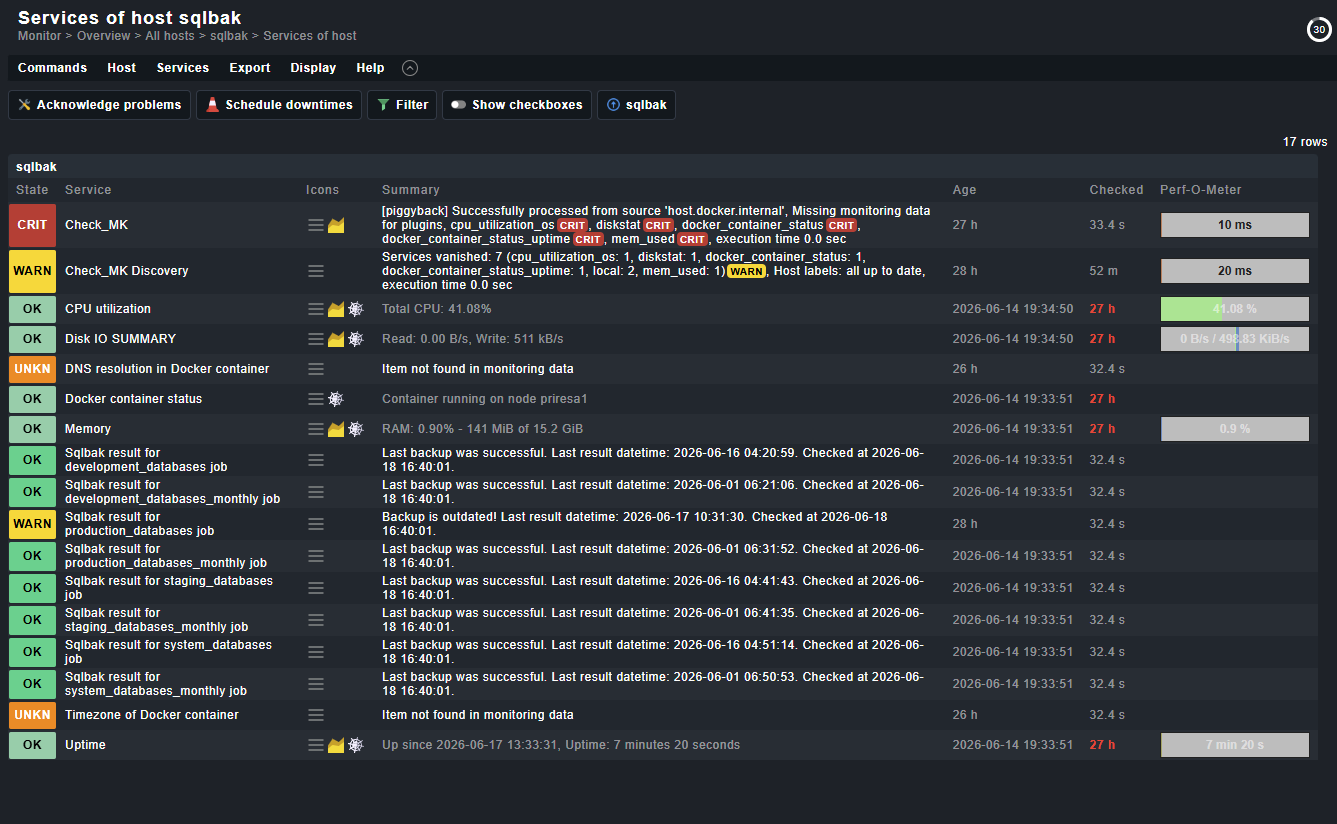
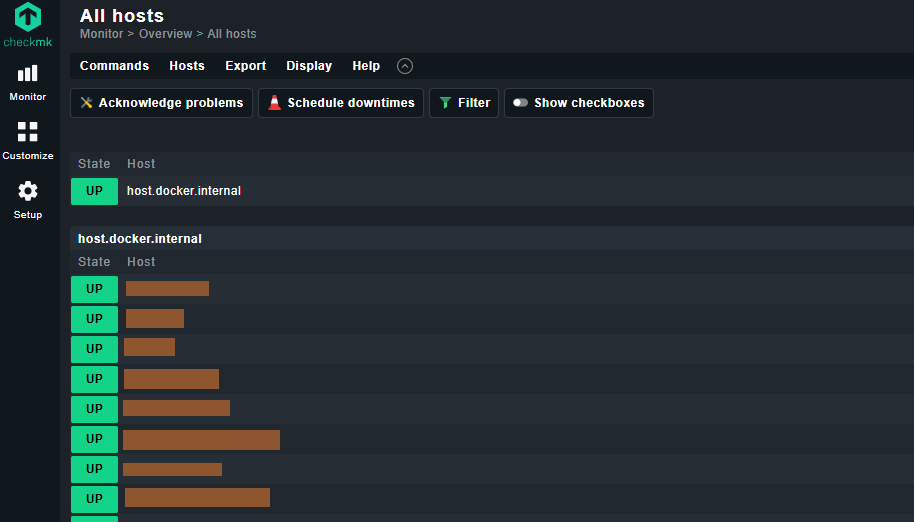
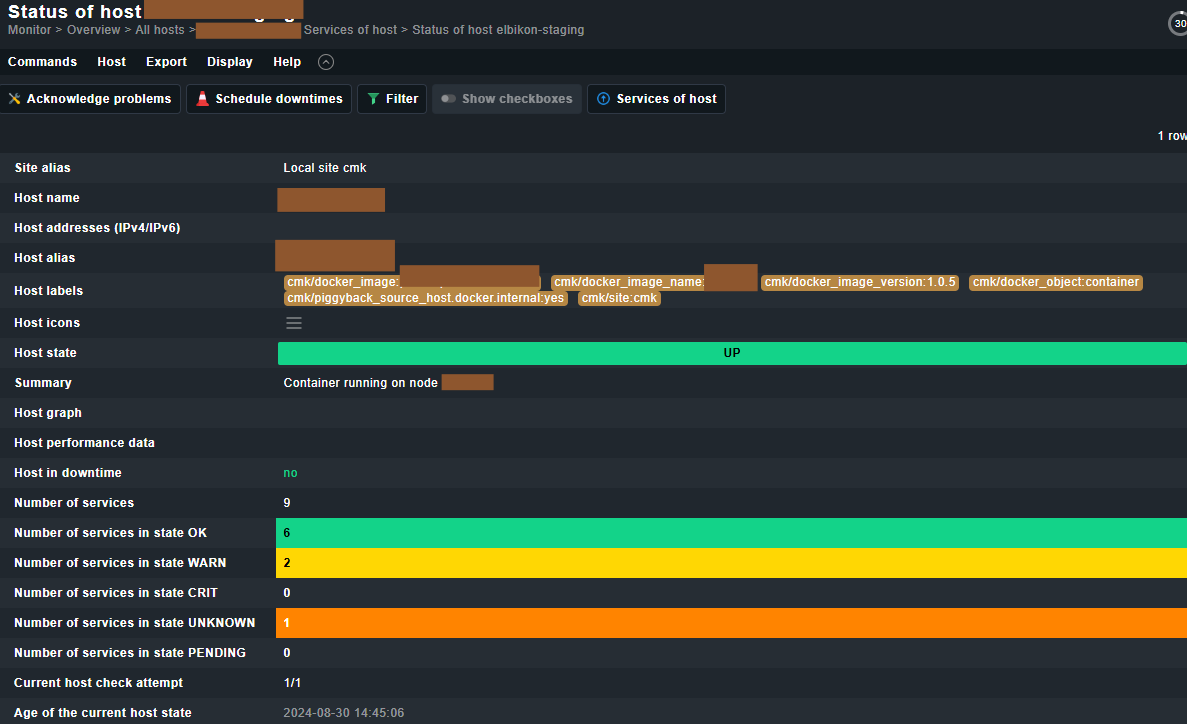
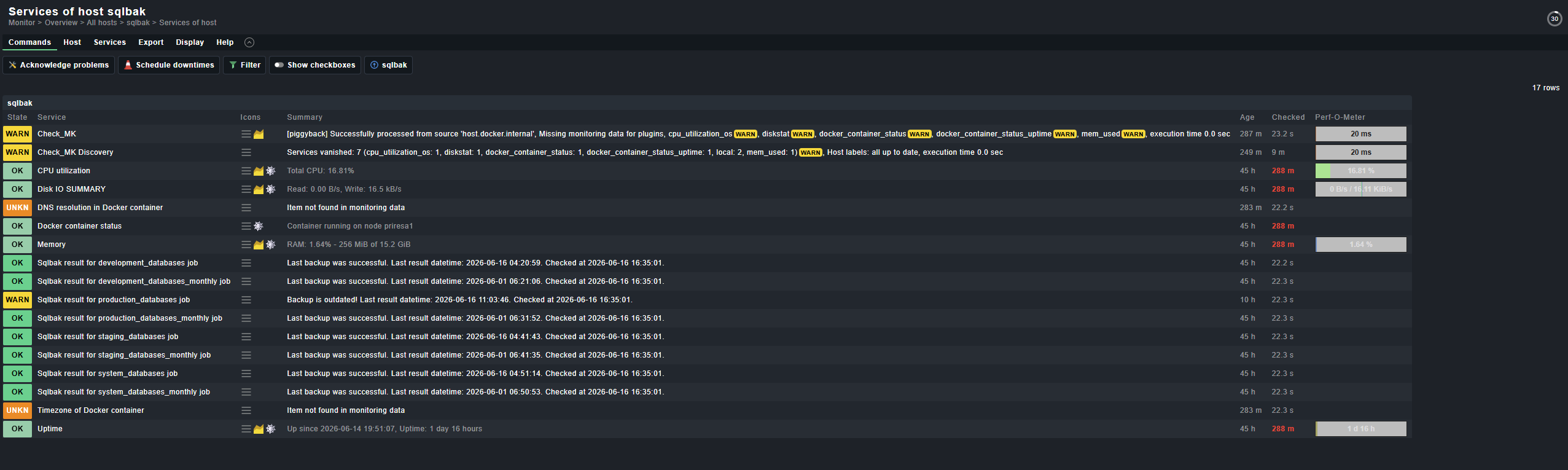
I have an Ubuntu 22.04 host on which I run Docker. Check_MK Raw Edition (v2.3.0p13) runs as a Docker container. On the Host, a Check_MK agent runs. Also the Docker plugin runs. In Check_MK I see the host plus all running Docker containers, like this:
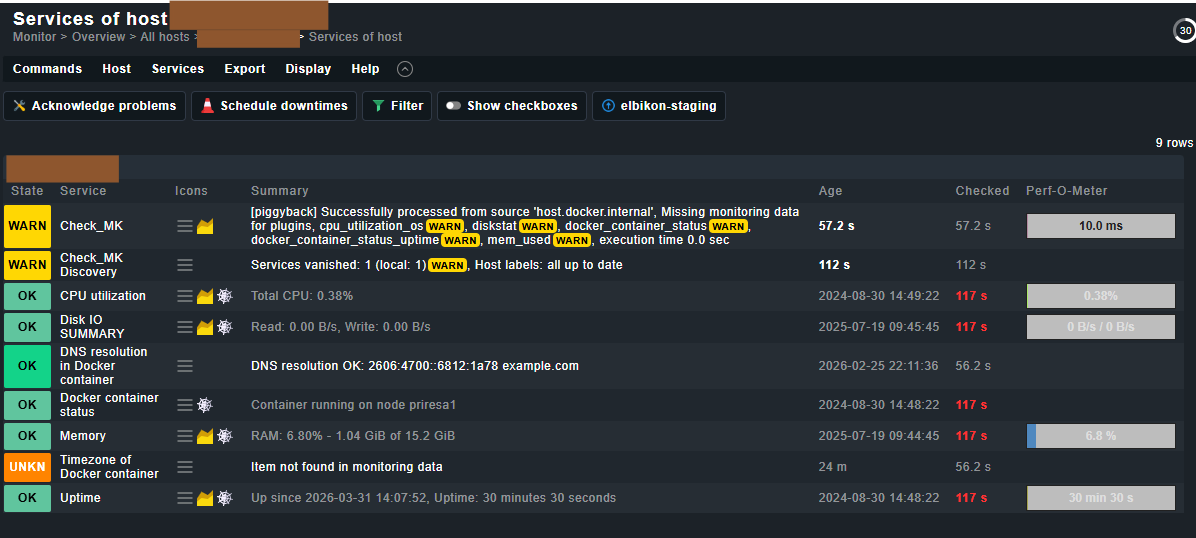
This lets me assume that the Docker Container Host state should depend on the “Docker container status”. However, as mentioned above, this service does not switch to WARN/ERROR state, but switches to stale mode when the container is stopped/removed and still reports “Container running on node …”.
So if I click a stopped/removed Container host, and then click the container name, I see this page:
I noticed, that if the container fails to start and is configured to automatically restart, the “Docker container status” service reports “restarting” instead of “running”. Thus the container host state switches to “DOWN”, which is fine.
However, as described above, if the container is completely stopped/removed, the “Docker container status” service switches to stale mode (still reporting the last status of “running”), and (probably) thus the container host state stays in (green) UP state.
@andreas-doehler I didn’t get any responses to this post. You replied to earlier posts of mine and I see you are pretty active in this forum. So I wanted to ask if you have any idea about my problem or if you can point out somebody who might be able to help?
This is perfectly fine as in your case the container does not exists anymore → that means no data = stale service.
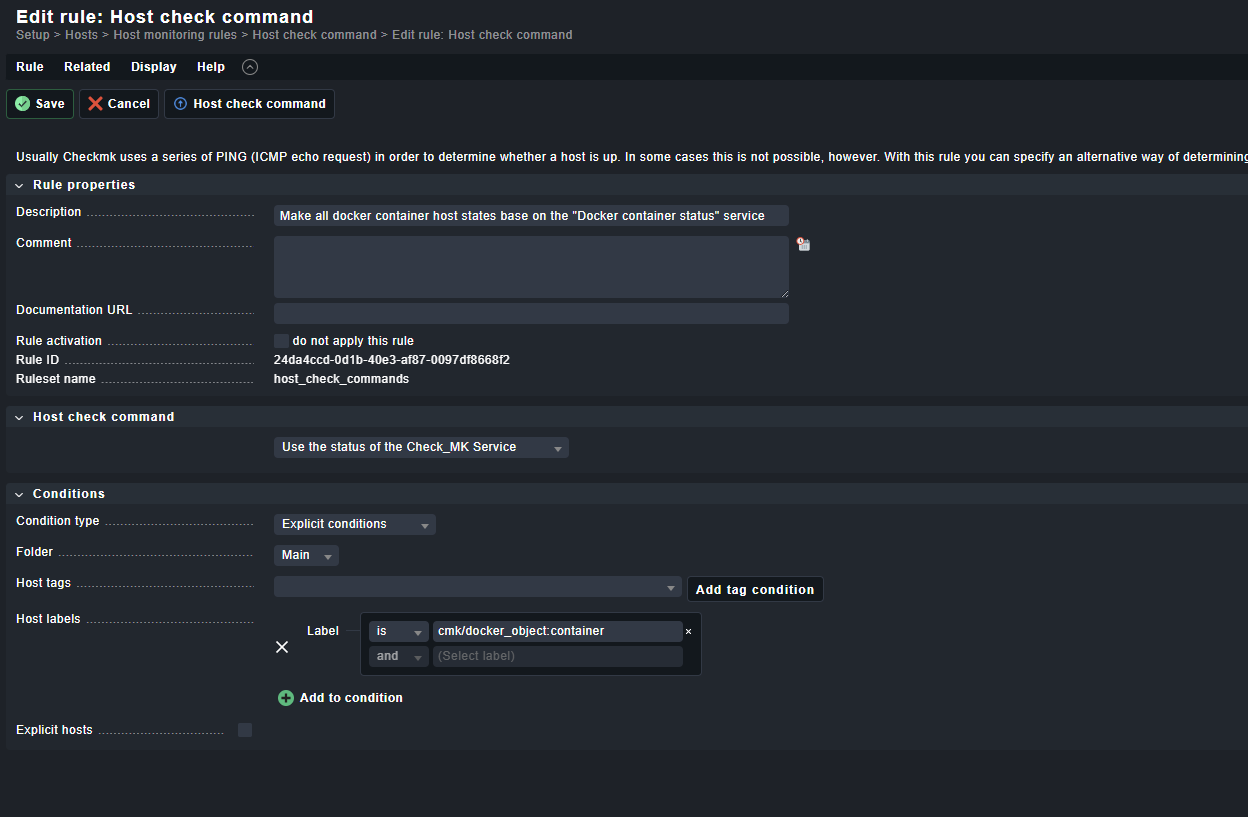
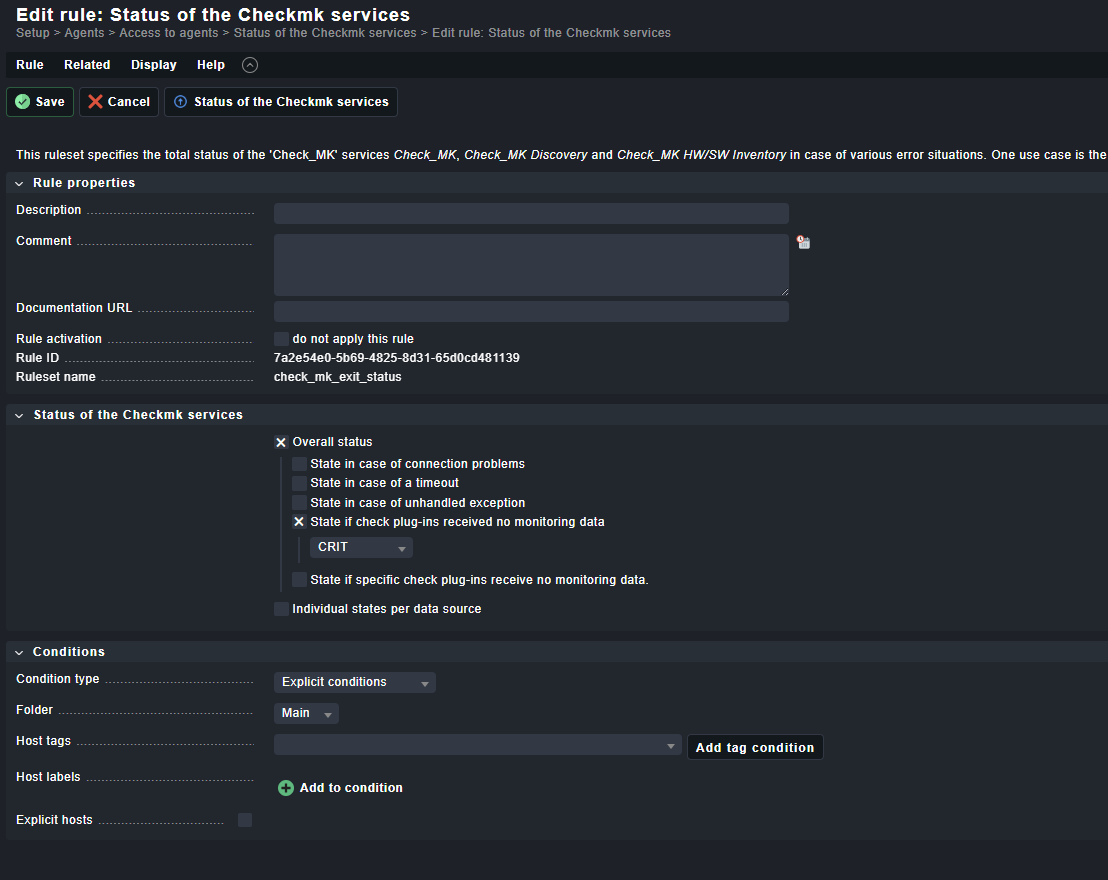
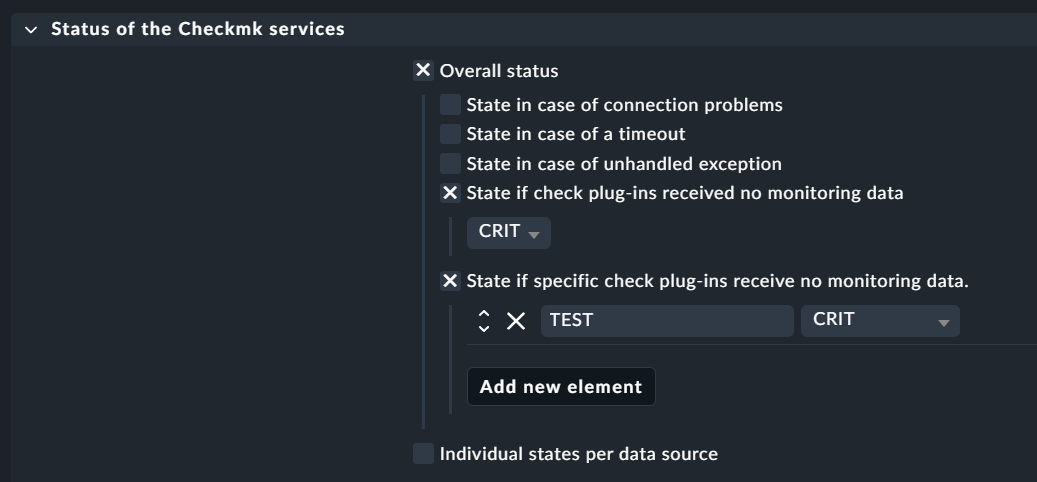
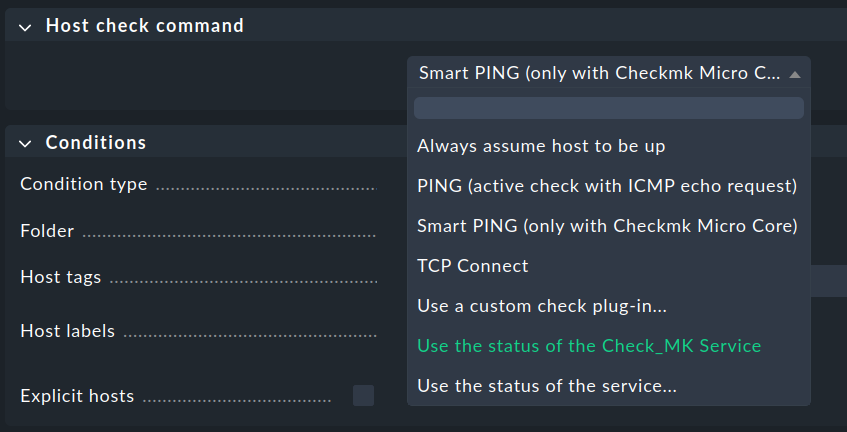
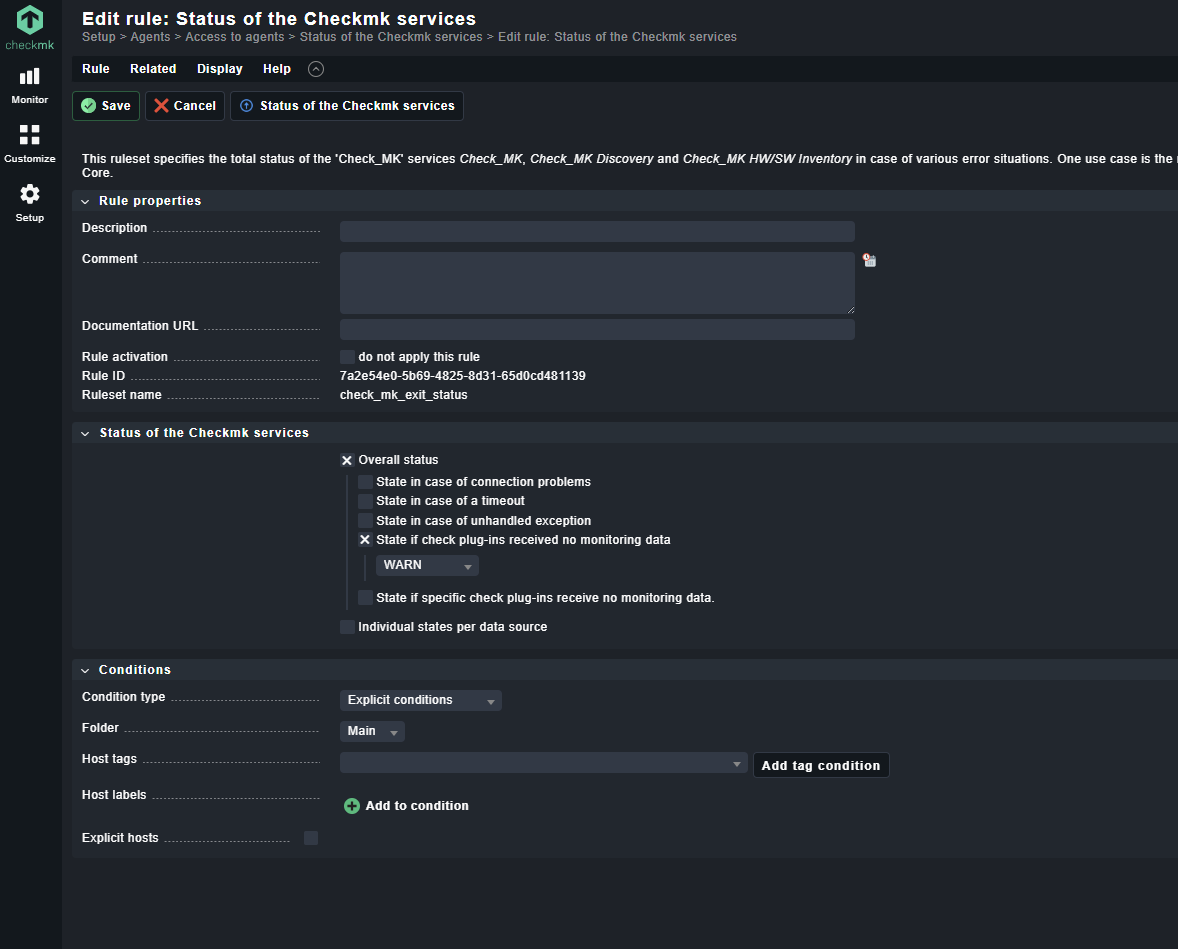
Why not change this rule for your need to the status of the “Check_MK service”. If the container not exists anymore then the Check_MK service will go to WARN normally as there is no data anymore - as it is also shown in your screenshot. You can also configure the behavior of the Check_MK service to your needs. Something like in this screenshot.
@andreas-doehler Thank you again for your response. However, as you can see from my reply, it’s still not clear to me. Would you mind to respond again? Any help is greatly appreciated.
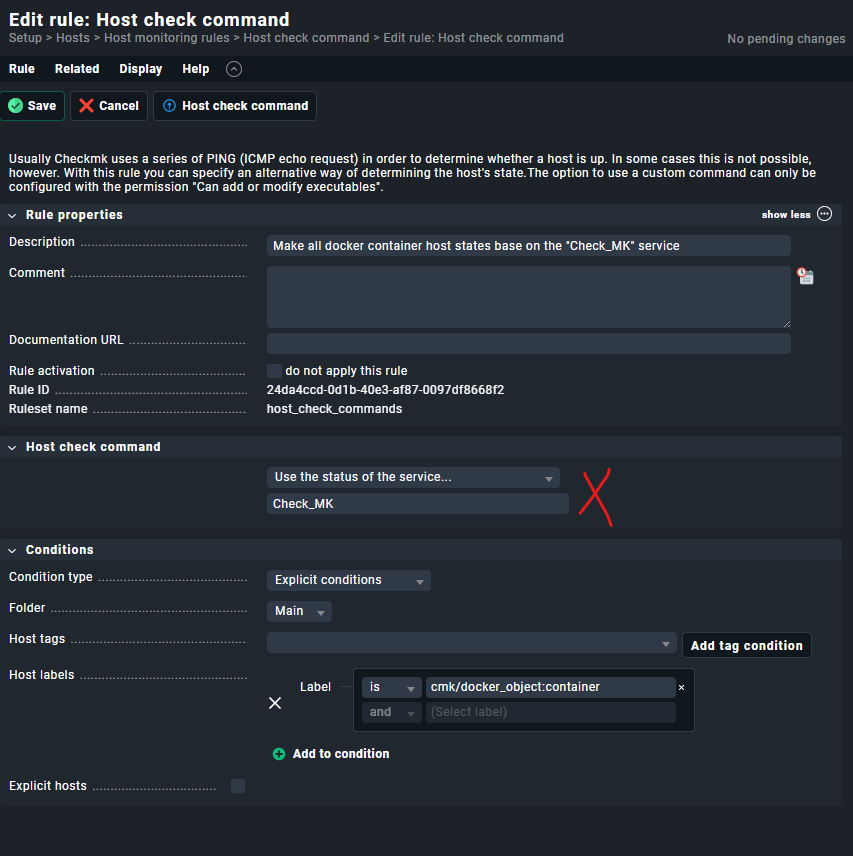
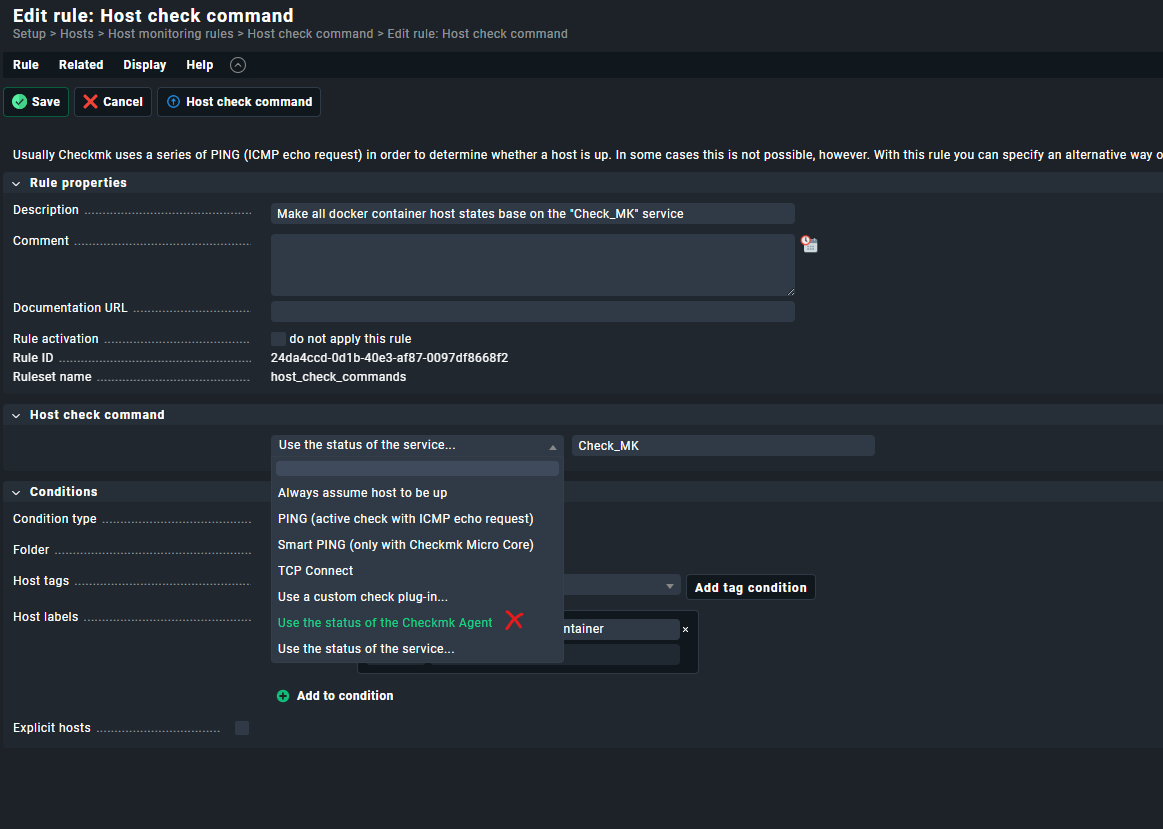
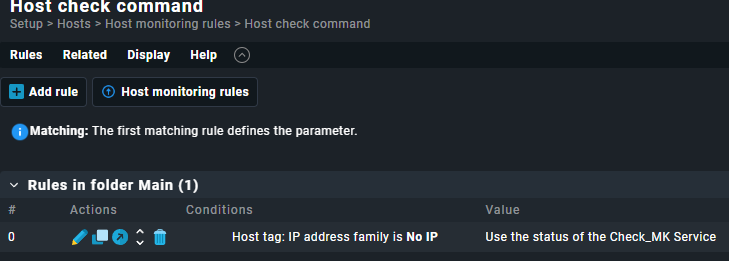
My instance shows me “Use the status of the Checkmk Agent” (instead of “… Service”). See following print screen. Did this changed in a very recent version? I use Checkmk Raw Edition 2.3.0p13 (in Docker).
It should work in your version with the selection of “Checkmk Agent” - but what is strange, is that i don’t see any werk mention the change of this rule set.
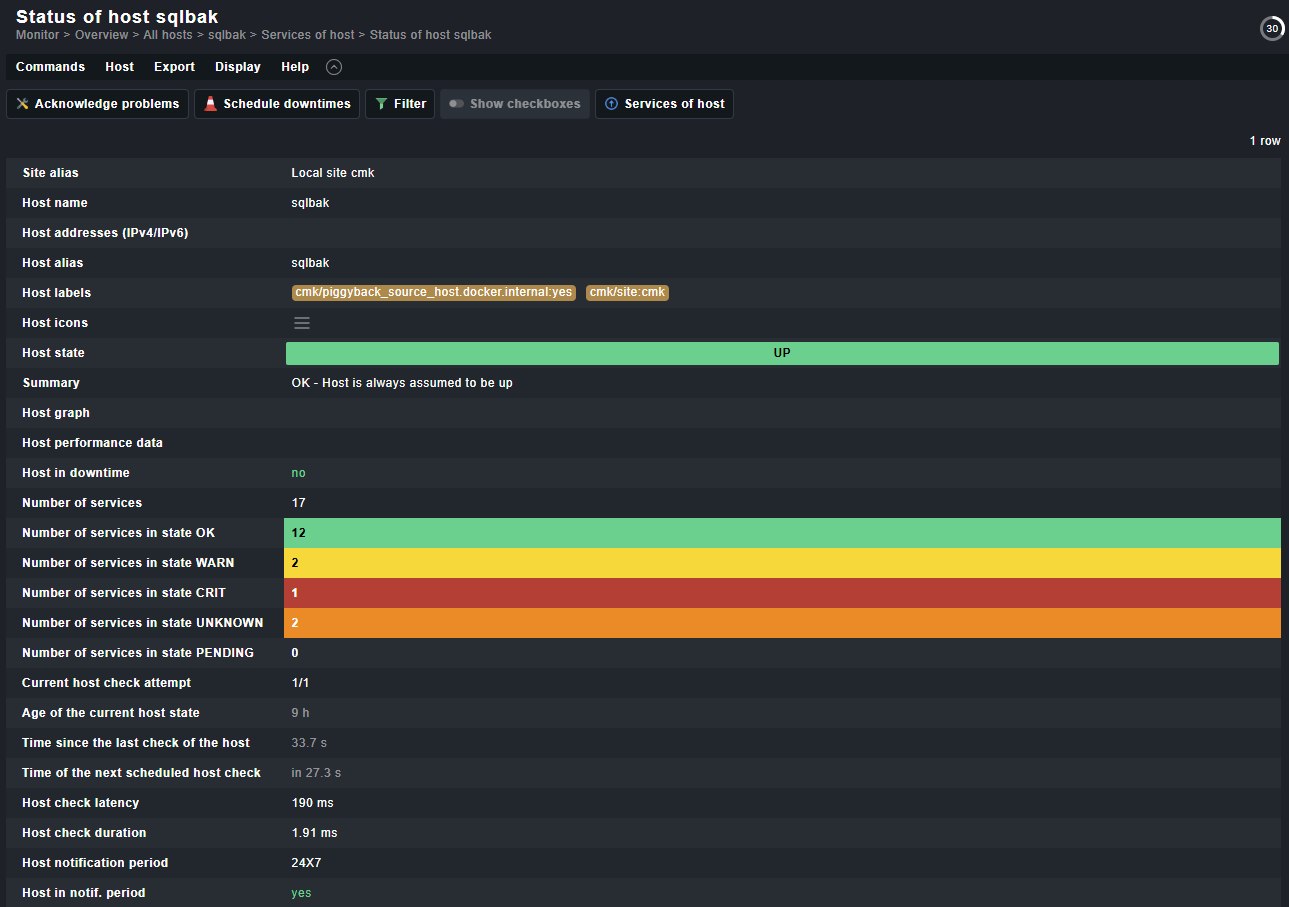
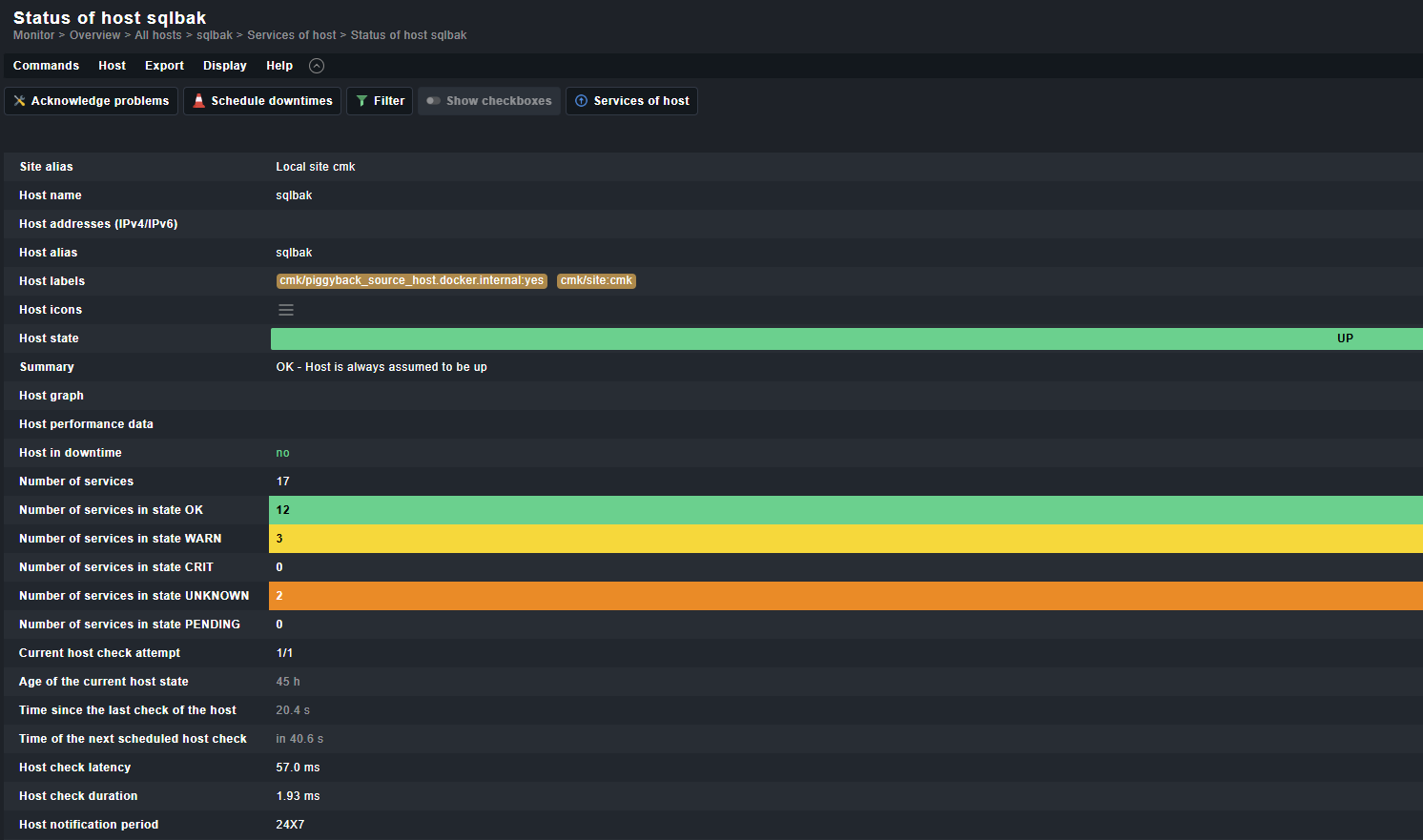
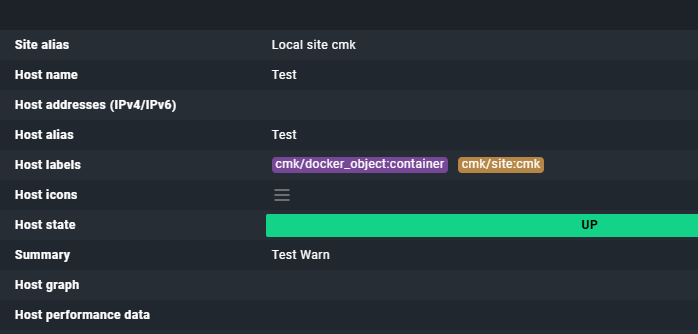
The host shows the important information
“Always assumed to be up”
This should come from the setting “no IP” on this hosts.
I tested here in a system with also one host with setting “no IP” and it was all the time up.
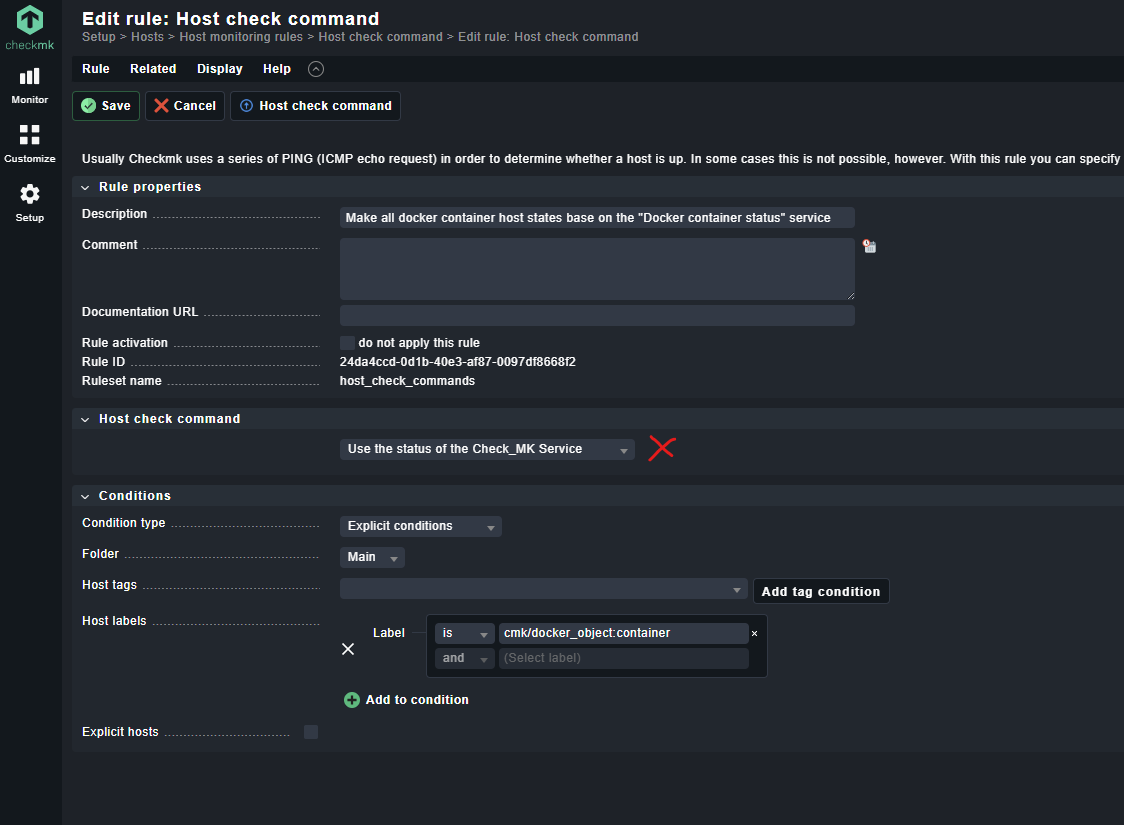
Now i created this rule
@andreas-doehler Now it works. The missing piece was that my Checkmk service changed to WARN instead of CRIT, so the host remained in the green UP state.
Thanks again very much for your support, and all the best for the Checkmk Conference!
@andreas-doehler Sorry to bother you again. As I already said, it worked for some time. But then - after some hours - suddenly it stopped working again. This is my current configuration (which was working, but now does not work anymore):
@andreas-doehler Is it possible that this is a bug? I would be happy to help analyze this further if needed. Please let me know which logs, cache files, counters, or debug information would be useful to collect. If there is a way to reproduce or narrow this down together, I would gladly assist anytime.
According to your last screen shot the host is still considered to be “Always UP”.
Looks the Host check command “Use the status of the Check_MK Service” is not applied.
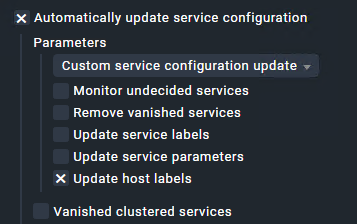
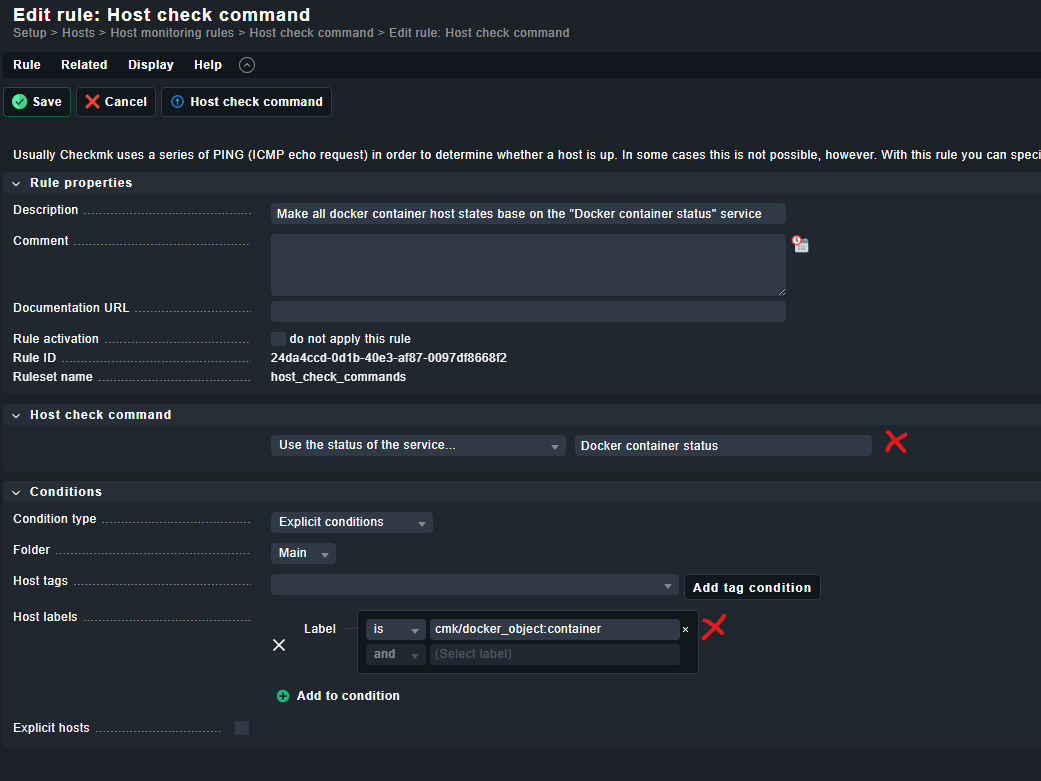
Either you did not activate the changes, the Rule is over ruled by an earlier rule or it could be an issue that you are using the host Label cmk/docker_object:container which is a discovered host label.
Better use the folder as condition.
So the host label cmk/docker_object:container is only there after the host got discovered once.
@mimimi Your response lead me to the actual reason. My host check command rule used this condition:
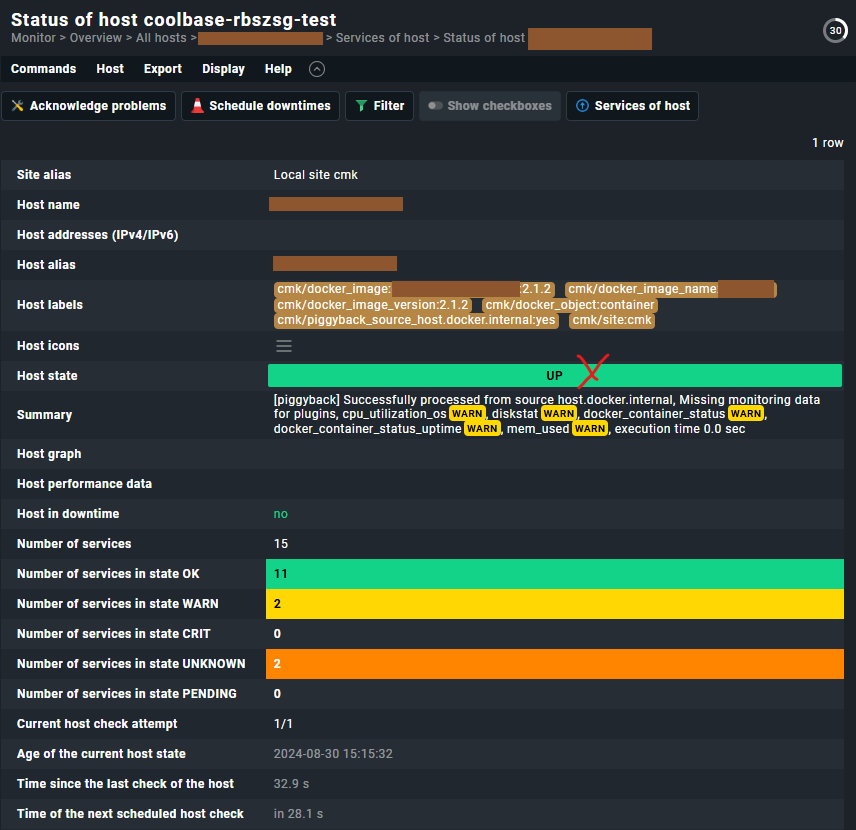
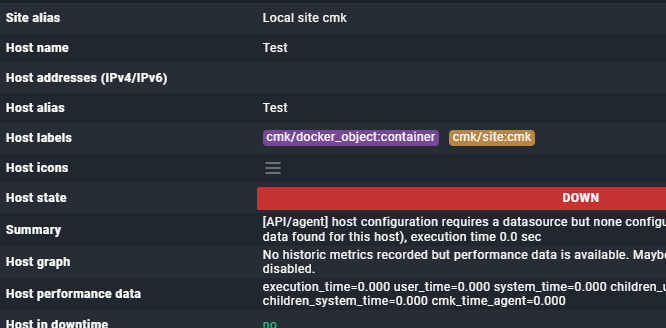
My container host did have this tag, but some time after stopping the container, the container host seems to have lost this tag:
This also explains why my host check command rule configuration worked for some time and then stopped working.
I am now using an explicit host selection as the condition, which works for me.
However, just for my understanding: is it by design that a container host can effectively lose tags over time? Or is it more likely that I accidentally removed this tag, for example while running a service discovery? I do not remember doing that, but I also cannot confirm it with 100% certainty.
This is now the question
First you cannot remove manually labels detected by plugins.
The label is produced by one of the check plugins responsible for the docker checks. If this plugin gets no data anymore it is possible that the label gets removed at a automatic/manual discovery if selected to update labels there.


 at the CMK conference writing is not so easy as in the home office.