I am using CMK EE 1.6.0p8 and wanting to use logwatch to monitor our Windows domain controller security log, forward and alert on any user account lockout messages.
This is not working as expected, I fake a user lockout and I can see the event ID in Windows Event Log, but nothing in event console or /omd/sites/nagios/var/mkeventd/history.
Here is my agent configuration…

Here is my logwatch event console forwarding rule…
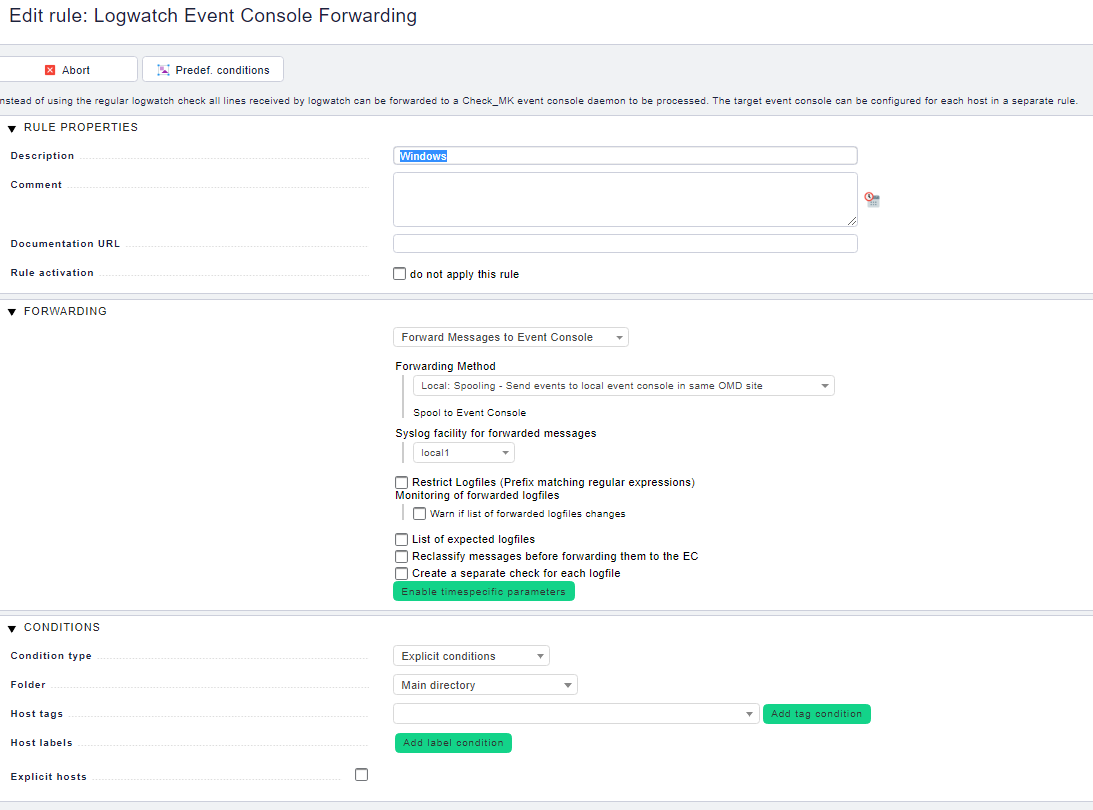
Finally here is the actual rule setup in EC…

I have tested the event log message in the event console and I know that part works.
The issue is, it does not seem like the event ID is getting forwarded to my check_mk server. I don’t understand why this is since I have specified all Security event logs to be forwarded.
I was tailing /omd/sites/nagios/var/mkeventd/history and I don’t see anything in there related to the account lockout events.
Back on the domain controller I reviewed the check_mk.log and the only thing that stands out is this…
2020-02-27 10:12:02.296 [Warn ] Logwatch size have exceeded limit [500000]
2020-02-27 10:12:02.297 [Trace] Skipping logwatch pos from [206217871] to [206218822]
2020-02-27 10:12:02.418 [Err ] failed to open log ‘*’
2020-02-27 10:12:02.419 [Trace] Sending data ‘logwatch’ id is [744020502708642] length [501863]
2020-02-27 10:12:02.421 perf: Section ‘logwatch’ took [914] milliseconds
2020-02-27 10:12:02.463 Received [501991] bytes from ‘logwatch’
I tried removing the logwatch state file and no luck.
The only thing I am left with is the logwatch size exceeding limit and maybe that is preventing all the event logs from the security log to be forwarded and that somehow it is skipping.
Can I control the logwatch size limit for the windows event log? I know you can do some granular things for monitoring log files but NOT the windows event log.
Anyone able to help me out? I have hours trying to troubleshoot this without any success.