Best to find out which service goes beserk in name length, so you don’t have to use workarounds.
I can think of 2 workarounds to tackle it:
- If you are the only person monitoring, you can fix it on the client side with a browser add-on like Stylus. Available for at least Firefox & Chrome and which lets you enforce CSS in your browser only. Then make a style that changes the
nobrstyle into a text wrap version. Since that style would be on your browser only, no need to worry about Checkmk version updates. Also you can easily turn that style on & off when needed.
Example of my Firefox browser that has 2 styles configured for my Checkmk server:
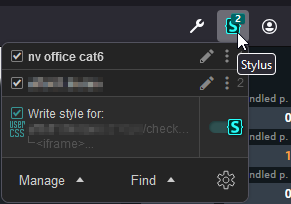
Just (un)check to (de)activate a style. - If you got a whole team and use various devices for monitoring, probably better to make an alternative theme for your server(s). See following threads for notes how to create a theme.
Customize/change HTML of dashboards - #3 by Yggy
Manager asked for a bit more color
To tweak, just to see if a style works, it might be faster and easier to do so in Stylus first.
Probably you need something like following as style to counterreact the original style:
table.data td.nobr{
   white-space: normal;
}
EDIT:
Another alternative is what @ChristianM suggests.
In view, go to Display > Customize view and change Basic Layout from Table to Balanced boxes.
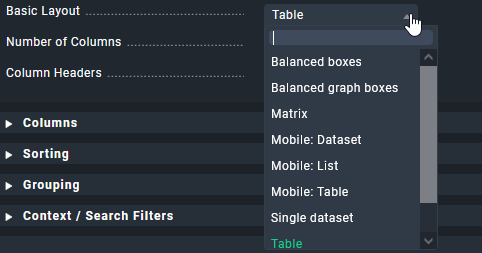
But I have not used this before, so not sure what the outcome will be.