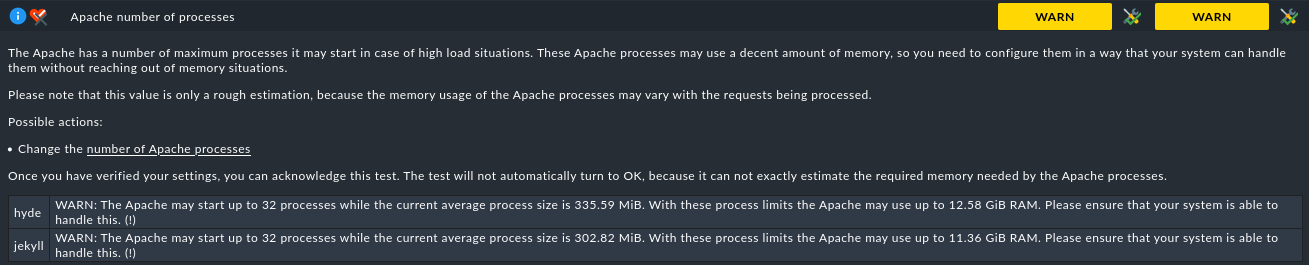
When running Setup->Maintenance->Analyze configuration on 2.4 there is a warning about the number of Apache processes.
This defaults to 64. I’ve lowered it to 32 in the global settings and also set ServerLimit to 32 in /omd/sites/mysite/etc/apache/apache.conf
The server has plenty of RAM and
ps aux | grep apache2 | wc -l
says 11 right now
But the warning persists.
It’s not really a serious probem, just an irritation.
Should I ignore it - or how do I fix it?
This topic was automatically closed 365 days after the last reply. New replies are no longer allowed. Contact an admin if you think this should be re-opened.