Hi Forum,
is it possible to monitor if a host was online in the last lets say 24h hours?!
Or may be in a time range 4am to 5am, something like that.
We have “cold standby devices” that comes online for data updates at night and then shutdown. And we want to know if they did their updates. Only way to do is to monitor if they was online at night. The “uptime” remains after shutdown, so this parameter could not be taken.
Any idea?!
If you need the Information out of CheckMK you can create an Notification rule with “Match host event type” DOWN > UP to get i.e. an E-Mail when the hosts gets Up.
If this does not meet your requirements, please come back to us again
Hi @MarcS ,
hmmm not perfect, but better than nothing Was hopping to get a email notifaction if a device was not online for more than a day… we have ~100 of this “cold standby” devices, this are POS systems in our stores. I Build a service group for the ping service and will have a look tomorror morning.
Thanks Marc
For this you can create a notification rule for the affected hosts, which match criteria Host UP > Down and then delay the Notification with the Rule “Delay host notifications” fot the same hosts.
There you can specify after how many days/hours the mail should be sent. If the host is up again within that time, no notification will be sent out.
You need to know that CheckMK uses the Smart Ping for the hosts status for the availability and the notifications and not the Ping Service. These are 2 different pings that are used.
If you only use the service Ping as a control instrument to analyze the history and do not want to have this service alerted, you can…
Set the service permanently to OK with the “Service state translation” rule. You will still have the graphs but no alerts.
Set the threshold value for packet loss to 101% or higher, then it will no longer be alerted.
Set the service to Downtime. Permanently or repeatedly for a certain period of time, as required.
Depending on the environment and working method, it is always difficult to name the right solution if there are several options
This topic was automatically closed 365 days after the last reply. New replies are no longer allowed. Contact an admin if you think this should be re-opened.

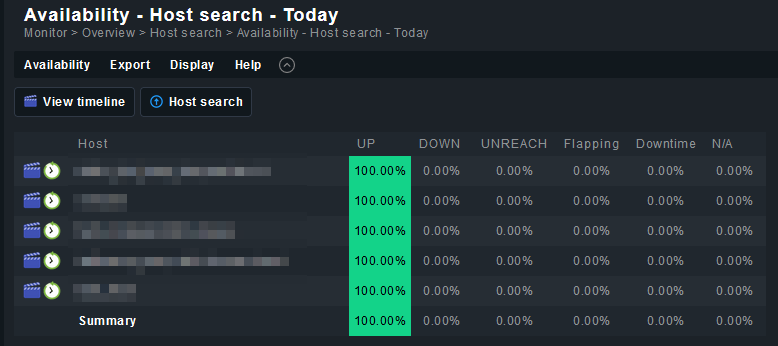
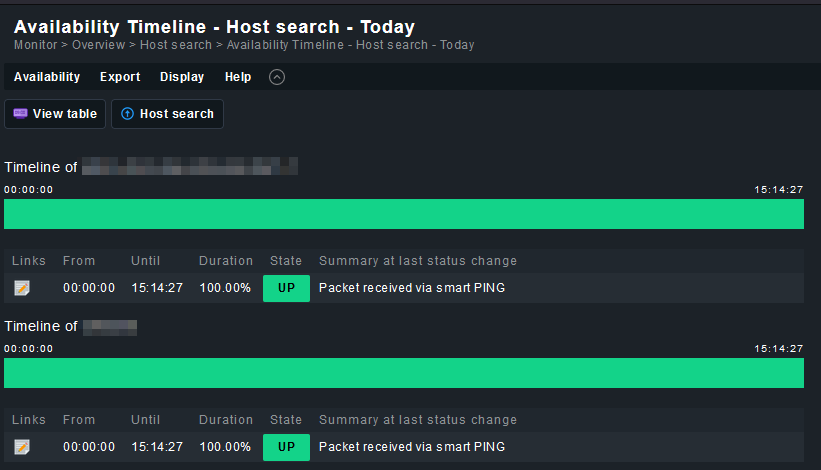

 Was hopping to get a email notifaction if a device was not online for more than a day… we have ~100 of this “cold standby” devices, this are POS systems in our stores. I Build a service group for the ping service and will have a look tomorror morning.