Hi,
in 1.6 it was possible to select multiple services and click for example on “Disable”. All selected services then got disabled.
Is this option in 2.0 missing? I can select the services but not find any button.
It looks like this in 1.6.:

Hi,
in 1.6 it was possible to select multiple services and click for example on “Disable”. All selected services then got disabled.
Is this option in 2.0 missing? I can select the services but not find any button.
It looks like this in 1.6.:
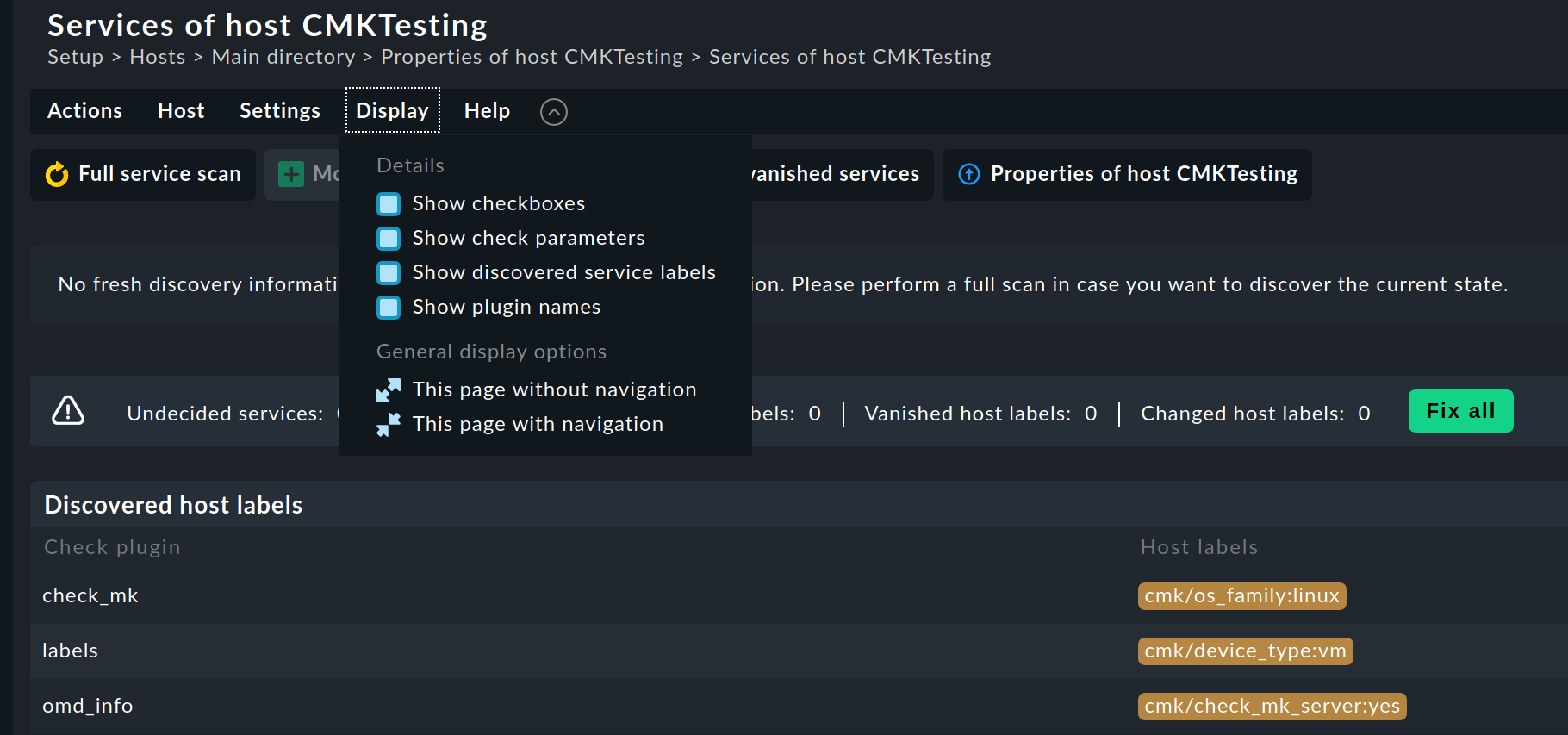
It’s not missing, but it’s not obvious (I think we should improve this, have let the team know).
Display → Show checkboxes
As soon as you have this on, the buttons will only apply to the selected services.
thx, do you mean these?:

Its working, but only with undecided and vanished services.
I cant see generally enable or disable button.
@martin.hirschvogel
Sorry to bring up an older post, but is there a way to do this for a collection of (windows) hosts that are all in a single folder?
Yes you can select also multiple servers or search for a server tag and then do something with the found servers.
Martin is correct but by default for me it still didnt show the option I needed:
“Disable Monitored Services” or “Disable Undecided Services”
You need to select actions, then the three dots on the right to expand the action options, you should see it then.
This topic was automatically closed 365 days after the last reply. New replies are no longer allowed. Contact an admin if you think this should be re-opened.