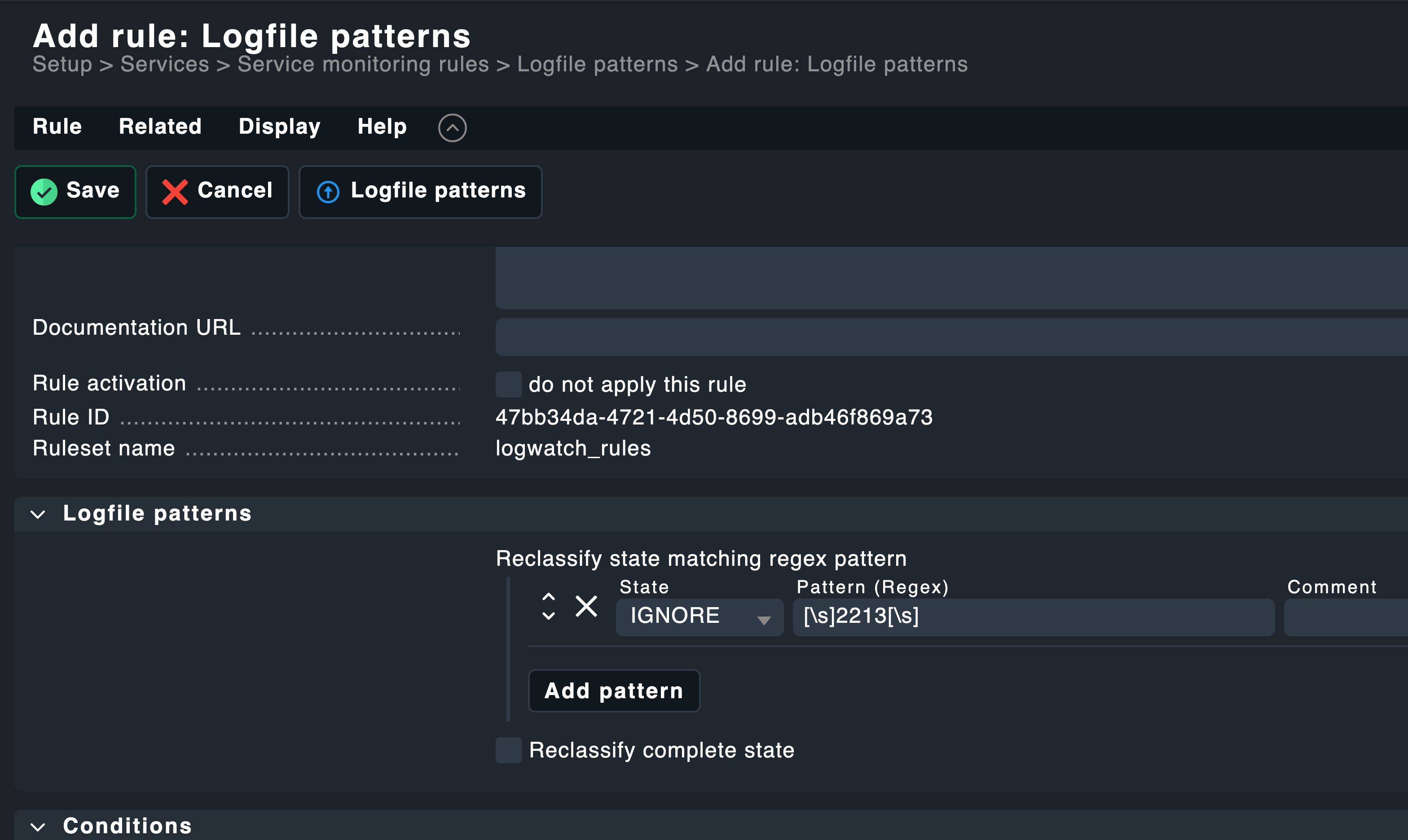
Error message:
With Checkmk it seems difficult to filter specific Windows Logs EventIDs. I managed to do it for a plain-text search - the idea was to ignore everything which is not my executable to be checked:
Enabled check for specific host: Log Application
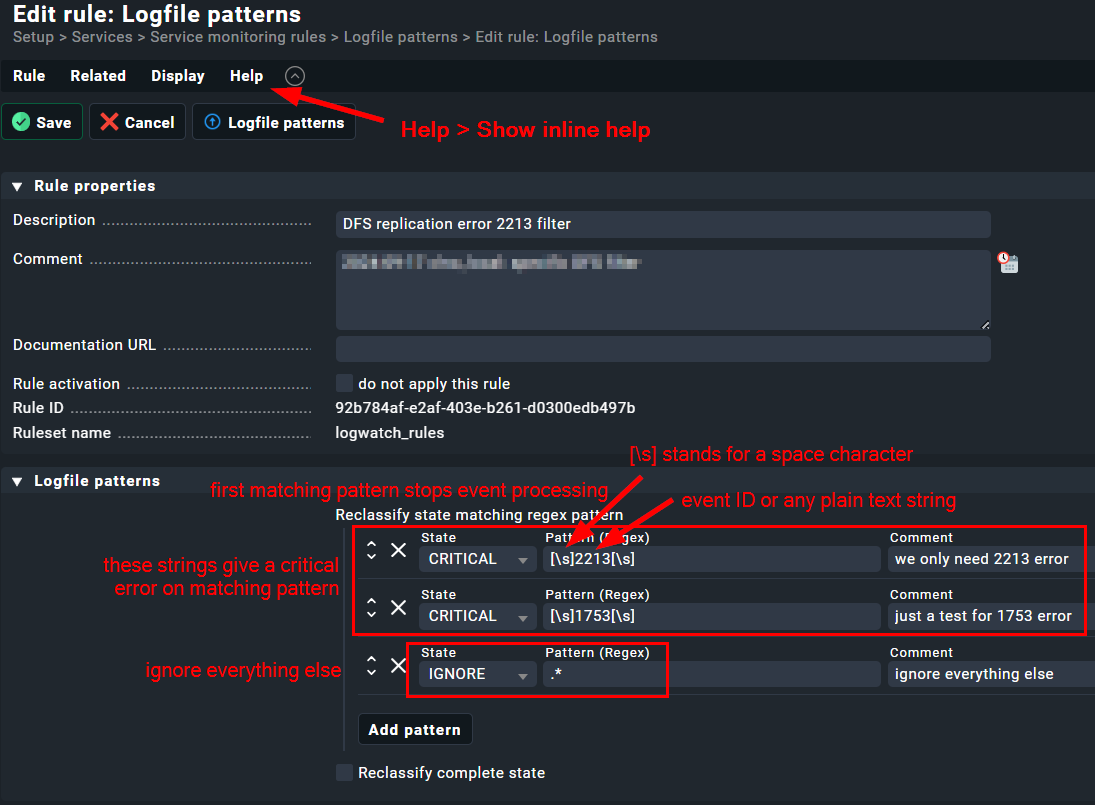
Setup > Services > Service monitoring rules > Logfile patterns > Edit rule: Logfile patterns
IGNORE, ^((?!SatelliteRobocopy).)*$
Now, to filter one specific event id seems very painful to me and it’s not working (wrong regex?):
IGNORE; ((?!Error: 2213).)*$
We’re migrating from Icinga and there was a working Nagios configuration on the server side (not agent):
vars.params = [ “file=DFS Replication”, “filter=id = ‘2213’”, “critical=count > 1”, “warning=count > 0”, “scan-range=-3d”, “top-syntax=$${status}: $${count} message(s) with ID 2213 found”, “empty-syntax=$${status}: $${count} message(s) with ID 2213 found” ]
If you want to Include or Exclude Windows Log file patterns, it is not that hard.
Please just note that you can’t include what not is there, since checkmk as default just returns the context around an error message.
There I match a witespace before and after the number.
You don’t need an complicated Regex, Ignore just filters out what matches the given pattern. You also just could put 2213, but that would match like eg. 1221332 as well. If Error is realy part of the message, then you can pust just Error: 2213 there.
Thanks, Bastian, but I don’t get the point here. Let’s say a Windows log gives me these lines on the Checkmk server side:
ERR id Error: 0000 text <— ignore
INFO id 0001 text <— ignore
ERR id Error: 2213 text <— keep and show this error only!
ERR id Error: 9999 <— ignore
So, then I have to ignore anything else than " 2213 " (with whitespaces), don’t I? It gives me then somehow a complicated regex like “anything else than 2213” and set it to IGNORE?
This topic was automatically closed 365 days after the last reply. New replies are no longer allowed. Contact an admin if you think this should be re-opened.