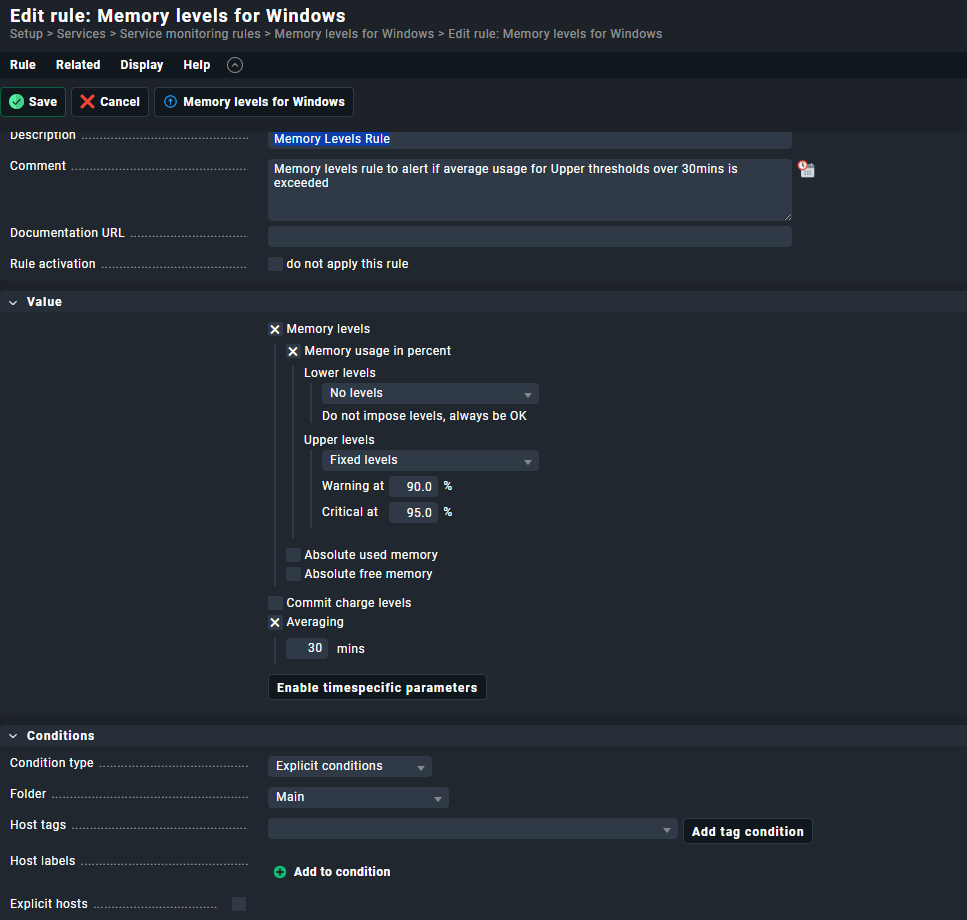
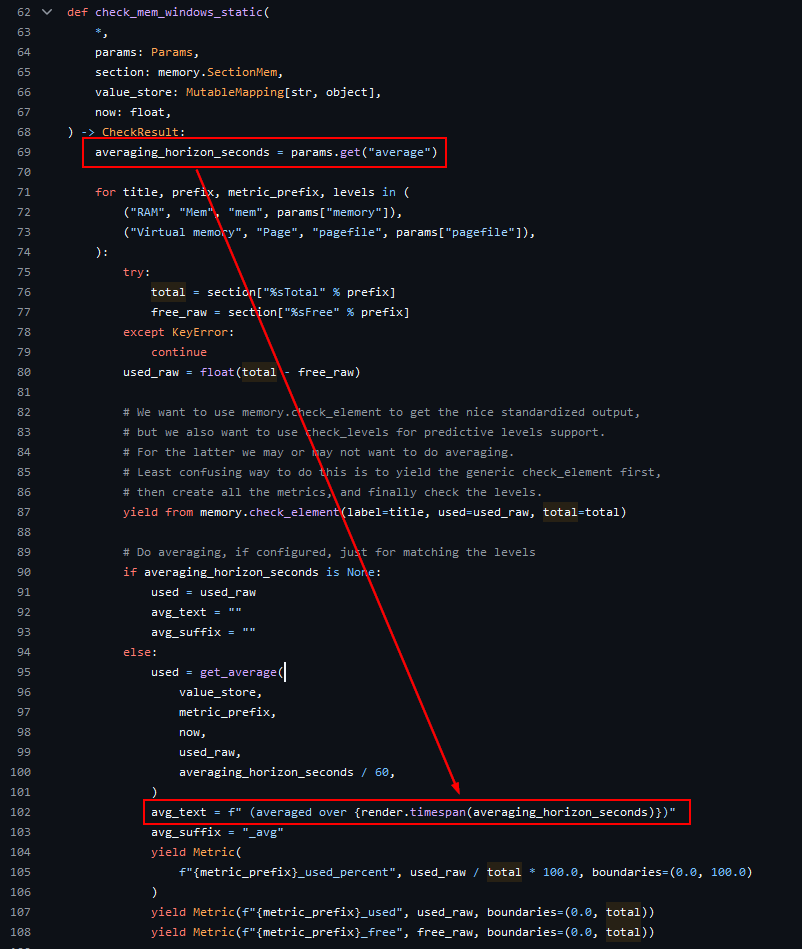
We have set up the Memory Levels for Windows rule to alert when memory usages exceeds 90% & 95% but the alerts i am getting don’t seem right.
We specified an average time of 30mins in the rule thinking this would mean CheckMK would only alert if the average usage over 30min period exceeded the thresholds?
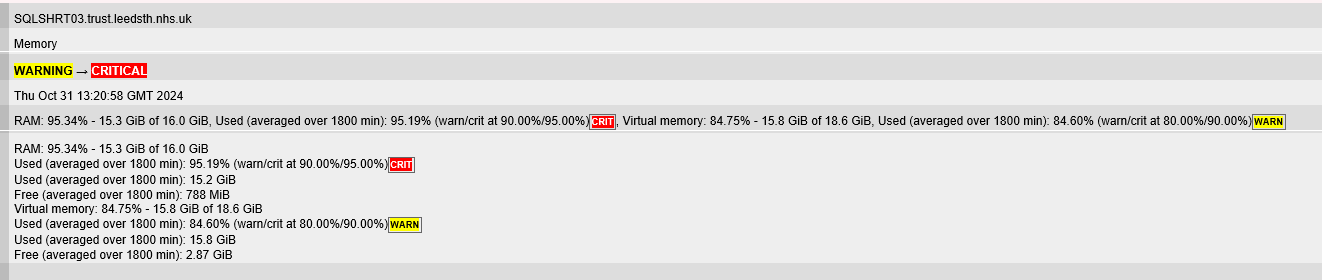
We are getting alerts but they all indicate an average figures over 1800mins (12hrs), not 30minutes. This is an example of the email we get where it states 1800mins. I would have expected to say it was the Used Averaged over 30mins as per the rule?
it’s not the end of the world but when we start sending these alerts to a wider audience they are going to ask about this. I would. So thought i would check have i missed something?
I’m guessing you’re doing it right, but somehow the wrong measurement is shown in the notification, because 1800 seconds is 30 minutes.
What does your memory summary show?
I just set mine to a weird setting of 21 minutes for an endpoint system, and the summary reflects that: RAM: 90.5% - 7.14 GB of 7.89 GB, 21 min average: 91.15% (7.20 GB)WARN, Commit charge: 69.03% - 8.90 GB of 12.89 GB, 21 min average: 69.19% (8.92 GB)
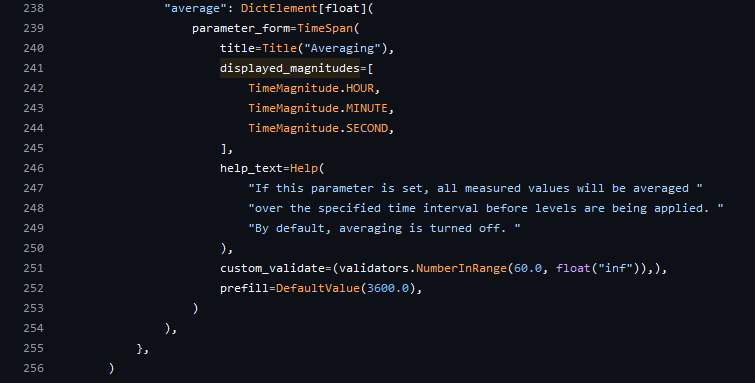
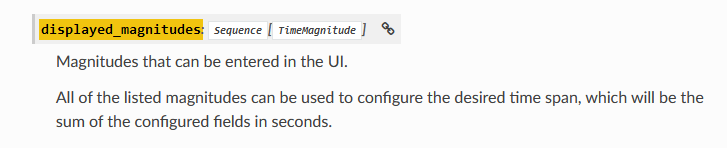
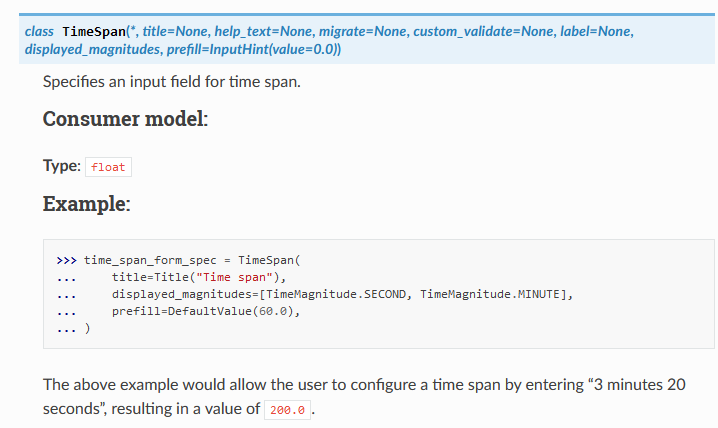
If you only enter “30” the rule take this as an hour (first TimeMagnitude) and convert it in Seconds = 108.000 seconds. Or how shoul it know if you enter hour, min or second?
Out of interest what version are you using? We are on 2.3.0p13
The summary on the notification says 1800 min as well
RAM: 94.88% - 15.2 GiB of 16.0 GiB, Used (averaged over 1800 min): 95.19% (warn/crit at 90.00%/95.00%)CRIT , Virtual memory: 84.20% - 15.7 GiB of 18.6 GiB, Used (averaged over 1800 min): 84.59% (warn/crit at 80.00%/90.00%)WARN
I’ve just done the same and set the average time to 7mins and that comes back and says it tool the average over 420 mins
RAM: 92.88% - 14.9 GiB of 16.0 GiB, Used (averaged over 420 min): 95.05% (warn/crit at 90.00%/95.00%)CRIT , Virtual memory: 82.66% - 15.2 GiB of 18.4 GiB, Used (averaged over 420 min): 84.64% (warn/crit at 80.00%/90.00%)WARN
Looks like a bug or something like that. I’ll report it to CheckMK Support.
This topic was automatically closed 365 days after the last reply. New replies are no longer allowed. Contact an admin if you think this should be re-opened.