Hi folks
I would like to add a Windows Performance Counter to Checkmk as a service (to check a web application for memory leaks).
In perfmon the counter looks like this:
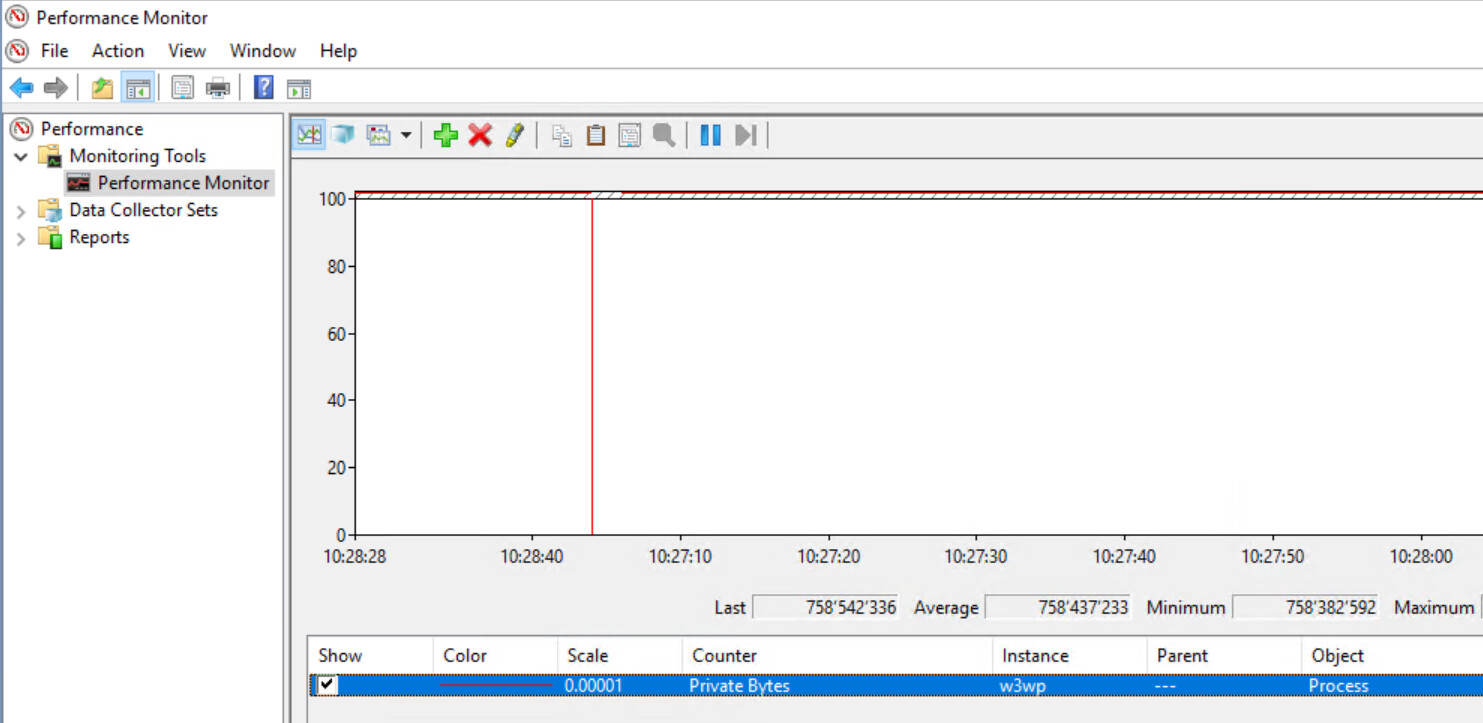
To find out the id and name:
PS C:\ProgramData\checkmk\agent> Get-PerformanceCounter | Where-Object {$_.CounterName -like 'private *'}

CounterID CounterName
--------- -----------
      186 Private Bytes
I followed the guides mentioned here: Windows Performance Counters - Checkmk Knowledge Base - Checkmk Knowledge Base
In the bakery i set this:

Checking the client, I see following output:
PS C:\Program Files (x86)\checkmk\service> .\check_mk_agent.exe showconfig winperf

# Environment Variables:
# MK_LOCALDIR="C:\ProgramData\checkmk\agent\local"
# MK_STATEDIR="C:\ProgramData\checkmk\agent\state"
# MK_PLUGINSDIR="C:\ProgramData\checkmk\agent\plugins"
# MK_TEMPDIR="C:\ProgramData\checkmk\agent\tmp"
# MK_LOGDIR="C:\ProgramData\checkmk\agent\log"
# MK_CONFDIR="C:\ProgramData\checkmk\agent\config"
# MK_SPOOLDIR="C:\ProgramData\checkmk\agent\spool"
# MK_INSTALLDIR="C:\ProgramData\checkmk\agent\install"
# MK_MSI_PATH="C:\ProgramData\checkmk\agent\update"
# MK_MODULESDIR="C:\ProgramData\checkmk\agent\modules"
# Loaded Config Files:
# system: 'C:\Program Files (x86)\checkmk\service\check_mk.yml'
# bakery: 'C:\ProgramData\checkmk\agent\bakery'
# user  : 'C:\ProgramData\checkmk\agent\check_mk.user.yml'

# winperf

enabled: true
exe: agent
trace: no
fork: yes
prefix: winperf
timeout: 10
counters:
  - 234: phydisk
  - 510: if
  - 238: processor
  - 186: private_bytes
PS C:\Program Files (x86)\checkmk\service>
I have no customizations in der check_mk.user.yml.
When I make a “Full service scan”, no new service is recognized.
Checking the local output on the client does not show up a new section.
Is it possible to monitor this perfom counter “Private Bytes” for the process w3wp.exe?
How/where can i configure the client to show the result in a new own section?