I’m writing some sample extensions and one of the guidelines is related to writing man pages with details about the check that is being executed. I was not able to find proper examples to follow and I need some assistance with that. My references:
I’m sorry to tell you but unfortunately there is no further documentation about manpages.
The only thing you can do is look at the existing manpages and use them as templates.
In the description section (below the header) you can force a line break with <br>
and highlight text by enclosing it in {curly braces}.
That text is either rendered bold (if displayed at the bottom of a service’s details) or
monospaced (in the dedicated manpage view of a check).
Besides that, no further formatting is possible. It’s rather trial and error what
works and what doesn’t. For example, some versions ago, the HTML tag worked
for enforced spaces and you could indent some text with leading characters.
But that’s no longer recognised.
I don’t know why they didn’t allow HTML or Markdown as a formatting language.
Possibly because the manpages can also be shown on the command line and there we have
no HTML renderer. But who browses the check’s manpages on the commandline anyway? 
Thanks for your reply and clarification around this topic. I was concerned that I was not looking at the correct location.
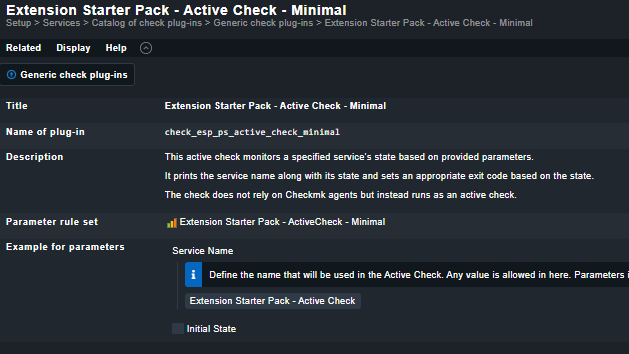
I was able to create the man page:
To anyone interested you can also use manual pages available in ~/lib/python3/cmk/plugins
Enter in any folder and look for the folder checkman.
quite easier: