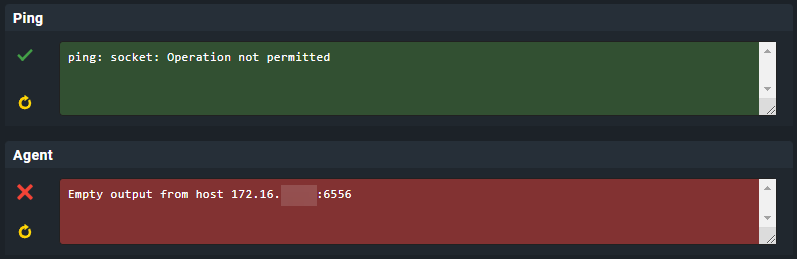
Yesterday I updated my CheckMK firmware to 1.5.1 and the site version to 2.1.0. Since then I’ve been fixing errors so that everything doesn’t just show up in red
I now have the following error with various Linux servers (not with all).
At first I thought of firewall and DMZ, but I have servers in the DMZ that works and don’t works, as well as in the normal server network.
On Windows I have a single server (same agent as the others, not DMZ) that is causing problems. The message is here
I have already completely uninstalled and reinstalled the agents and also deleted them from CheckMK and created them again. Didn’t bring any success.
The servers are all equipped with agents that update automatically and have been activated with TLS since the latest agent.
Unfortunately I can’t find the error. Can someone please help me here.
Did you update the agents to 2.1.0? In case you did: Did you already run “cmk-agent-ctl register” on the clients to be monitored? In case you speak German, take the de version since the English version is partially machine translated:
EDIT Windows: You might have encountered a potential bug currently under investigation. Could you provide us with some details on the Windows version used? As a workaround you might switch back to unencrypted communication for this host (two steps required, registration has to be revoked for both sides):
Linux: There might be cases when hosts were initially added to monitoring by using xinetd as means of accessing the agents. Please check whether ss -tulpn | grep 6556 shows xinetd claiming the port. If this is the case, remove the xinetd config for the CMK agent, restart xinetd and reinstall the agent package. Afterwards, 6556 should be claimed by cmk-agent-ctl and encrypted communication should be possible as intended.
Windows:
I just reversed the TLS connection, but I still get the same message in CheckMK. So that didn’t help.
Almost all servers (including the one with the error) are Windows Server 2022 Version 21H2, Build 20348.707. If you need more information, just ask
Linux:
On servers where I’m not getting any information, the command ss -tulpn | grep 6556 produces no output. As a test, I entered it into one that worked and then got this
OK, I’ll pass on the information on the Windows server.
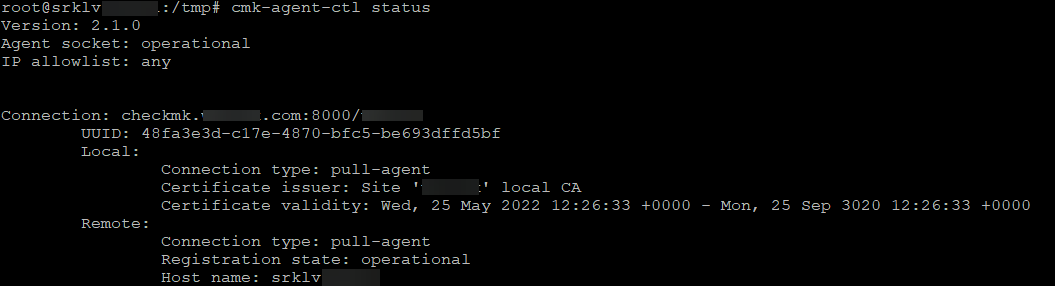
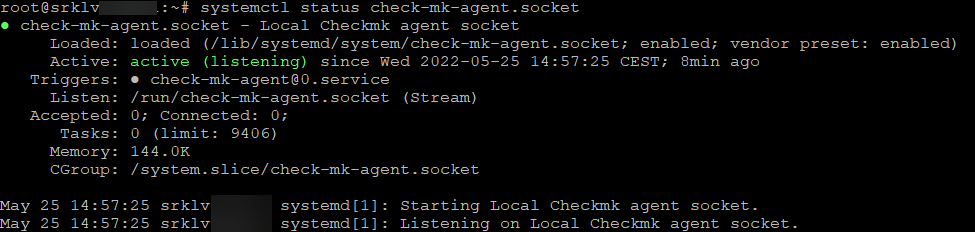
For the Linux hosts: Is the agent controller running? ps waux | grep cmk-agent-ctl Might the hosts be limited (by boot parameter) for a strict IPv4 only setup? Or might registration for TLS has been failed? You can check with cmk-agent-ctl status.
Just in case: We are prepared for cases where the agent controller cannot be started or crashes. You could switch to xinetd mode and disable systemd services for the agent controller while we are investigating:
Disable TLS registration on the CMK server: Properties of host, menu entry Host > Remove TLS registration
Afterwards, ss should show xinetd claiming the connection test should work. We’ll come back to you to ask for details that we might not have considered in our test setups.
Edit: Added missing service to be able to re-use this answer.
Are the Linux systems affected by cmk-agent-ctl not starting using a IPv4 only setup?
For the Windows 2022 affected, please look into %programdata%\checkmk\agent\log
In case you do not find any useful hints, please start a new thread just covering the Windows issue. Me (or a colleague who actually works on Windows) will then contact you and might ask for a complete archive of %programdata%\checkmk\agent\