New version with fixes for raid controller and drive detection.
Also iLO6 should work now without problem.
This version is also multi system capable like you need it for blade centers.
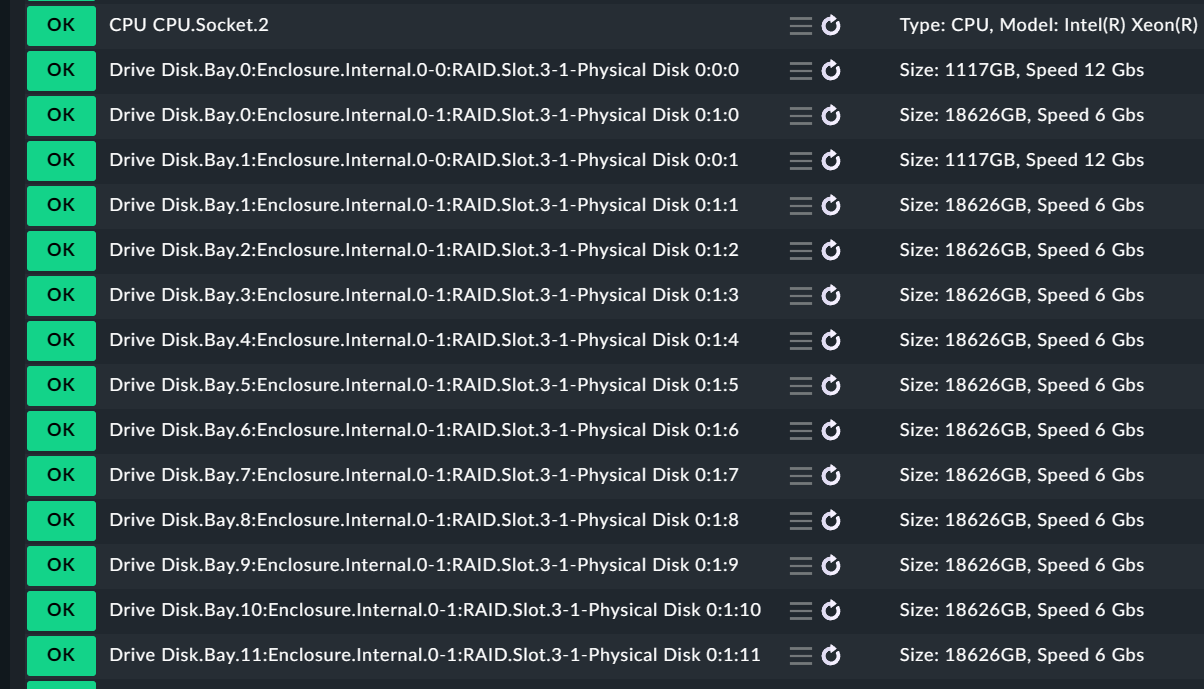
Attention after installing - a rediscovery of your hosts is needed as there are checks now with item that had no item before (multi system support), also the naming for drives was changed to support systems where all drives have the same name
Also for troubleshooting normally i need a dump made with the mockup creator.
Troubleshooting with only screenshots und some lines of text is nearly impossible at such complex data structures.
Is the redfish package a Checkmk agent and could is follow the versions of the Checmk releases or is the redfish package an agent plugin and report no an “agent plugin version”.
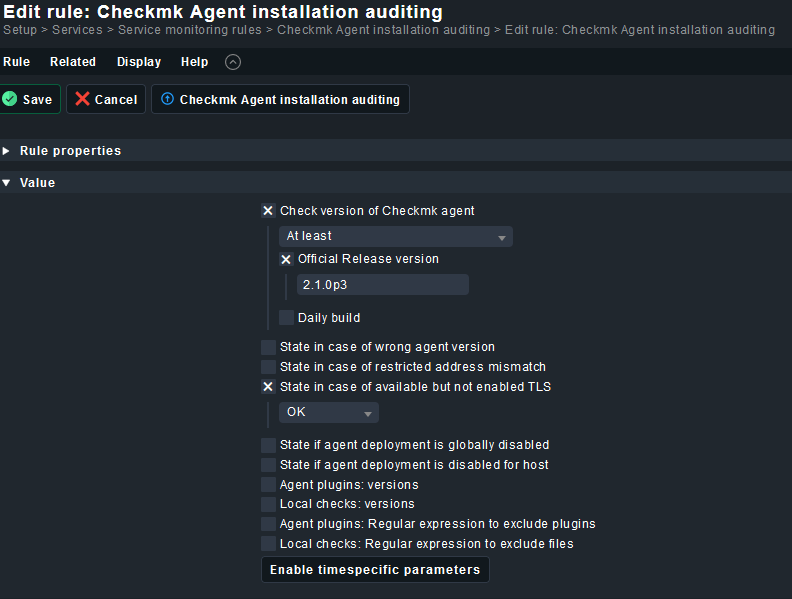
The 2.0 makes no sense for a mkp package with version 2.2.29, for sure.
It makes sense as the agent is the same for all versions 2.0 / 2.1 / 2.2
2.2.29 is the package with the checks for 2.2 / 2.1.29 is for 2.1 and so on
It is possible that the naming changes after integration into the core CMK, but from my side i don’t know what i should change. What you check with your rule is the installed agent version. The agent version of the Redfish plugin has nothing to do with the agent version of the “normal” CMK agent i would say.
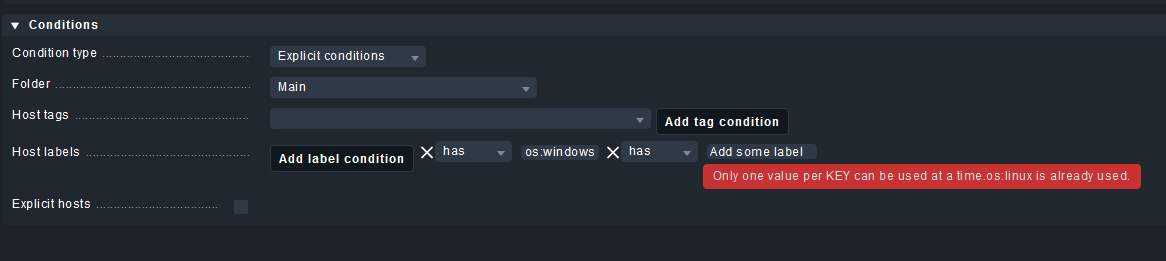
Best solution would be limiting the shown rule to hosts with Linux or Windows label. This label will be automatically set if agent is installed.
Today, new version with only a small fix for offline interfaces. These interfaces are now ignored at discovery time. This was submitted by tfoks · GitHub
@andreas-doehler first I also want to say thanks for bringing this to the community!!
We currently are trying to use it for monitoring a Cisco blade systems which has no fans.
And, probably valid for all devices without fans, it results in crash in function discovery_redfish_fans.
def discovery_redfish_fans(section) -> DiscoveryResult:
    """Discover single fans"""
    for key in section.keys():
        fans = section[key].get("Fans", None)
        for fan in fans:                                            # here it crashes (None is not iterable)
IMHO (but of course implementation is up to you ) both functions (discovery and check) should return an empty list when trying to get the fans:
def discovery_redfish_fans(section) -> DiscoveryResult:
    """Discover single fans"""
    for key in section.keys():
        fans = section[key].get("Fans", [])

        for fan in fans:
            if fan.get("Status", {}).get("State") == "Absent":
                continue
            fan_name = _fan_item_name(fan)
            if fan_name:
                yield Service(item=fan_name)


def check_redfish_fans(item: str, section) -> CheckResult:
    """Check single fan state"""
    fan = None
    for key in section.keys():
        fans = section[key].get("Fans", [])

        for fan_data in fans:
            fan_name = _fan_item_name(fan_data)
            if fan_name == item:
                fan = fan_data
                break

.....
Got an iDrac 9 setup for redfish, and did the steps needed on the site. Inventoried and it went well with one exception. The server I’m working on is a Dell R760, two drives in the flex bay, twelve drives on the front. None of the physical drives are seen.
Those are the only storage related checktypes I’m seeing. I did set the redfish user (on the iDrac) to read-only, operator and administrator so it doesn’t seem to be permission related at the host side.
Ran the agent_redfish to get just the PhysicalDrives but I don’t see any info about the physical drives in what is returned.
Is this expected at this point in the development of redfish checks or is there a config issue somewhere in my setup?
redfish-2.2.30.mkp
check-mk-raw-2.2.0p22-el8-38.x86_64.rpm
Rocky Linux 8.9
Working on getting the mockup data now. What part of that mockup can be removed besides the TelemetryService? Particularly interested in sanitizing the data for any security related data.
Got the mockup built, saved it to a tar.gz. The PM feature won’t let me attach it here. Should I change the extension to spoof it as a jpg or something?
You can also sent as PM some link where you can provide the file.
From the folder here is an example with the needed ones.
drwxr-xr-x   7 root root  4096 Dec 11 10:27  AccountService     <--not needed
drwxr-xr-x   3 root root  4096 Dec 11 10:27  CertificateService    <-- not needed
drwxr-xr-x   5 root root  4096 Dec 11 10:27  Chassis
drwxr-xr-x   2 root root  4096 Dec 11 10:27  ComponentIntegrity   <-- not needed
drwxr-xr-x   3 root root  4096 Dec 11 10:27  EventService  <-- not needed
drwxr-xr-x   3 root root  4096 Dec 11 10:27  Fabrics
drwxr-xr-x   3 root root  4096 Dec 11 10:27  JobService   <-- not needed
drwxr-xr-x 739 root root 36864 Dec 11 10:27  JsonSchemas   <-- not needed
drwxr-xr-x   3 root root  4096 Dec 11 10:27  Managers
drwxr-xr-x   3 root root  4096 Dec 11 10:27  SessionService
drwxr-xr-x   3 root root  4096 Dec 11 10:27  Systems
-rw-r--r--   1 root root  2465 Dec 11 10:27  index.json
drwxr-xr-x   2 root root  4096 Dec 11 10:27  odata
If you really want, you can also replace all the included serial numbers with some placeholders, but i don’t know if this is a work someone wants to do.
More realistic is a search and replace for hostnames / IPs.
What you can test is the manual agent execution on command line with --debug and -v.
Then you see also the time needed for every query and also if it gets an timeout on a single query.
Even though the data is in there I’m not getting the services inventoried for some reason. It looks like the debug is showing the physical drives when I run the agent_redfish. Tried redoing the inventory from command line and the web UI, no luck.
Ran the agent manually just against the physical drives. The individual drives in the system do show up there.
$  /omd/sites/cmk1009ping/local/share/check_mk/agents/special/agent_redfish --debug --verbose  -u username -s password -m PhysicalDrives ipaddr > output.txt
INFO 2024-03-01 12:48:59 root: running file /omd/sites/cmk1009ping/lib/python3/cmk/special_agents/utils/agent_common.py
INFO 2024-03-01 12:48:59 root: using Python interpreter v3.11.5.final.0 at /omd/sites/cmk1009ping/bin/python3
INFO 2024-03-01 12:48:59 redfish: Redfish API
INFO 2024-03-01 12:48:59 redfish.rest.v1: Attempt 1 of /redfish/v1
INFO 2024-03-01 12:48:59 redfish.rest.v1: Response Time for GET to /redfish/v1: 0.13773563038557768 seconds.
INFO 2024-03-01 12:48:59 redfish.rest.v1: Attempt 1 of /redfish/v1/SessionService/Sessions
INFO 2024-03-01 12:48:59 redfish.rest.v1: Response Time for GET to /redfish/v1/SessionService/Sessions: 0.039644286036491394 seconds.
INFO 2024-03-01 12:48:59 redfish.rest.v1: Attempt 1 of /redfish/v1
INFO 2024-03-01 12:48:59 redfish.rest.v1: Response Time for GET to /redfish/v1: 0.03846895322203636 seconds.
INFO 2024-03-01 12:48:59 redfish.rest.v1: Attempt 1 of /redfish/v1/Managers
INFO 2024-03-01 12:49:00 redfish.rest.v1: Response Time for GET to /redfish/v1/Managers: 0.030635480768978596 seconds.
INFO 2024-03-01 12:49:00 redfish.rest.v1: Attempt 1 of /redfish/v1/Managers/iDRAC.Embedded.1
INFO 2024-03-01 12:49:00 redfish.rest.v1: Response Time for GET to /redfish/v1/Managers/iDRAC.Embedded.1: 0.12559902109205723 seconds.
INFO 2024-03-01 12:49:00 redfish.rest.v1: Attempt 1 of /redfish/v1/Systems
INFO 2024-03-01 12:49:00 redfish.rest.v1: Response Time for GET to /redfish/v1/Systems: 0.3174349255859852 seconds.
INFO 2024-03-01 12:49:00 redfish.rest.v1: Attempt 1 of /redfish/v1/Systems/System.Embedded.1
INFO 2024-03-01 12:49:00 redfish.rest.v1: Response Time for GET to /redfish/v1/Systems/System.Embedded.1: 0.26061029825359583 seconds.
INFO 2024-03-01 12:49:00 redfish.rest.v1: Attempt 1 of /redfish/v1/Chassis
INFO 2024-03-01 12:49:00 redfish.rest.v1: Response Time for GET to /redfish/v1/Chassis: 0.044996283017098904 seconds.
INFO 2024-03-01 12:49:00 redfish.rest.v1: Attempt 1 of /redfish/v1/Chassis/System.Embedded.1
INFO 2024-03-01 12:49:00 redfish.rest.v1: Response Time for GET to /redfish/v1/Chassis/System.Embedded.1: 0.13854458834975958 seconds.
INFO 2024-03-01 12:49:00 redfish.rest.v1: Attempt 1 of /redfish/v1/Chassis/Enclosure.Internal.0-0:RAID.Slot.3-1
INFO 2024-03-01 12:49:00 redfish.rest.v1: Response Time for GET to /redfish/v1/Chassis/Enclosure.Internal.0-0:RAID.Slot.3-1: 0.06682244502007961 seconds.
INFO 2024-03-01 12:49:00 redfish.rest.v1: Attempt 1 of /redfish/v1/Chassis/Enclosure.Internal.0-1:RAID.Slot.3-1
INFO 2024-03-01 12:49:01 redfish.rest.v1: Response Time for GET to /redfish/v1/Chassis/Enclosure.Internal.0-1:RAID.Slot.3-1: 0.07414923142641783 seconds.
I can share the output via dropbox if you think it’ll be useful. Going to dig in and work up some command line tools to further explore this stuff next week.
One idea, do you have selected something inside the agent config what it should fetch?
In my test i don’t select anything, this should lead to fetch all the available data.
But in a production environment it can lead to longer runtime.
I did have that box checked and then all the items were also checked. So got it all unchecked and now the drives show up as expected. I had thought the rule wouldn’t check for any services if nothing was selected. It’s not exactly clear that those check boxes are overriding the default check for everything.



 ) both functions (discovery and check) should return an empty list when trying to get the fans: